
FinalShell Review: Terminal, Files and Resource Curves on One Screen
Summary
Server work used to mean three windows: one for commands, one for dragging files, one for watching load. FinalShell stacks them into a single screen with a terminal on top, a dual pane SFTP sidebar and a live resource curve at the bottom, and keeps dozens of hosts in grouped tabs.
Recommend- Name
- FinalShell
- Version
- 20260922
- Pricing
- Free
- Open source
- Proprietary
- Operating system
- WindowsmacOSLinux
- Website
- https://www.hostbuf.com/
- Updated
- 2026-10-07 16:10
Three panes that used to be three programs
Server administration has a workflow problem that nobody designed, it simply accumulated. Commands go into one terminal window. Files move through a separate transfer client with its own connection list and its own idea of where things are. Load and memory live in a third window running some monitoring command, refreshed by hand or by a slow interval. Nothing is individually wrong, yet every task involves switching between three contexts, and the switching is where attention leaks away.
FinalShell's answer is to stop treating those as separate jobs. The upper region is the terminal session. The sidebar is a dual pane file manager working over the same connection, so the remote side and the local side sit next to each other. Along the bottom runs a live resource curve showing processor, memory and network activity as the commands execute. That last arrangement sounds like a small convenience and turns out to be the useful part: you start a heavy task and watch what it costs while it runs, instead of finding out afterwards from a log.
Host management follows the same logic. Dozens of machines live in tabs, connection details can be grouped into folders, and moving between them costs one click rather than a re-authentication ritual. For anyone who maintains more than a handful of servers, the reduction in friction is the feature.
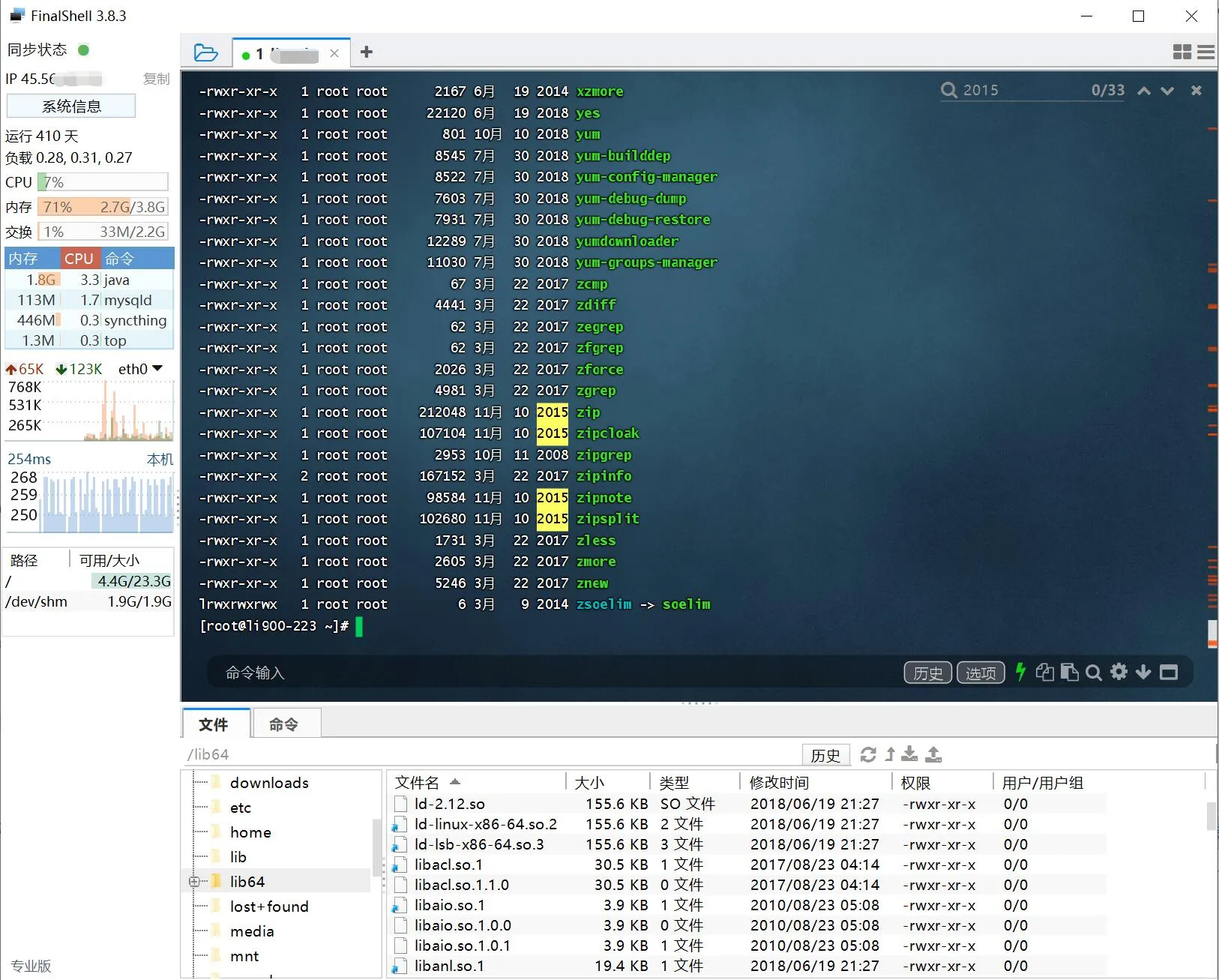
Details polished for its home audience
The localisation is genuine rather than machine translated, and that changes the experience in ways a feature list cannot capture. Interface labels, error messages and the documentation all live in the same language, and the connection presets anticipate the habits of domestic cloud providers, so the fields that usually require a visit to a help page are already filled the way they should be.
File transfer is treated as a first class job rather than an afterthought. Transfers resume after an interruption instead of starting over, and they queue in the background so that a large upload does not freeze the interface. A command can be dispatched to several servers at once from the host list, which is the difference between ten manual sessions and one action. For students and developers meeting their first Linux server, an integrated view where the file tree, the terminal and the load graph are visible simultaneously is far gentler than three command line tools that each assume you already know what you are doing.
Desktop builds cover the three main platforms, basic capabilities are free, and advanced ones are paid on demand, which is a reasonable line for a tool of this kind.
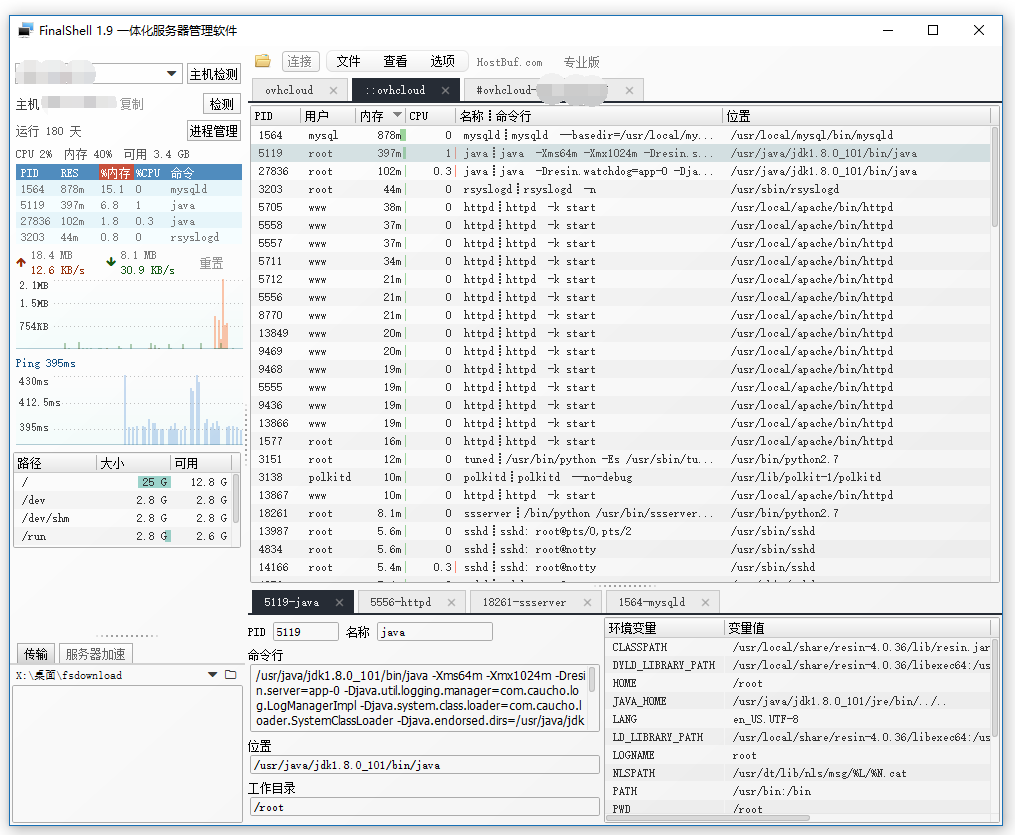
FinalShell represents the practical route taken by domestic utility software: invent no new concept, just braid the frequent workflow into a single screen. Efficiency does not always come from disruption; integration is itself a form of invention.
Using it without creating new risks
Key management on production servers should follow the same security rules as always, and saved connection profiles deserve a local password, because a convenient list of credentials is also a convenient target. The resource curve is excellent for day to day observation and for answering the question of whether the machine is busy; deep performance analysis still belongs to profiling tools that can tell you which function is responsible.
For individual developers and small operations teams, this is the merging wrench that turns three tools into one. It does not make you a better administrator, and it does not pretend to. It removes the tax on context switching, which is a smaller promise and a much more honest one.