
Feem: Sending Files Without the Cloud in the Middle
Summary
No cable and no account needed to send a file: Feem pairs devices on the same network and delivers photos, videos and documents directly, without a third party server in the path, on every major platform, and the free edition already covers ordinary daily transfers.
Recommend- Name
- Feem
- Version
- 20260922
- Pricing
- Free
- Open source
- Proprietary
- Operating system
- WindowsmacOSLinuxAndroidiOS
- Website
- https://www.feem.io/
- Updated
- 2026-10-06 20:17
The Shortest Path a File Can Take
Sending one photograph from a phone to a computer normally takes a strange route. The picture goes up to a cloud service somewhere, waits there while the other device is told about it, and then comes back down. The two machines are separated by a single router, and yet the file travels thousands of kilometres and back. Nobody chose that route; it is simply what the standard tools happen to do.
Feem removes the detour. Install it on the devices that share a network, and they find each other on their own. Pick the other end, send, and the data moves across the local network and nowhere else. There is no cable to hunt for, no account to register, no upload progress bar to watch, and the speed is whatever your router can carry rather than whatever an upload line allows. Large files benefit the most, which is exactly the opposite of how a cloud service behaves.
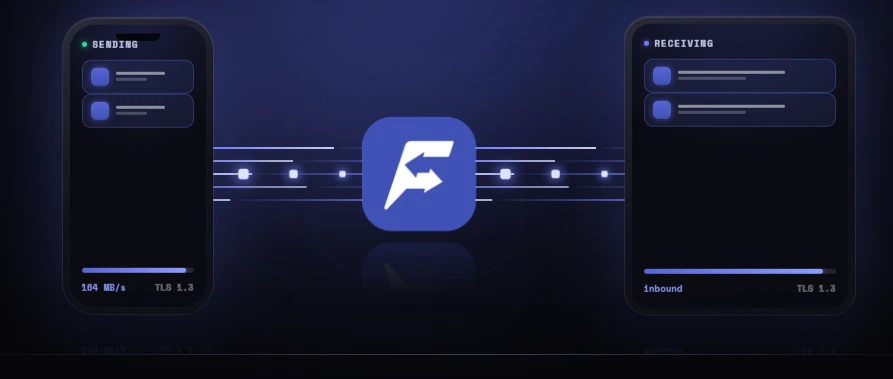
That inversion is worth noticing. On a metered connection a big video is something you hesitate over, because size costs time and possibly money. On a local network the same file is limited only by the hardware already sitting in the room, so the ceiling that shapes the habit simply disappears.
Cross Platform Interoperability, Lightly Packed
The platform coverage is complete and even. Windows, macOS and Linux on the desktop, Android and iOS on mobile, which happens to hit the combination that is most common in ordinary households: an Android phone next to a Windows computer. That pair is precisely where the official ecosystems tend to leave a gap, and it is the pair this tool was clearly designed around.
Files are not the only thing that travels. Text and clipboard contents can be sent between devices as well, so copying an address, a link or a verification code from one machine to another stops being an exercise in retyping. The application itself is small, sits idle without eating resources, and installing it for a single afternoon costs nothing worth measuring.
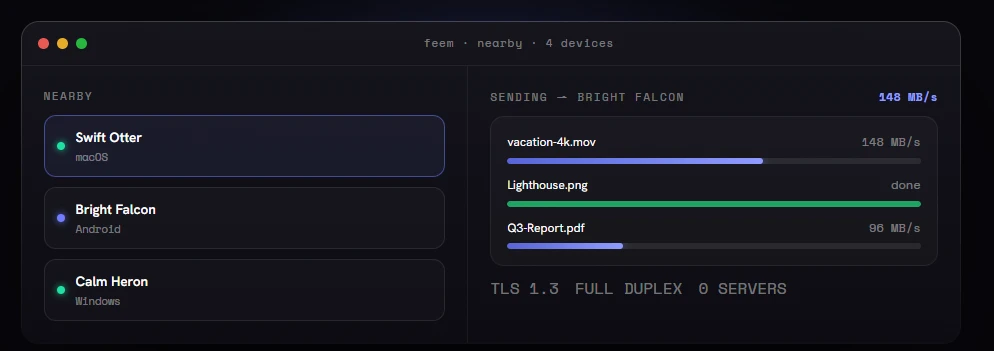
The clipboard case is the one people underestimate before they try it. Typing a long address, a messy password or a six digit code on a phone keyboard is slow and error prone in a way that nobody enjoys, and the usual workaround is to mail it to yourself and copy it back on the other machine. Once both devices can hand text over directly, that whole performance disappears, and the small annoyance you had stopped noticing stops happening.
It is also worth being honest about what this kind of tool is not. It is not a sync service: nothing is kept up to date in the background, no folder mirrors itself overnight, and nothing survives the two devices leaving the same network. That is a limitation, and it is also the reason there is no account to create, no storage to pay for and nothing on a server to be breached. Judging it as a sync drive gets the wrong answer; judging it as a wire between two machines that happen to be near each other gets the right one.
The design philosophy of Feem is that less is fast: no cloud, no account, no complicated configuration, just the local network joining devices together. The best transfer tool is the one that lets you forget a transfer is happening.
The boundary deserves to be stated as clearly. It assumes the devices are on the same local network, so away from home with no shared network it has nothing to work with. The free edition covers everyday transfers, and larger volumes or more advanced needs can be unlocked as required.
If the scenario you actually have is a phone to a computer, or a computer to a tablet, inside a home or an office, and you do not want to stand up a heavyweight sync drive for it, a light tool of this kind is the proportionate answer.
What changes afterwards is small and permanent. The reflex of mailing a file to yourself, or of uploading a photo in order to download it again, quietly stops, and the two devices on the same desk start behaving like what they are: two devices on the same desk.
None of this needs configuration to be useful. Install it, let it find the other device, send the thing you were carrying around in your head as a to do item. For the size of the problem it solves, that is a fair trade: a small tool that does one job on the network you already own, and asks for nothing in return except a place in the taskbar.