
ExamDiff Pro: laying the differences between two documents out line by line
Summary
ExamDiff Pro compares two texts line by line and colours what was added, removed or changed. It also opens Office documents, PDF files and archives for comparison, aligns two directories, and can connect to a remote folder without copying it down first.
Recommend- Name
- ExamDiff Pro
- Version
- 2026
- Pricing
- Paid
- Open source
- Proprietary
- Operating system
- Windows
- Updated
- 2026-10-04 22:10
Why comparison needs a tool at all
When a file has been edited a dozen times, or when two configurations differ by exactly one parameter, finding the difference by eye is both slow and unreliable. Nobody reads three thousand lines carefully; people skim, notice what looks unfamiliar, and quietly hope the rest is fine. The failure mode is not a wrong answer, it is a missed one.
A comparison tool replaces the skim with a mechanical pass. Two versions sit side by side, are compared line by line, and the positions that differ are marked, with colour separating what was added, what was removed and what was changed. ExamDiff Pro is one of the established choices for this on Windows, with a fairly traditional interface and a logic that does not need explaining twice.
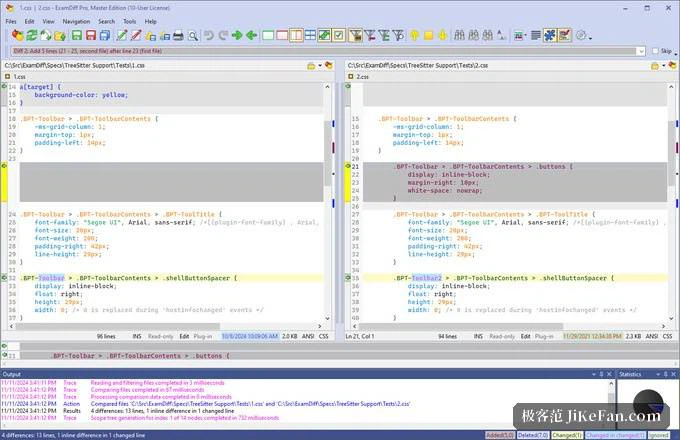
More than plain text
Plain text is the easy case, and this tool does more than the easy case. Office documents, PDF files and the contents of archives can all be comparison subjects, because the tool parses the content first and then compares item by item. For checking versions of a contract, the numbers in a report, or what an archive actually contains, that is considerably more useful than comparing lines of markup and guessing what they mean.
The result can also be exported as a report. That matters in the situations where comparison is not a private act: if two people disagree about what changed, a report settles it without either of them reopening the files and repeating the exercise.
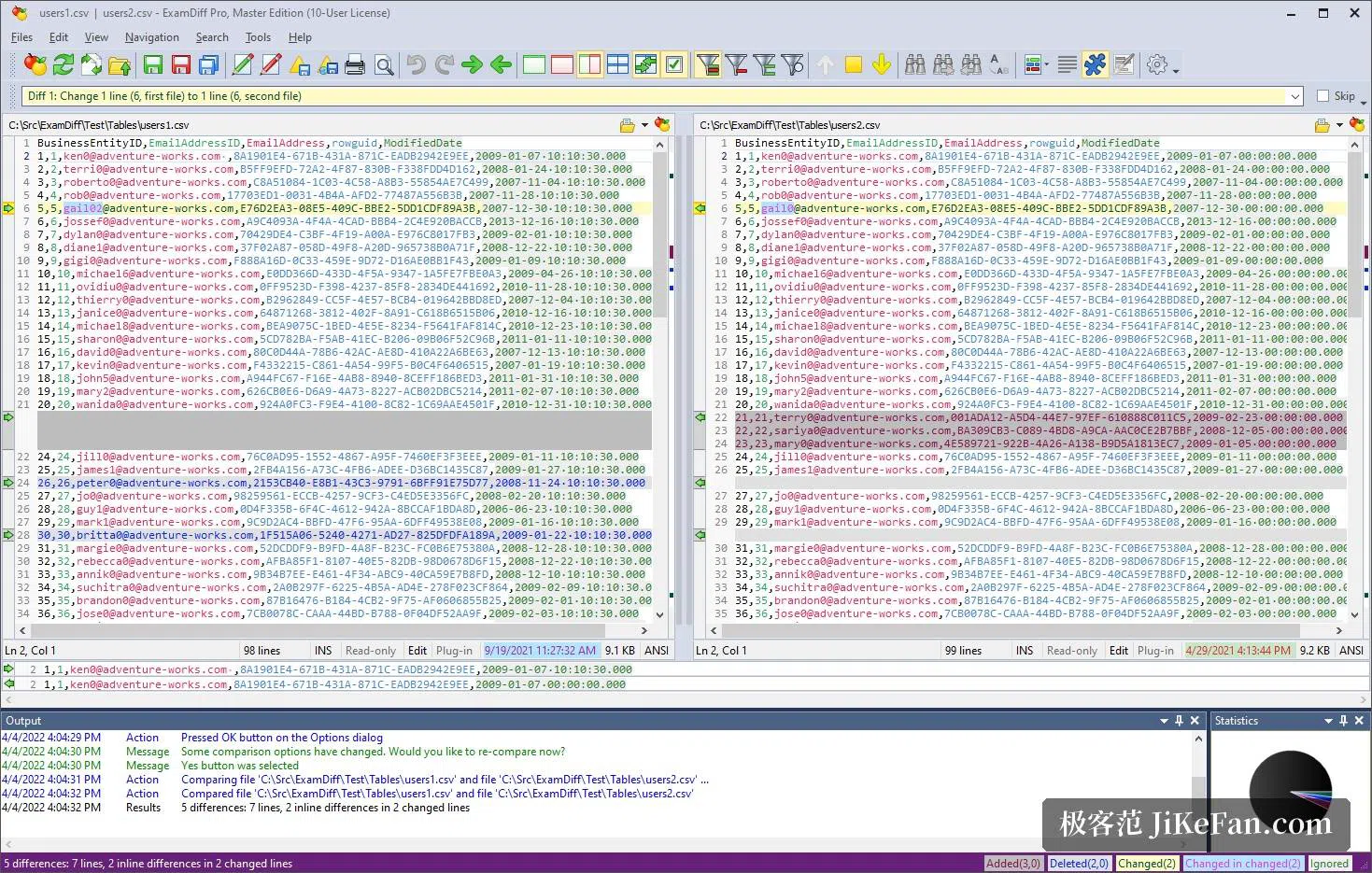
Folders, and folders that are not local
Switching to directory mode aligns the file lists of two folders, marks which files exist only on one side, which exist on both with different content, and which are identical, and allows filtering by name, size or time. This is the mode that quietly earns the tool its place: checking that a release package matches the source tree, or working out why a backup is larger than it should be, is exactly this job.
Remote directories can be compared by connecting to the server directly, without first synchronising the files to the local machine. The saving is not just time. Copying a directory down to compare it changes the thing being examined — timestamps, and sometimes permissions — so comparing where the files already live is also the more careful method.
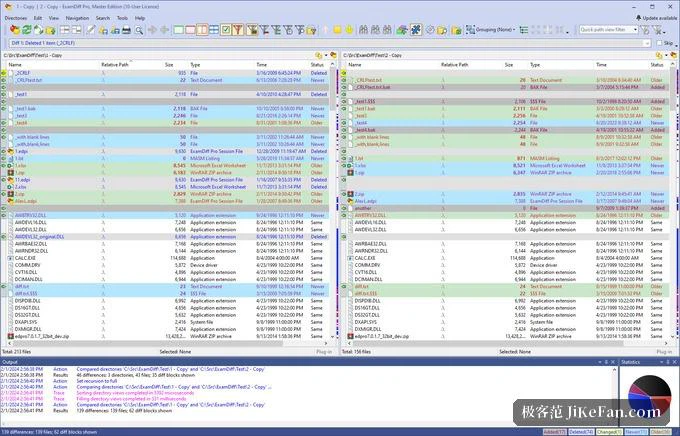
The settings that make it usable, and the licence
In daily use, a handful of options do most of the work: ignoring trailing whitespace and indentation differences, ignoring comments, and filtering by regular expression. Their purpose is not cosmetic. A comparison that reports four hundred lines because an editor changed the indentation is a comparison nobody will read to the end, and the real change hides inside the noise. Filtering is what keeps the signal visible.
It is distributed as shareware: a reduced version is free, and the fuller professional edition requires a licence. The sensible approach, if comparison is going to become part of a regular workflow rather than an occasional rescue, is to try it on your own files first and decide afterwards — the value depends on how often the question "what changed here" actually comes up in your work.
There is a habit worth forming alongside the tool: read the report before acting on it. A comparison shows what is different, not what is wrong, and a line that looks alarming in a diff is often a line that was moved, a comment that was reworded, or a reformatting pass nobody remembers running. The filtering options exist so that the remaining differences are few enough to be read one by one, which is the only way a report becomes a decision instead of a second pile of text to skim.
ExamDiff Pro's value is that it turns the question of what changed into something a single click can answer. Text, documents or a whole directory: let it list the differences, and the person is left with the part that genuinely needs a person — deciding whether those differences are the ones that were intended.