
DeskHorizon replaces the stacked desktop with one canvas for browser, terminal and agents
Summary
A Windows 11 workspace where the browser, the terminal and AI agents sit on one zoomable canvas as live cards, driven by a single command bar, and everything comes back in place after a restart.
Recommend- Name
- DeskHorizon
- Version
- 1.0.2
- Pricing
- Paid
- Open source
- Proprietary
- Operating system
- Windows
- Website
- https://deskhorizon.com/
- Updated
- 2026-11-03 23:00
A dozen windows open, the browser on top of the terminal, the terminal on top of the notes, and reaching one of them means moving the layers above it out of the way. DeskHorizon drops that whole arrangement and spreads everything over a canvas that zooms and pans.
The desktop becomes a canvas
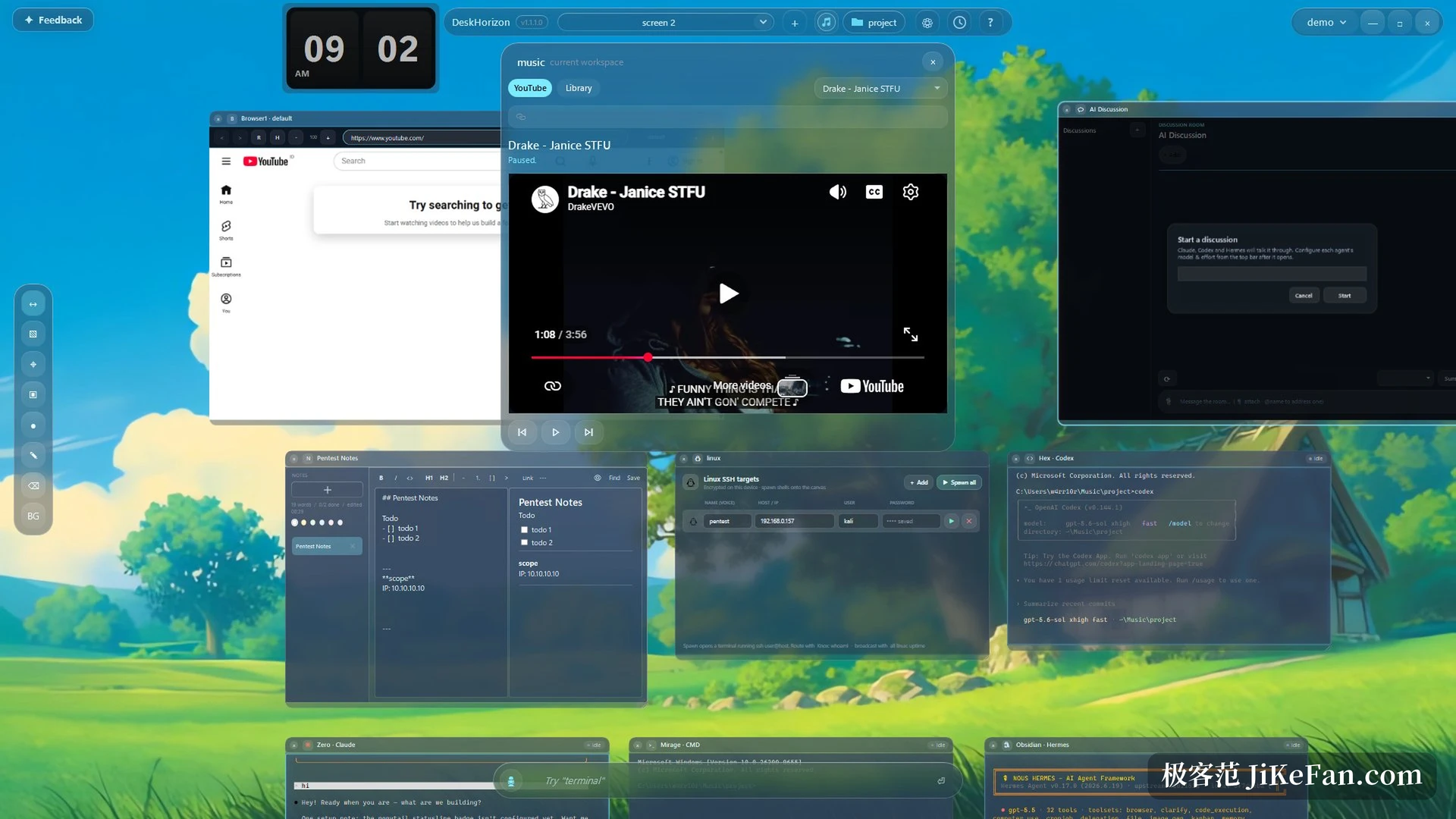
DeskHorizon is a desktop workspace for Windows 11. What opens is not a wallpaper with icons but a glassy surface that pans and zooms without end. A Chromium browser and a real terminal sit on it as live cards, not impersonations inside some container: they log in and run commands as usual. The canvas also hosts any local application, or pins a live mirror of one, so a program that cannot be moved onto the canvas is still watched in the same field of view.
One command bar for the whole desk
Once the canvas grows, hunting with the mouse slows down, so the operations move into a command bar. Type browser and an address to open a browser card, type 3 cmd to spread out three terminals at once, type claude to start an agent session, type screen and a name to jump to that workspace screen. Beside the bar there is a centred launcher on Alt+Space with fuzzy search across windows, features and saved places, running as you type, with remappable shortcuts. The intent is clear: as the desk grows, finding things can no longer rely on remembering where they are.
Voice and agents live on the canvas
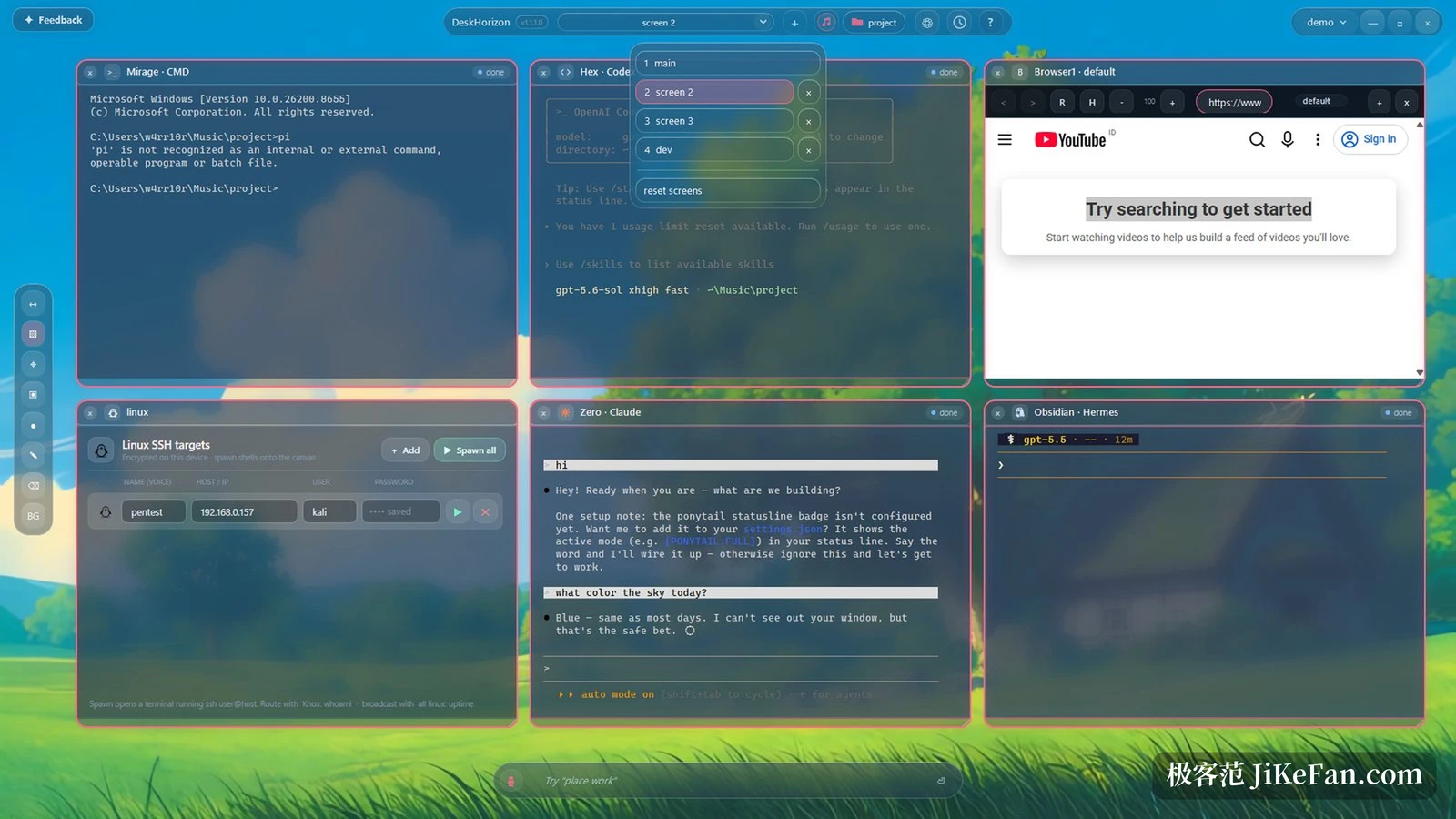
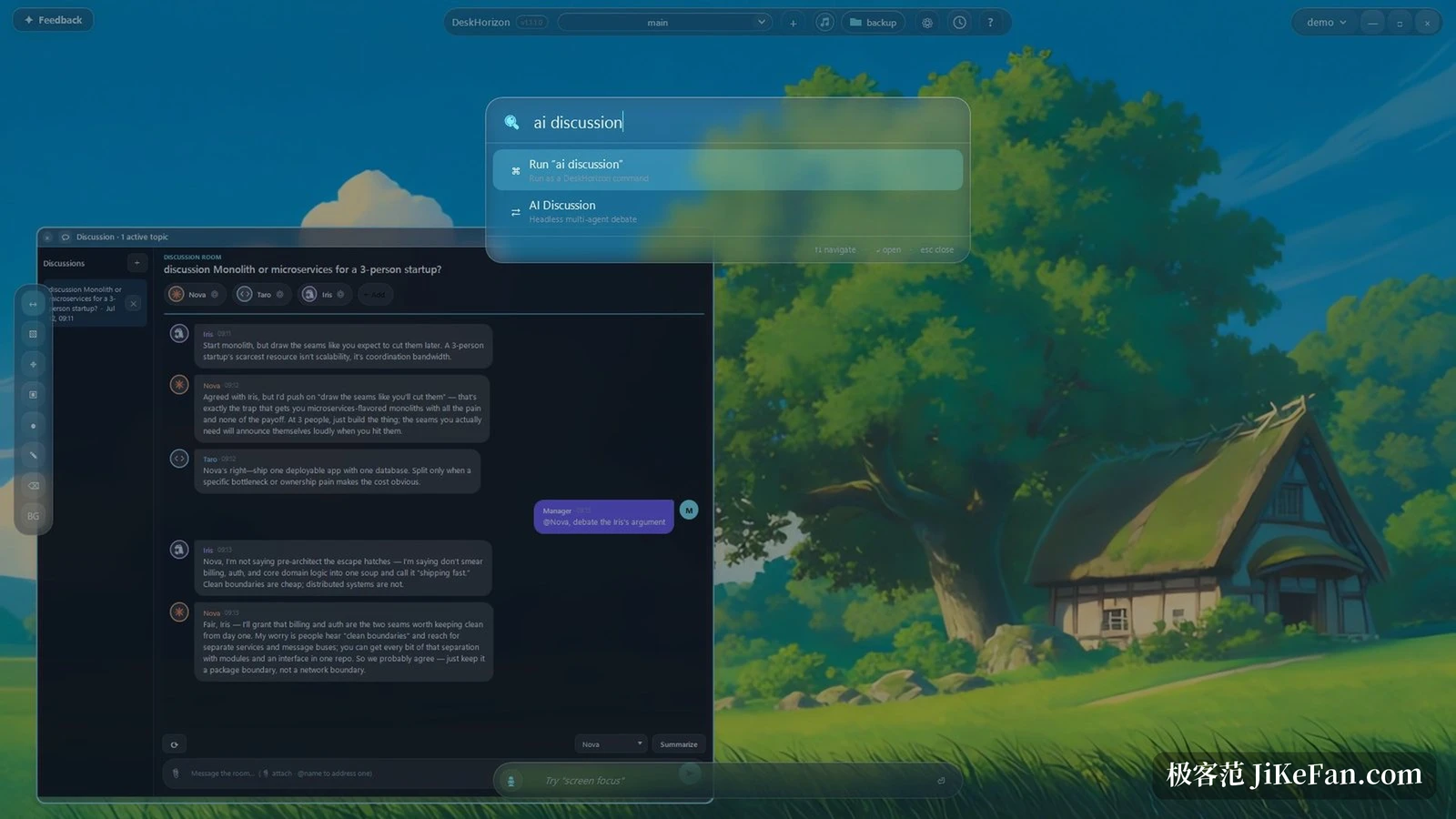
The voice assistant Astra handles commands such as open three terminals or go back to a screen, and takes dictation. It carries a fully offline speech engine: download the model once and it runs on the machine afterwards, without network or account, and anyone who prefers can plug in a cloud speech key instead. Agents are the other use. Claude, Codex, Pi and Hermes all start as canvas terminals, several terminals can form a team that hands work over through files, and a prompt can be scheduled to run at a set time while nobody is at the keyboard. Terminals carry status marks, working, waiting for input or finished, so the state is visible at a glance. There is also a discussion area where several local agents argue one topic with a human moderating, each participant assignable to its own model.
Close it and the positions are still there
Every window position, every terminal working directory and every browser login state is saved automatically, so the next start returns to the same arrangement without setting it up again. Different projects can have different named canvases, frequent spots can be marked as places to fly back to, and workspace configurations stay isolated and can be backed up or carried to another computer. Tidying has its own tools as well: windows align to a grid in one action, and sketching, masking sensitive information, capturing PNG and recording GIF all happen inside the app.
Keeping data on the machine is taken seriously
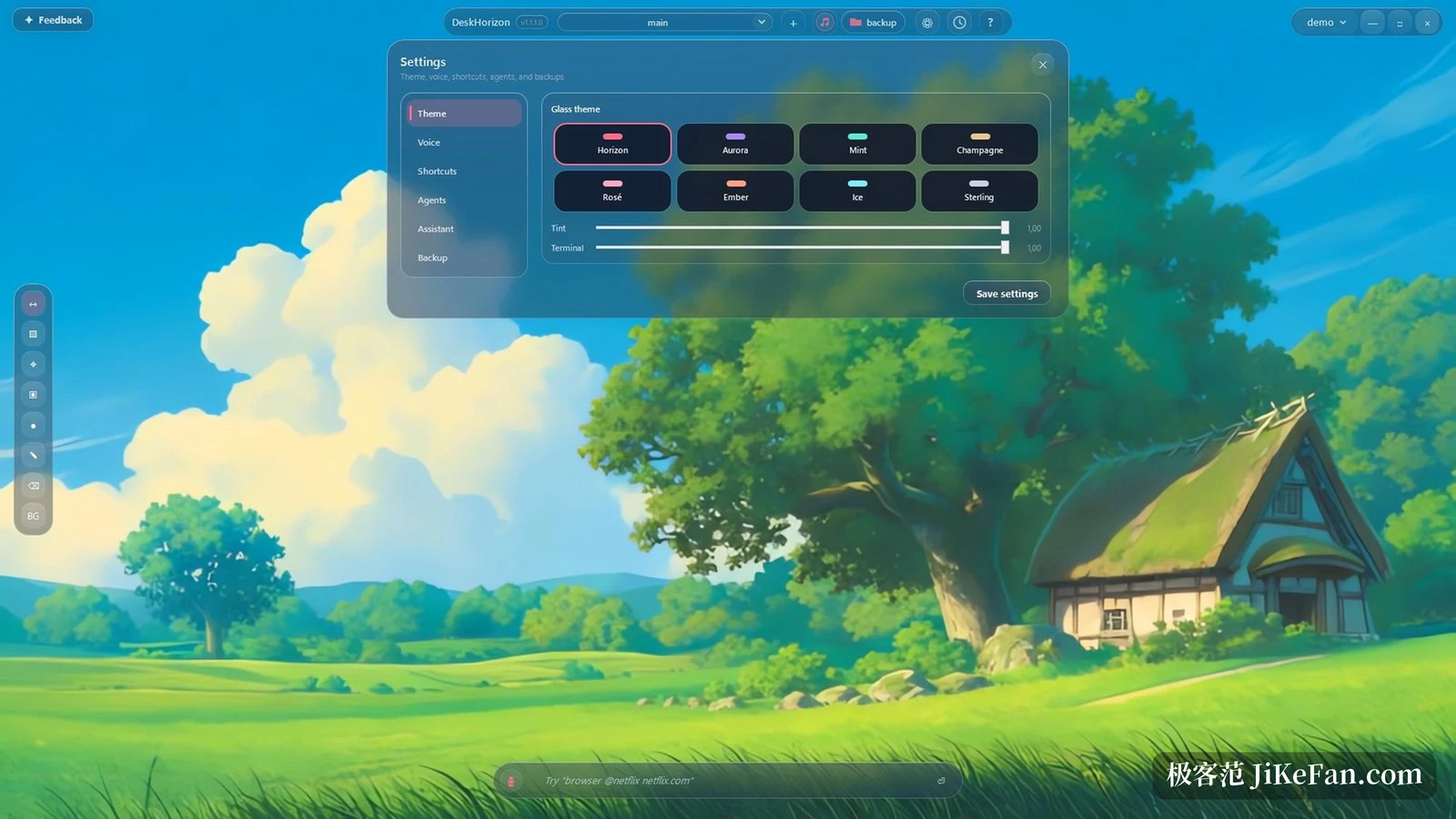
DeskHorizon is built local first: notes, login information, screenshots and settings stay on the computer, with nothing uploaded and no usage tracking. API keys and SSH passwords are encrypted through the data protection interface of the system instead of lying in a configuration file as plain text. Details like that matter to anyone who keeps accounts and passwords spread across terminals all day, because they decide whether convenience is paid for with risk.
Price and requirements
It is a single purchase at 39.99 dollars through the Microsoft Store, with no subscription, and updates within the 1.0 series are free; this release is 1.0.2. Sixty four bit Windows 11 is the recommendation, the sixty four bit build of Windows 10 may run it but is not on the official list. The Chromium engine and the local speech model ship with the app, so no extra runtime is needed, while the bridge for the voice assistant relies on the web view runtime that systems usually already have.
The audience is fairly specific: people who keep a browser, several terminals and AI sessions open at once and move information between them all day. Someone who opens one document and one browser will find the canvas adds a layer of habits to learn. The test is simple. If you regularly shove windows aside just to find one of them, this canvas was built for you.