
Design Console 2026.11.0: AI pages you can roll back
Summary
Design Console 2026.11.0 turns one written brief into a web page on Windows, edits any element in place, keeps a version timeline and exports React or Vue.
Recommend- Name
- Design Console
- Version
- 2026.11
- Pricing
- Free
- Open source
- Proprietary
- Operating system
- Windows
- Website
- https://www.tujuyun.com
- Updated
- 2026-11-10 23:00
Generating a page with AI takes seconds. The hours go into the thirty adjustments that follow: a smaller font here, an orange background there, a headline pulled up one line. Design Console is a local design tool for Windows that aims at that second half, released as version 2026.11.0 with a build date of 9 November 2026. Generating is the starting point. Changing, undoing and handing over are what it treats as finished.
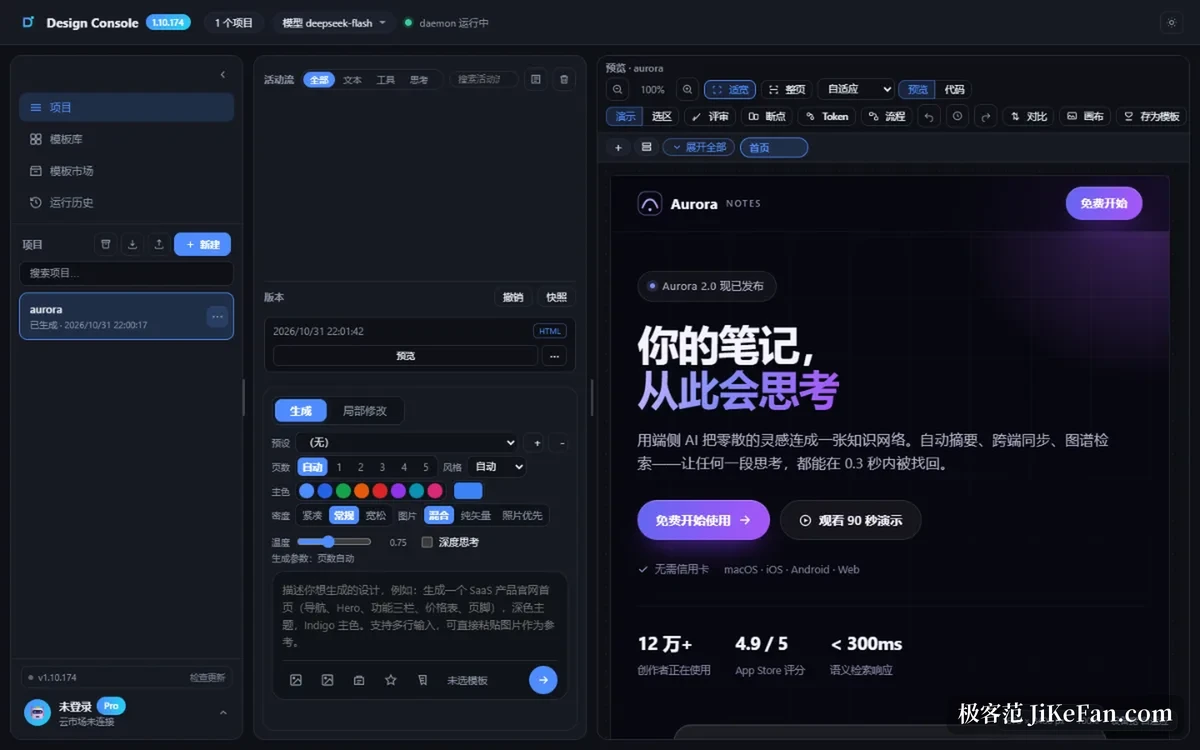
The workspace is three columns. Projects and templates sit on the left, the activity stream and its parameters in the middle, a live preview on the right. A brief written in the middle starts a page on the right. Every step the model takes appears in the stream, progress can be estimated, and the run can be stopped at any moment.
A brief has to name three things
The documentation is unusually specific about wording: name the page type, the content blocks and the palette. Something like a landing page with a hero, three feature columns, pricing and a footer, in dark glassmorphism with a blue to purple gradient, lands far closer than a pretty website. Ask for several pages and the generation step splits them. Presets for palette, density and temperature sit in the same panel, and changing a parameter then generating again beats explaining the same thing twice in a conversation.
Click what you want changed, and undo what you break
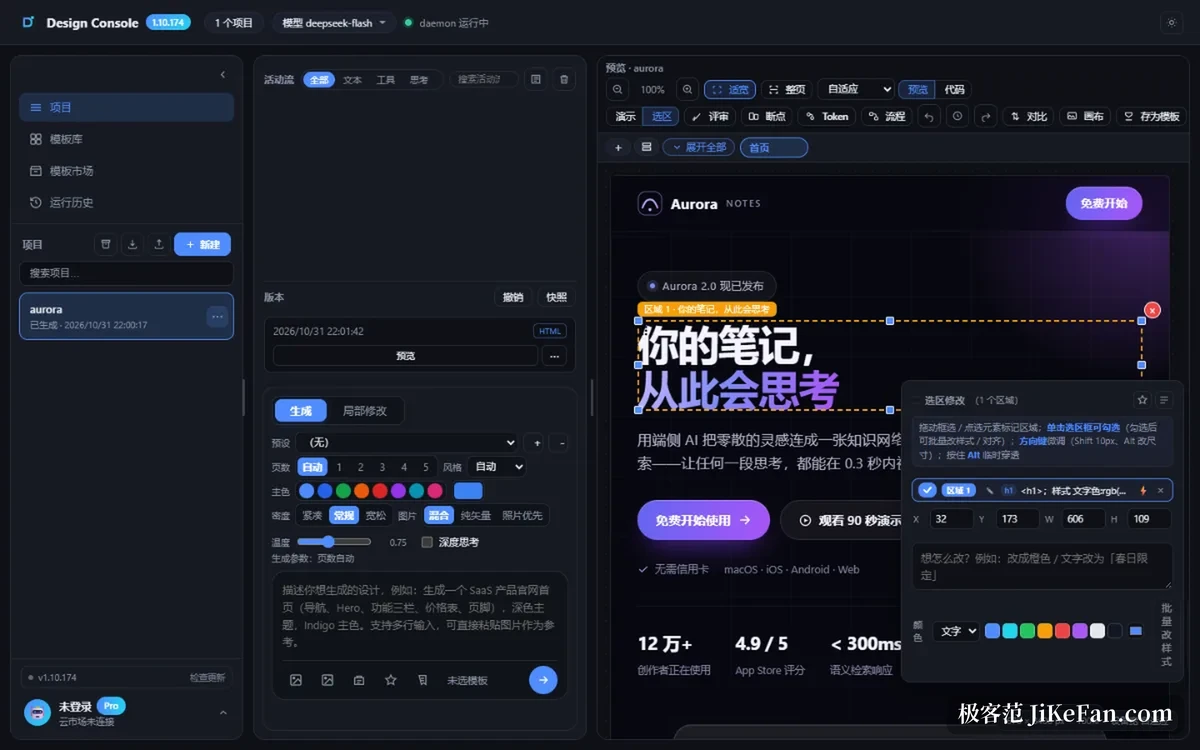
When the result is wrong, most people rewrite the brief, the whole page regenerates and the details already tuned are gone. Design Console switches to a selection mode instead: click an element in the preview, then change font size, colour or alignment in the right panel. Holding a modifier key selects several elements for a batch restyle or for align and distribute. Every change joins the edit history, and one step takes it back.
Versions are the firmer layer. Each generation leaves a version behind, old and new can be compared side by side, and snapshots and undo sit on a single timeline. Reach the thirtieth edit and prefer the second, and you go back rather than reconstruct it from memory.
The code panel is an exit
Purely visual editors share one weakness: at the last step it turns out real code has to change, and the tool cannot help. Design Console treats the code panel as a first class citizen, with line numbers, syntax highlighting, outline jumps and find and replace, plus a structural check before saving and a way back to the previous snapshot. Delivery covers HTML, a zipped site, PNG, PDF, and a React or Vue project package. That last part decides whether a tool is a toy or something you can work with.
3D and canvas are two side branches
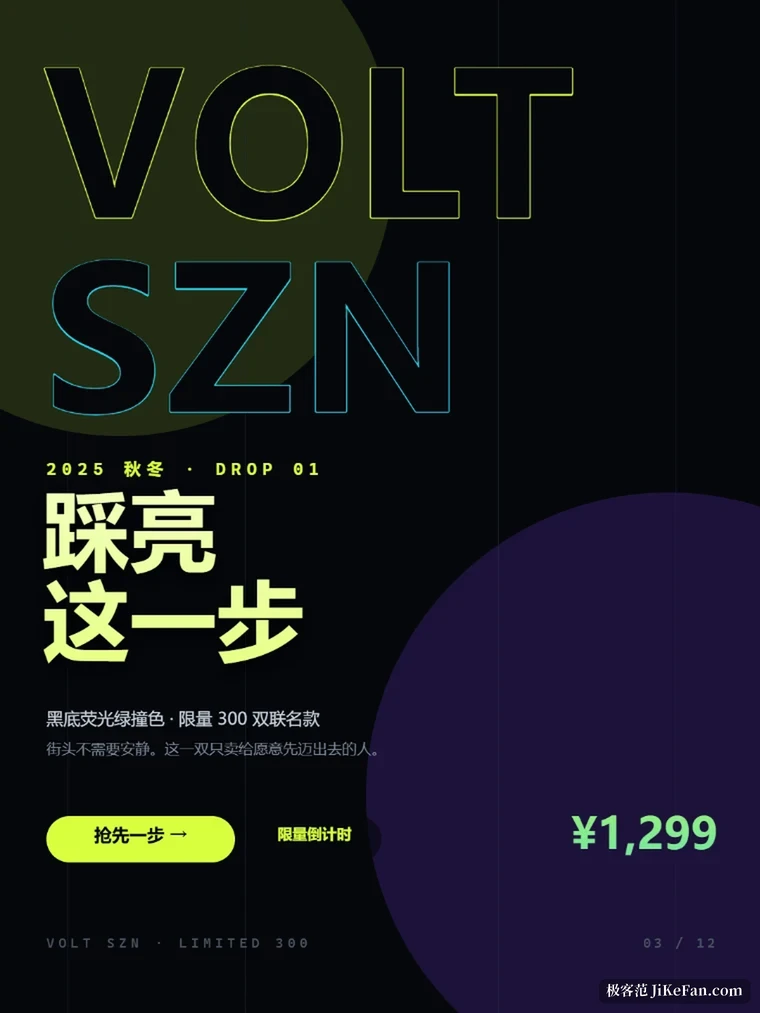
A page can hold procedurally generated interactive 3D: traffic, pedestrians, gear trains, a robotic arm, all computed live by page script rather than baked into video, so it still rotates and zooms after export. The other branch is a canvas. Once the page exists, a cover can be laid out in the same project, with platform sizes built in: 1080x1440 for Xiaohongshu, 900x383 for a WeChat header, 1280x720 for a video cover, 1080x1920 for a vertical long image. Layers come in three kinds only, image, text and colour block, guides and snapping are there, and selecting a region and saying one sentence lets the AI replace it.
Data stays local, you bring the model
No model quota is bundled. You fill in an endpoint and a key, the interface follows the OpenAI style, and DeepSeek, Tongyi, Kimi or a self-hosted gateway all fit. Several providers can hang off one entry and be switched at will, and the key is stored on the machine only.
Project files stay local too: the installed build writes to the user folder, the portable build sits next to its executable, and deleting that folder wipes everything. Offline, browsing projects, comparing versions and exporting still work. Only the generation step needs a network.
Two things are worth knowing in advance. The installer carries no code signing certificate, so the first launch is blocked once by the system. And Design Console is built as a single user local workbench with no accounts, so collaboration means exporting a project package and sending it over. Treat it as one person's design pipeline and the expectations line up.
Who it suits
Landing pages, campaign pages and product introductions fit best: clear deliverables that get edited again and again, especially for people who do not write front end code and do not want to find someone for every small change. Anyone making covers for social accounts can use the canvas half and skip a second tool for one image. Where the requirement itself is vague and needs a conversation first, speed of generation buys nothing, and no tool replaces that step.
- Version
- 2026.11.0, build dated 9 November 2026.
- Platform
- Windows.
- Model
- No bundled quota; you supply an OpenAI-style endpoint and key.
- Data
- Projects live on the machine, and deleting the folder wipes them.