
worktrunk 0.81: Git worktrees as commands you type
Summary
worktrunk is an open-source command line tool in Rust: Git worktrees become a handful of commands, and several coding agents each get a directory.
Recommend- Name
- worktrunk
- Version
- 0.81
- Pricing
- Free
- Open source
- Open source
- Operating system
- WindowsmacOSLinux
- Website
- https://worktrunk.dev
- Updated
- 2026-11-10 23:00
worktrunk is a command line tool written in Rust that manages Git worktrees. It compresses create a tree, switch to it, merge the work and remove it into a few commands, and it can run project hooks that install dependencies or start a service in a fresh directory. The project's own front page is blunt about the target: workflows that run agents in parallel. Anyone running three or four coding agents against one repository needs it most. It runs on Windows, macOS and Linux, and the current version is 0.81.
Why worktrees want a command of their own
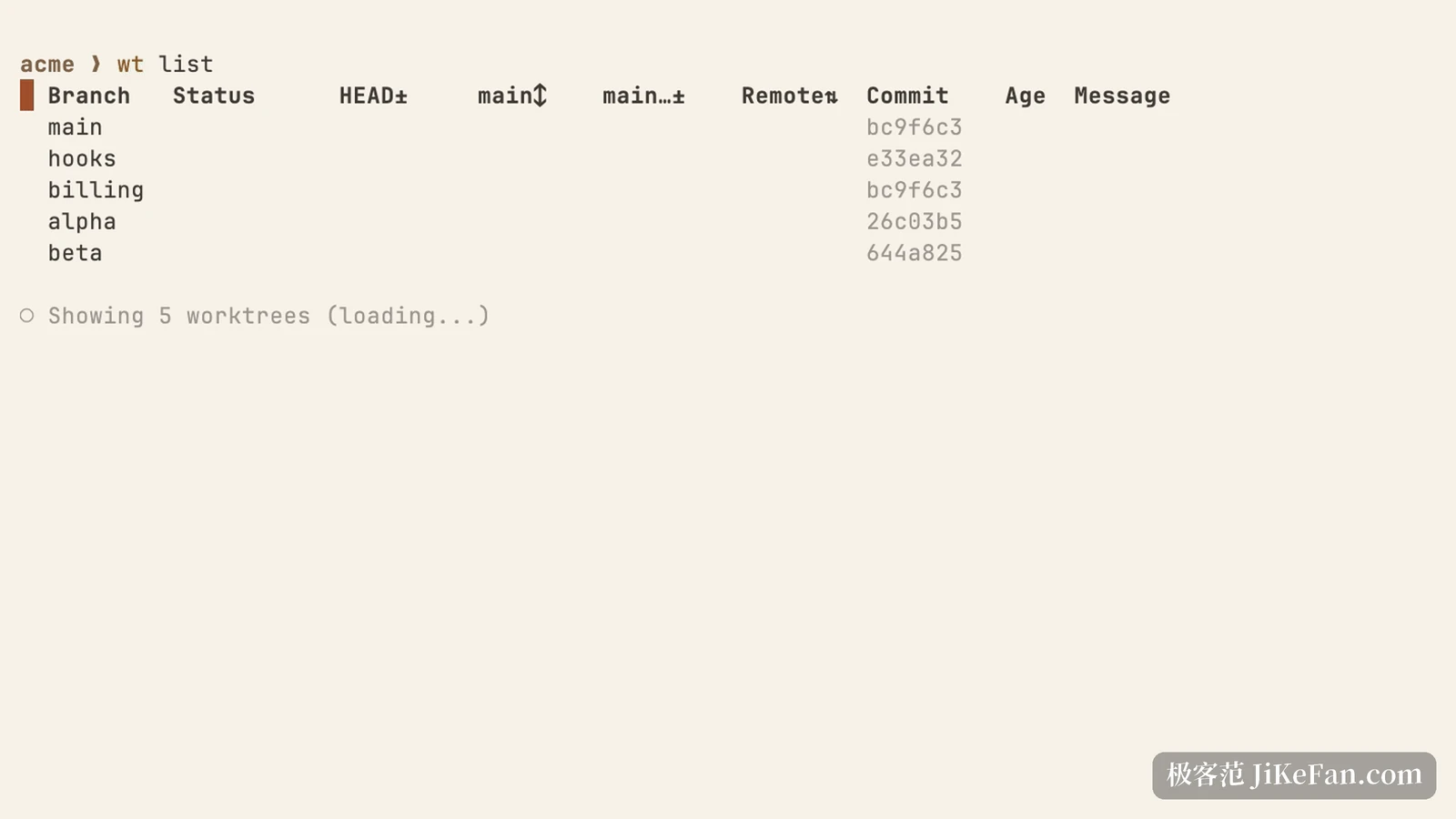
Git worktrees are not complicated in themselves: one repository can check several branches out into separate directories, with no interference and no stashing back and forth. The friction sits in the handling. The native command wants paths and branch names, and after switching you still cd yourself. Once five or six directories exist, which branch is where, and whether it has fallen behind main, lives in your head.
The sharper problem is agents. Let an agent edit code in a repository and it leaves the working directory in an intermediate state; start a second one and the two step on each other. Giving each agent its own worktree is the cleanest answer, and doing that by hand, all day, is the tedious part.
wt switch moves directories, not branches
wt switch takes a branch name. If the branch does not exist it creates a worktree for it; if it does, it switches there. What separates it from the native command is shell integration: after installation the switch carries the terminal's working directory along, so there is no second cd. It can also take a command with it, with arguments after a double dash, which turns create, enter and start an agent session into one step.
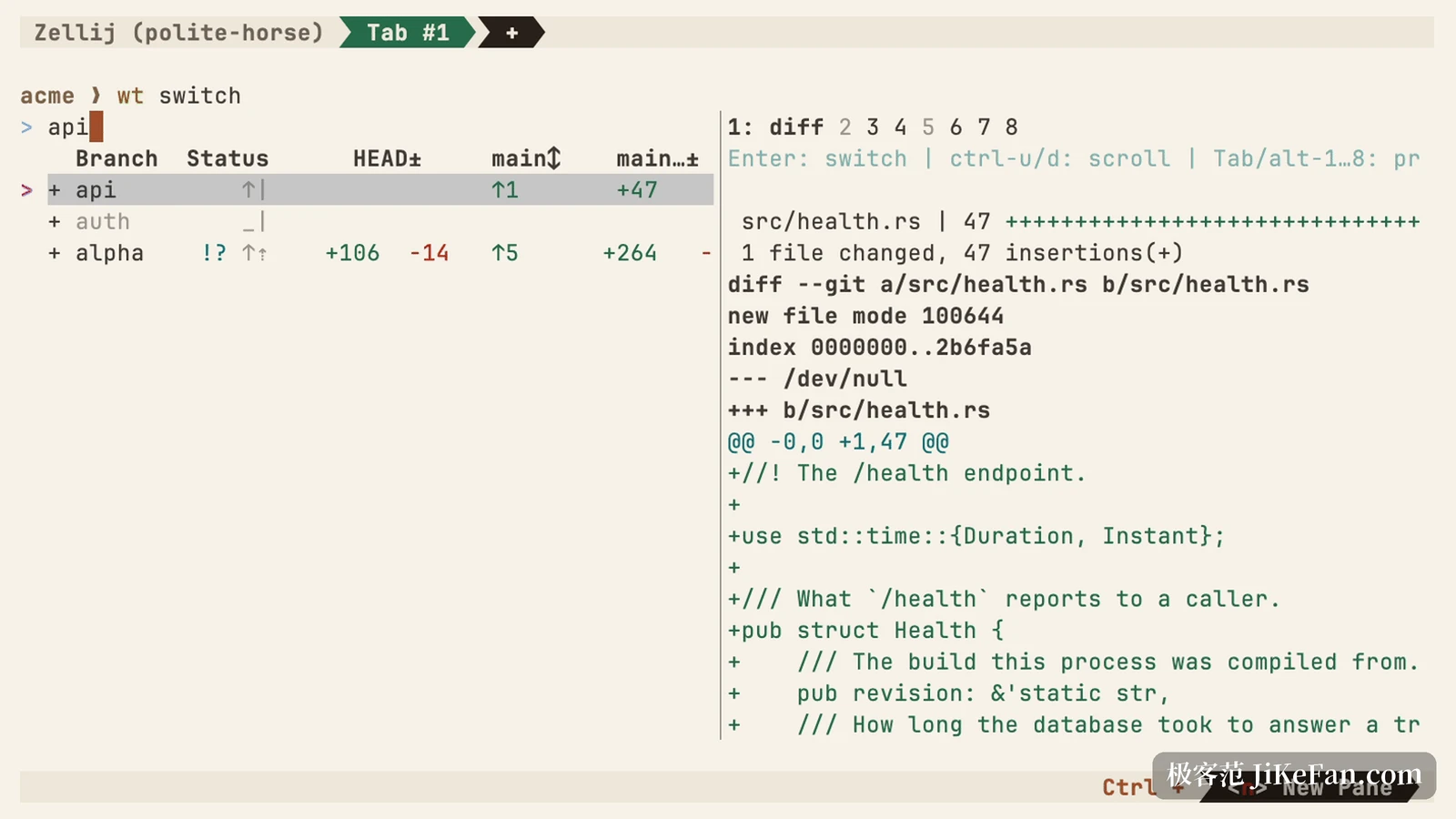
A new tree starts with empty dependencies and configuration, and hooks fill them in. Project configuration can hold a start-up routine, install packages, initialise a database, run a local service, executed on every new tree. Before a hook runs, worktrunk asks whether you trust the project, so cloning a repository does not quietly execute someone else's commands.
wt list: every tree in one table
Run the command and a table comes back. Each row is a worktree, listing the branch, the state of the working area, the commit, how far ahead of or behind the main branch it sits, the gap to the remote, the last commit time and its message. A tree created seconds ago is marked as loading and fills in a moment later.
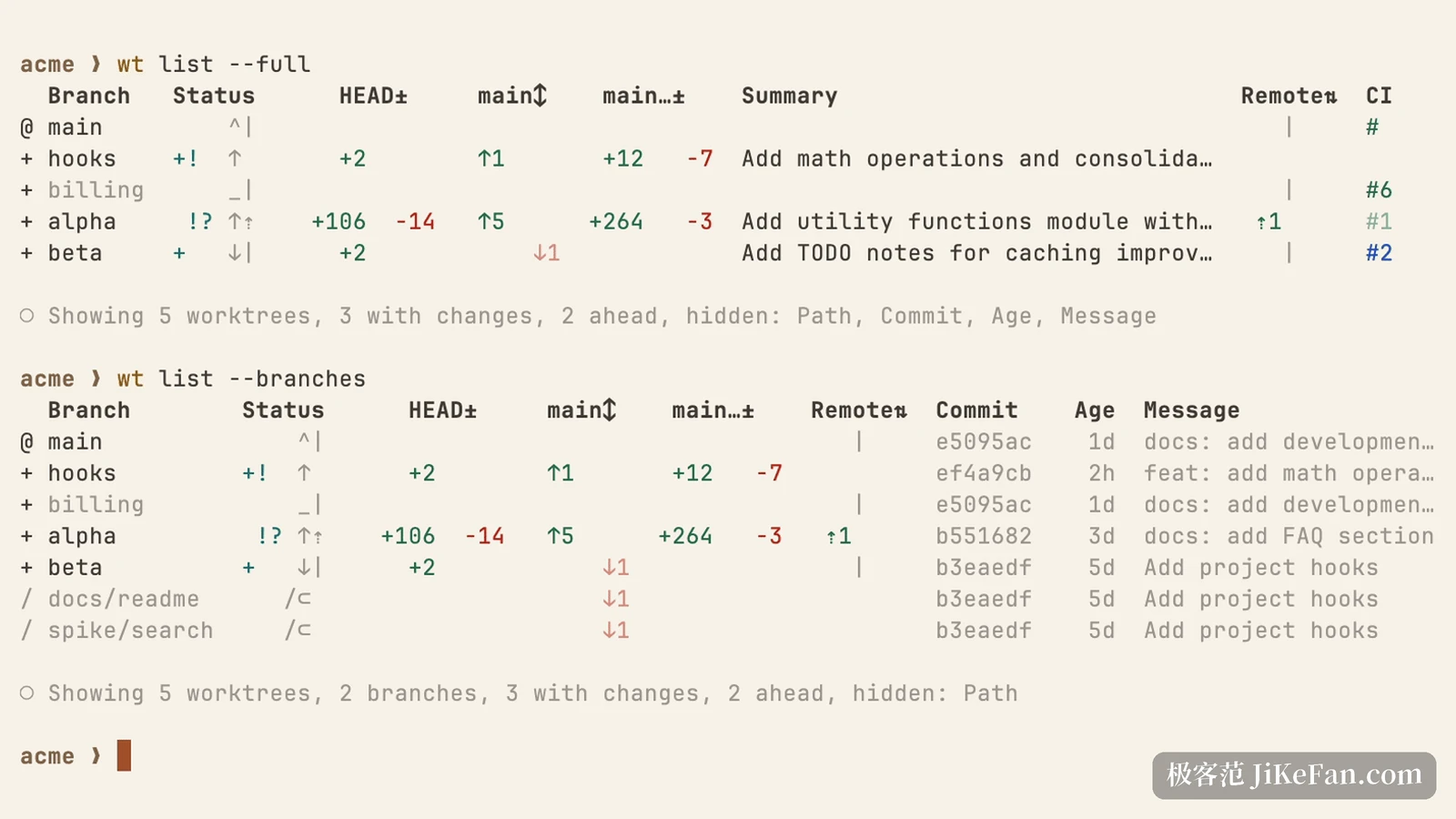
The state column shows uncommitted changes, conflicts and a merge in progress without a visit to each directory. The ahead-behind column shows which tree has fallen behind main and which is already pushed. The message column, with the generated commit notes, tells you what a tree is doing from one line.
Merging and cleaning up are fixed moves too
Finishing work needs an ending. wt merge commits the changes in the current tree, rebases onto the target branch, fast-forwards, then removes the worktree and the branch, all in the background so you can keep typing. It also supports a merge commit, for repositories that want the branch history kept.
When a tree is no longer wanted, wt remove takes it away. A removed tree does not vanish at once: it lands in .git/wt/trash, so a mistaken removal can be undone. Over time prune clears the pile: trees whose branch already merged into the default branch go, unmerged and recently created trees are skipped, and a minimum age sets the pace.
One directory per agent
When agents run in parallel, the files that hurt are the ignored ones: node_modules, build output, local environment variables. A new tree has none of them, so the agent's first step is a reinstall. wt can copy ignored files over from the source tree, and it rewrites values that would collide, port numbers and database names among them, so two trees stop fighting over the same port.
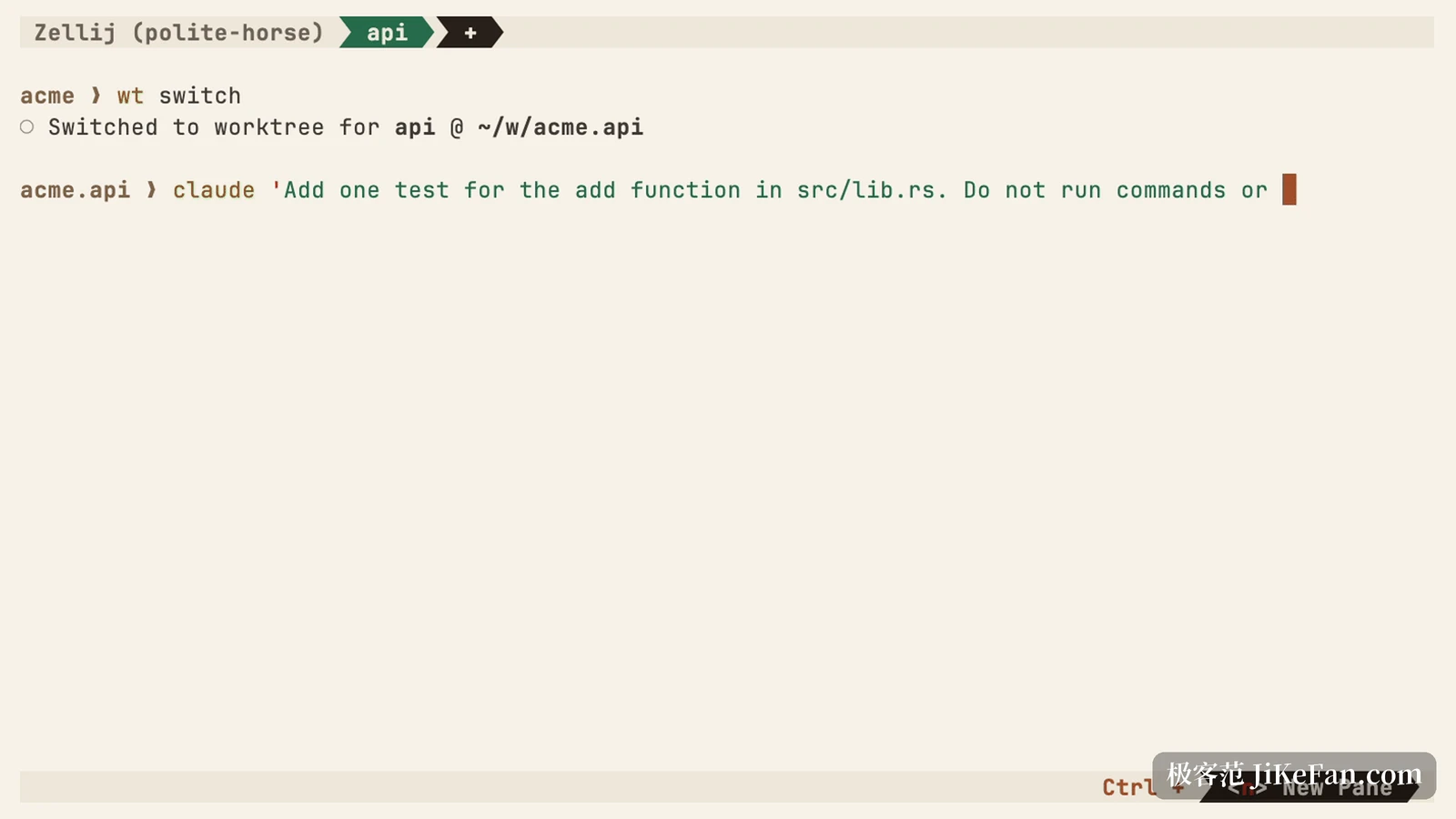
worktrunk is dual-licensed under MIT and Apache 2.0, the source is on GitHub and the documentation site is complete. It is not tied to one vendor's agent: any coding tool you can start in a terminal goes into the new tree through that switch-with-a-command argument.
Is it worth it
Someone maintaining a single branch does not need it, and native git is enough. The fit is two situations: pushing several unrelated feature lines at once, or letting two or three agents edit one repository in parallel. The first saves directory management, the second saves the hunt that follows one agent overwriting another.
The cost is accepting another layer of commands. wt carries its own subcommands and configuration, a broken hook keeps a new tree from starting at all, and shell integration is a prerequisite: skip it and switching directories falls back to doing it by hand.
worktrunk does something small. It moves Git worktrees from a feature you know exists to something you use every day. No new mechanism was invented: creating a tree, reading its state, merging and cleaning up became four commands that fit the hand, plus a hook layer so a fresh directory can stand up on its own. In a workflow that runs agents in parallel, that convenience is worth money.