
BandiView 8.05: ICC switching and TIFF splitting
Version 8.05
Summary
BandiView 8.05, out on 3 November 2026, allows four photo folders, splits multi-page TIFF into single pages and switches ICC profiles by keyboard.
Recommend- Name
- BandiView
- Version
- 8.05
- Open source
- Proprietary
- Operating system
- Windows
- Updated
- 2026-11-10 23:00
BandiView is an image viewer from Bandisoft, a Korean software company, and it runs on 64-bit Windows 10 and 11. Opening pictures is the least of it: camera RAW, PSD, Clip Studio project files and the HEIC files an iPhone produces all open directly, and batch conversion of format and size happens in the same window. On 3 November 2026 it moved to version 8.05, and the changes are all in the details.
Photo folders go from two to four
A photo folder is a shortcut to a directory you visit often, the thing you use to hop between the drives that hold images. Version 8.05 raises the limit from two to four. For anyone juggling a stock library, a screenshot directory, camera exports and a scratch folder, that counts for more than a new feature: two slots used to force a choice, and four fit.
Multi-page TIFF finally splits
Scans and fax archives are usually multi-page TIFF, dozens of pages inside one file. Splitting them used to mean finding another tool and going the long way round. 8.05 saves every page of a TIFF as its own file, in order, however many pages there are. The same release shows TIFF EXIF data, so capture time and camera model travel with the page and an archive check no longer means going back to the original directory.
Split files land in page order, so a scanned contract of several dozen pages comes out ready to file. The people who digitise archives used to write a script or hunt for a dedicated splitter; now it is two clicks inside the viewer.
The ICC layer, now on a keystroke
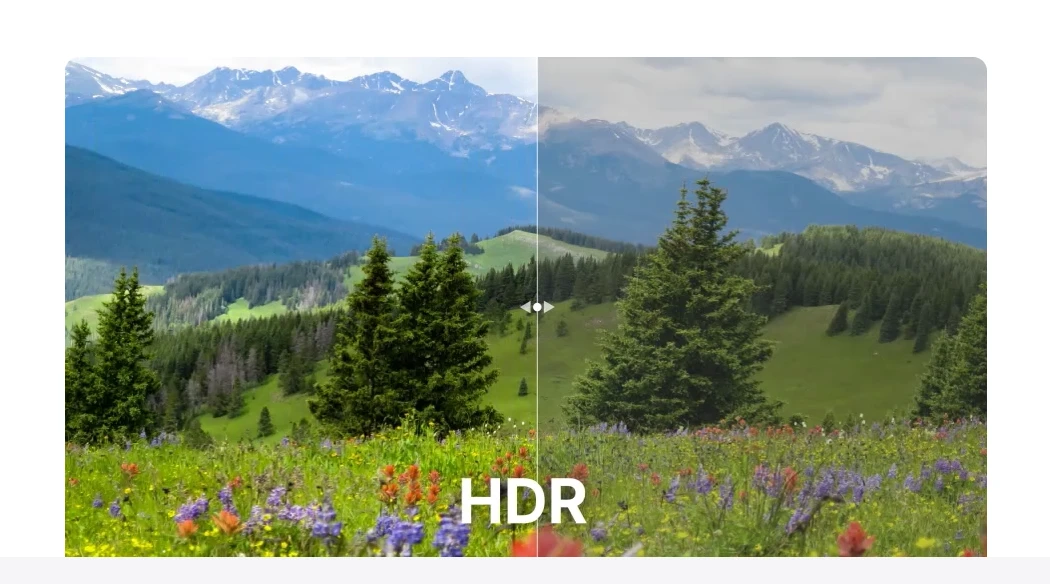
An ICC profile decides how colour is interpreted. The same image under two profiles can look a step apart on screen. BandiView 8.05 reworks the handling settings for this and lets a keyboard shortcut move between modes, instead of opening a panel and clicking through it every time. For pre-press checking, or for comparing across two monitors, that is an action repeated many times a day.
Zoom got a small adjustment too: pulling out to fit-the-window pauses briefly, so the hand does not slide past the mark. Loading in the Smart Double page mode was optimised as well, which shortens the wait when flipping through a two-page album.
The parts beyond viewing
Past the common formats, BandiView reads camera RAW and professional drawing files, and iPhone HEIC opens directly. Batch conversion is the other main line: format and size for many images at once, and the vendor's comparison claims ten times the speed of a conventional converter. The comic mode strings images into one long vertical strip, so following a serial means scrolling rather than clicking through pages.
A wide format list
BMP, JPG, GIF, PNG, PSD, DDS, JXR, WebP, JPEG 2000, TGA, TIFF and PCX are all on the list, and animation is covered too: GIF, WebP, BPG and PNG all play. On the RAW side it reads DNG, CR2, CRW, NEF, NRW, ORF, RW2, PEF, SR2 and RAF, which covers the native formats of the main camera makers. The professional edition adds AVIF, JXL, EXR, QOI, ICO and SVG, plus newer RAW formats.
None of that is decoration. A single asset set mixing PSD, TIFF and HEIC is normal, and paging through all of it in one window beats owning one tool per format.
The base laid down from 8.0
The 8.x line starts with 8.0 on 15 September. That release brought a dark interface, a bookmark manager, Ultra HDR HEIC support, and fixes for a batch of parsing holes in RAW, HEIF and JXR. Then 8.02 went after HDR display, 8.03 cleaned up crashes and misplaced rendering, and only at 8.05 did the everyday line get its small repairs. The rhythm is visible: big versions change the frame, small ones plug the holes.
Free against professional
The free download views and converts, with HDR images shown as SDR; HDR output needs the professional edition. That edition also adds HEIC, Clip Studio project files and the comic mode, and can batch-convert HEIC to other formats and other formats to AVIF. For ordinary viewing the free format list is already wide, and only HDR material or project files push you upward.
Where it installs
Windows only, on 64-bit Windows 10 or 11, with separate x64 and ARM64 installers. On a Mac this one is not an option.
8.05 has no big feature. Four photo folders, multi-page TIFF splitting, an ICC shortcut: all of them are moves you make every day. That is where a viewer earns its place, in opening fast, switching cleanly, and never making you install a second tool for one small job.