
Android Studio Review: The Official Place Where Android Apps Start
Summary
Every serious Android app begins here: a mature editor underneath, an emulator that can pretend to be any phone, a layout inspector that shows the view tree, and profilers that catch memory and battery problems. Free.
Recommend- Name
- Android Studio
- Version
- 20260923
- Pricing
- Free
- Open source
- Proprietary
- Operating system
- WindowsmacOSLinux
- Updated
- 2026-10-08 11:51
The room where Android apps are built
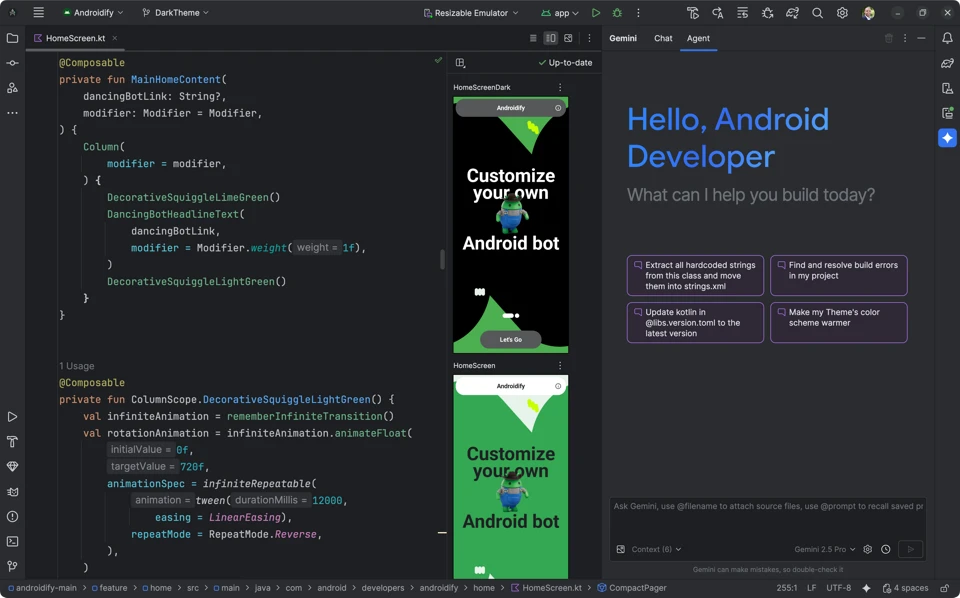
Almost every legitimate app on an Android phone passed through the same program on its way there. It is the environment Google designates, built on a code editor that has been refined for two decades, which is why completion, refactoring and debugging feel settled rather than improvised. The official position also buys currency: when the platform adds a capability, the tooling support usually arrives in the same breath, and the previews of new interface technology are built in rather than bolted on by a third party.
That matters more than it sounds. Working against an unfinished toolchain is the fastest way to lose a week, and the difference between a preview that renders live and one that requires a build cycle is measured in minutes per hour. A developer who follows the official path stays on the supported road even when the road is under construction.
Everything from a fake phone to a memory graph
The emulator is the part beginners underestimate. It can present itself as a current flagship, an old budget device or a tablet, with a specific system version, and it does so in seconds. Layout inspection then shows the hierarchy of the screen side by side with the rendering, so a mysteriously misplaced button becomes a matter of reading rather than guessing. The profilers watch memory, processor and energy, and they are the tools that turn a vague complaint about battery drain into a line on a chart with a cause attached.
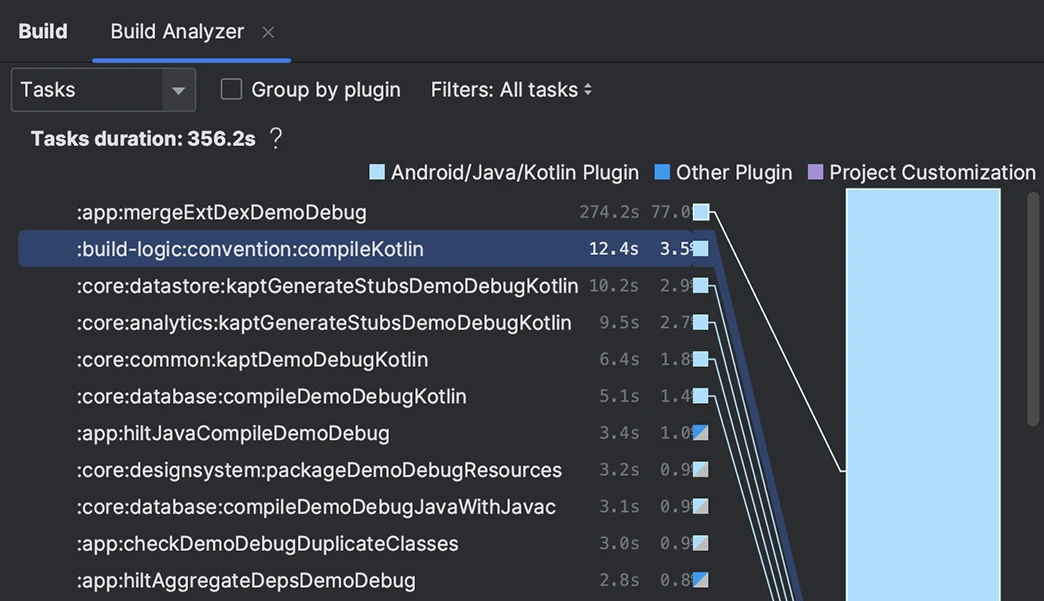
Around that core sits the rest of the workflow: project templates that produce a runnable app in a minute, a build system that resolves dependencies and packages variants, signing and channel configuration for release. None of it is charged for, on any of the three desktop platforms, which removes the usual calculation about whether a student or a small team can afford to start.
Its significance goes past being one program: it put the whole Android ecosystem on one set of conventions, so developers in different countries write against the same expectations and can read each other's projects.
Getting started without the usual bruises
Run the first build on the emulator before touching a physical device. The emulator can be reset, snapshotted and duplicated, and a mistake there costs a restart rather than a factory reset. Then connect real hardware for the parts that only appear on real hardware: touch latency, camera behaviour, and the thermal throttling that no emulator will reproduce.
Use the live layout inspection instead of eyeballing screenshots, and keep the design preview open on a second screen if you have one. For larger projects, give the emulator enough memory and turn on hardware acceleration, because a starved emulator produces timing behaviour that misleads you about your own code. And read the build output when it warns about deprecated interfaces; those warnings are the cheapest maintenance you will ever do.
Who should not use it
If the goal is a single small utility and nothing else, the size of the installation and the learning curve are real costs, and lighter routes exist for experiments. The moment the project has more than one screen, a data layer and a release process, the heavier environment pays for itself in the first week, because it is where the debugging tools already live.
One last note: keep the installation updated but not on the day of a deadline. Tool updates arrive often, and a major version landing the night before a release is a self-inflicted risk. Let other people find the first bugs, then upgrade on a quiet Tuesday.