
Aliyun Drive 6.9: no throttle on transfers, and how the sync works
Summary
Aliyun Drive is a cloud storage service that does not cap upload or download speed, keeps several folders in step between computer and cloud, backs up photos and chat files on its own, opens documents and archives online, and lets a share link carry an expiry date and a passcode.
Recommend- Name
- Aliyun Drive
- Version
- 6.9
- Pricing
- Paid
- Open source
- Proprietary
- Operating system
- WindowsmacOSLinux
- Website
- https://www.alipan.com/
- Updated
- 2026-10-06 21:05
Start with the claim that actually matters
Storage services get criticised for one thing above all others, and that is speed. This one has made the absence of a cap its central promise since the first release: uploads and downloads are not throttled by the service, and the figure you see is whatever the connection can carry. For anyone moving large material around, the difference compounds. The same set of files at three times the rate is a third of the wait, and no amount of interface polish makes up for a queue that crawls.
Throttling exists for a reason, and it is worth being clear about what the promise implies. Bandwidth is the largest recurring cost a storage service carries, and capping free accounts is the usual way of keeping that cost in hand. A service that does not cap has to earn its money somewhere else, which is why the paid tier here is built around space and the features that surround it rather than around the speed of a single transfer. Read the pricing that way and the offer is easier to judge on its own terms.
There is a second piece that rarely gets mentioned but matters just as much in daily use. When a file identical to the one being sent already sits on the service, the transfer completes without pushing the bytes again. That helps most in exactly the case the first point helps: the large files that get carried between machines more than once.
Sync, and the backup that runs on its own
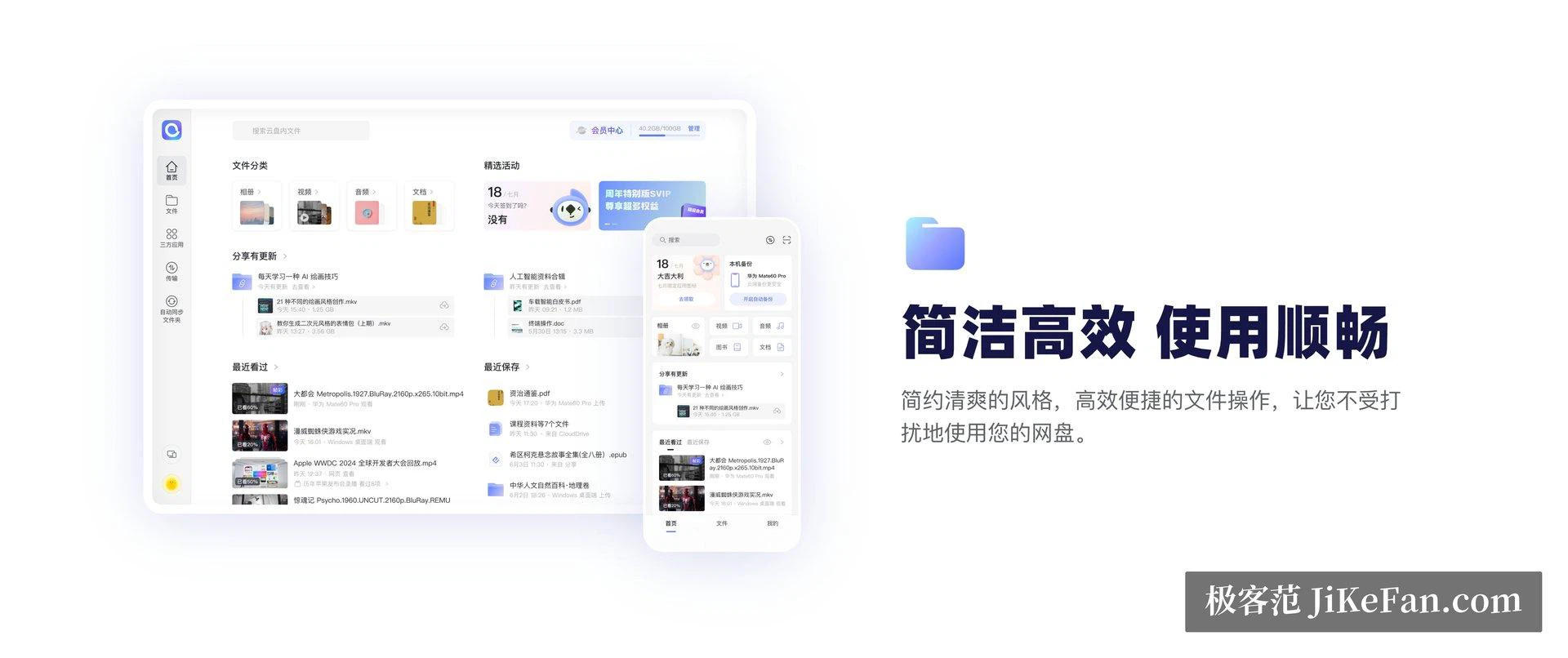
The desktop client lets you define several sync folders rather than one fixed place. A folder on the local disk is paired with a folder in the cloud and kept in step in both directions, so a file dropped on the computer goes up and a photo taken on a phone comes back down. The photo album can back itself up without being asked and can be organised by the date each picture was taken, and files received in a messaging application can be set to back up as well. Taken together, that removes the copy-shuffle anyone who changes machines often knows too well.
Two-way sync has a second face worth planning for. Everything exists in both places, so both ends need the room for it. A deletion made on one side travels to the other by design, which is fine for a deliberate tidy-up and thoroughly unpleasant for an accident. And when the same file is edited in two places before either change has travelled, the client settles it by keeping a copy instead of quietly picking a winner. That is the right way round, but it does leave duplicates to clear up later.
Looking at what is up there, and passing it on
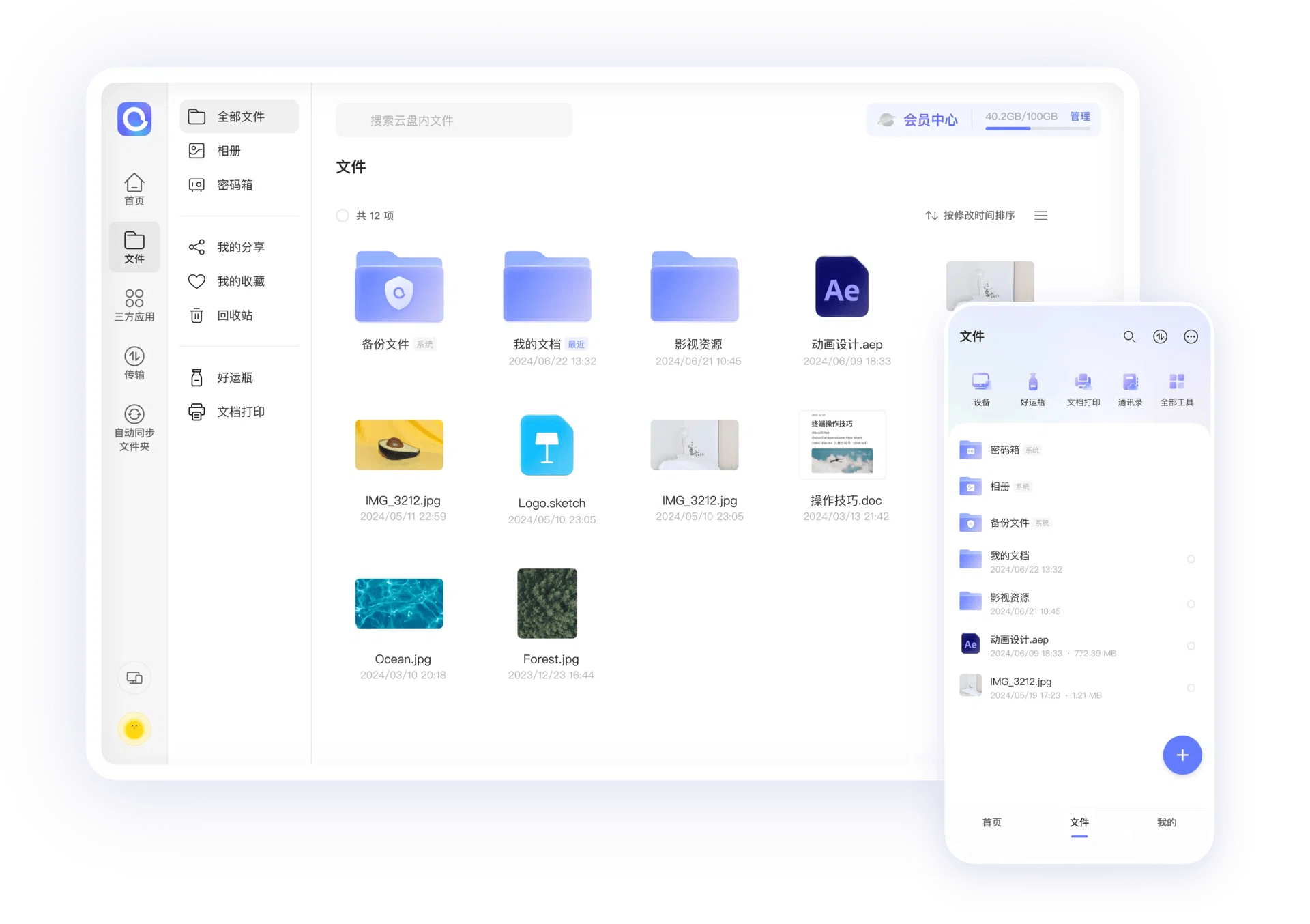
Files in the cloud open without being downloaded first: documents, PDFs, images, audio and video all preview in place, and some document formats can be edited online. Archives can be unpacked on the service side, which avoids pulling down a large bundle only to extract one folder and throw the rest away.
The preview is not a full editor for every format and it is worth not expecting one. What it does well is the case that comes up several times a week: someone sends a document, you need to check a single paragraph, and downloading it to a machine that may not even have the right software is a detour. Opening it where it lies answers the question in seconds.
A share link can carry an expiry date and a passcode, and the number of views and downloads stays visible afterwards. That combination is what turns sharing from a permanently open door into something with a shelf life, and knowing how many people actually opened the link is more useful than it sounds. Storage and transfer are both encrypted.
Capacity, and using it without surprises
There is a free tier with a basic amount of space, and a paid membership that raises the ceiling and adds large-file uploads, extraction on the service side and more devices signed in at once. Exact quotas and prices sit on the official page and change more often than any article can follow.
Two habits keep the arrangement comfortable. Keep the material that matters inside the sync folders instead of scattered across the disk, so that the backup is the folder itself and not a separate chore that gets skipped. And watch the free space on the local drive, because a two-way folder occupies room at both ends, and a machine that had plenty last month can fill up quietly while nobody is looking.
The position is plain enough: give the speed back to the user and make capacity the thing people pay for. For anyone who spends their week carrying files between devices, that trade is worth more than another row of features nobody opens.