
Alist: One Directory Tree Over Storage That Lives in Several Places
Summary
Alist puts one browsable directory tree over storage that is scattered across cloud accounts, network protocols and local disks, so a file can be moved between providers from a single interface instead of six browser tabs.
Recommend- Name
- Alist
- Version
- 3.64
- Pricing
- Paid
- Open source
- Proprietary
- Website
- https://alistgo.com/zh/
- Updated
- 2026-10-06 23:17
The problem is not a shortage of storage
Most people who care about their files end up with the same accidental architecture. A folder on the laptop. A subscription with one storage provider, made for the free tier, kept for the photographs. A second account somewhere else, made for a project that ended. A network disk in the corner of a room. A work drive that syncs to a company account. Nothing about this is a plan, and it works fine right up to the moment a file has to move from one of those to another, at which point the person discovers they are the integration layer: download here, upload there, wait twice, and hope the connection survives.
Alist addresses that specific problem rather than the storage problem. It is a file listing program: a service that presents many storage backends as one browsable tree of directories, with a web interface on top. The backends can be commercial cloud accounts, network protocols like the ones used by network disks and remote file systems, or plain local disks. What the user sees is a single hierarchy, and what the user does is browse, open, copy and move, without caring which backend a given path is actually on until it matters.
The interesting capability is moving between backends
Reading a list of files from several places is convenient. Copying directly from one provider to another is the capability that changes the work, because it removes the local machine from the middle. Sorting an archive by moving a folder out of one account and into another is, in the ordinary way of doing it, a download followed by an upload that consumes the household connection twice and takes as long as the slower half. Routing it through a server that already has both credentials turns it into an instruction.
That is the whole argument for putting a layer between a person and their storage, and it is also where the layer's dependence becomes visible. A program of this kind does not own the storage; it borrows access to it, through interfaces that the providers define and can change. When a provider alters its terms, tightens its rate limits, or starts treating scripted access as suspicious, the aggregation layer is the first thing to notice and the last thing able to do anything about it. Anybody planning to rely on this should understand that the tree they browse is a view assembled by software, not a guarantee held by a contract.
What the interface actually does with a file
Preview is the most used part of any file browser and the part most often missing from a web interface. Video and audio play in the browser, documents and pages open for reading, and the file does not have to be brought down to a local disk first. For a media collection this turns a directory listing into something a household can actually use: browse the folder, press play, and the file streams from wherever it happens to live.
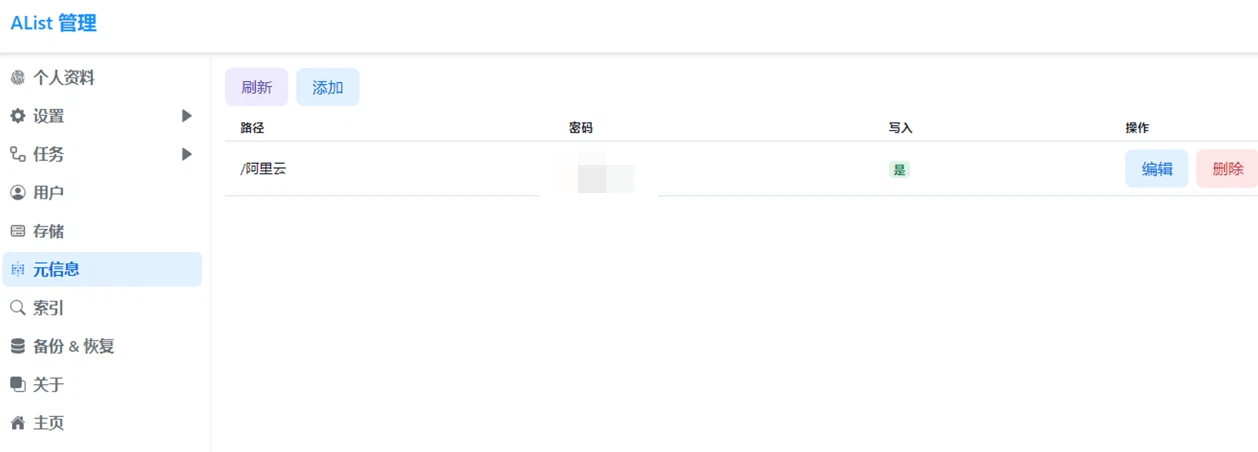
Downloading works differently from the usual arrangement in a way that matters for anyone running this on modest hardware. Selecting many files produces an archive that is assembled as it is sent, rather than written to the server's disk first, so a folder of any size can be downloaded without needing the server to hold a copy of it in the meantime. The same interface offers per-directory passwords, so a sensitive folder can require its own credential instead of relying on the whole service being private, and it exposes the storage over the protocol that media players and desktop file managers speak, which lets the aggregated tree appear as a mounted drive rather than as a website.
Deployment, which decides who this is for
Three routes exist and they describe three kinds of user. A container image is the straightforward one for anybody who already runs containers: one service, one port, one volume for configuration. Native binaries for the common desktop systems unpack and run, which suits the person who wants the thing on a machine that is not a server. A command line installation script suits the Linux user who regards a package manager as the normal way to install anything.
The resource footprint is small enough that the choice of host is not really a constraint, which matters for the intended deployment: a machine that is already running for another reason. That is the pattern this fits into. A network disk that would like a friendlier interface, or a small always-on computer whose useful capacity was previously limited to whatever one program it was set up for.
The three uses it is actually good at
Household media comes first, and it is the use that justifies the effort. Several storage accounts, one tree, a player that speaks the right protocol on the other end: the result is a collection that behaves as though it were in one place, assembled from parts that are not. Team file access comes second, where the value is a single address and a permission per folder rather than four different sharing dialogues in four different products. Extending an existing network disk comes third, and it is the least discussed: a device that stores well but browses badly acquires a better front door without being replaced.
Where the idea stops
Three limits are worth stating. This is an access layer, not a backup: nothing here duplicates data, and a file that exists in one place still exists in one place no matter how many interfaces can see it. It depends on the providers remaining reachable and permissive, which is outside anybody's control. And every credential it holds is a credential that has to be protected, which means the machine running it deserves the same care as the accounts it can reach - a point that is easy to forget when the interface is pleasant and the setup took ten minutes.
Used with those limits in view, the trade is a good one: a small service that turns several awkward interfaces into one convenient one, on hardware that was already there, for the specific problem of files living in more than one place at once. That problem is not going away, and it is not solved by buying more storage.