
AdGuard DNS 2.23: block ads one layer earlier, for every device in the house
Summary
A public resolver that answers ad, tracking and phishing domains with a name that does not exist, so nothing on the network can reach them. It speaks every mainstream encrypted protocol, keeps no logs, needs no client, and its core is open enough to host yourself. The base service is free.
Recommend- Name
- AdGuard DNS
- Version
- 2.23
- Pricing
- Free
- Open source
- Open source
- Operating system
- WindowsmacOSLinuxAndroidiOS
- Website
- https://adguard-dns.io
- Updated
- 2026-10-06 15:21
Stopping ads at the name resolution layer
A browser extension only governs the browser it sits in. The phone in a pocket, the television in the living room and the speaker on a shelf are all outside its reach, and that is where a large share of the advertising a household actually sees gets served. The idea behind AdGuard DNS is to move the line of defence one layer earlier. Every device resolves a name before it connects to anything, so if the advertising, tracking and phishing domains are answered with a name that does not exist, the device simply cannot connect. It is a public resolver rather than a program, so nothing has to be installed: point a group of addresses at it and the whole household inherits the filter. The service comes from the filtering vendor AdGuard and had reached version 2.23 by September 2026.
Lookups that leave the house encrypted
An ordinary lookup travels in clear text. On the way it can be watched, and it can be altered. This service supports the mainstream encrypted transports, namely resolutions carried over HTTPS, over TLS, over QUIC and through DNSCrypt, so a computer, a router or a phone can each find a way in that fits. The operator also commits to keeping no logs of what users look up, which means browsing behaviour is not written down on the far side. It was also among the earlier resolvers to bring post-quantum cryptography to the client side of the exchange.
How little the hookup costs
In the ordinary household the whole job is a single field. The router already hands out the addresses of a resolver to everything that joins the network, so changing that one value covers every device that connects over Wi-Fi, including the ones with no settings screen of their own. A single machine can equally be pointed at the service from its own network settings. The console then shows whether each device is actually connected, and a new one can be attached either by scanning a code or by pasting the address reserved for it. No installation package is involved at any point. The filtering itself comes from a domain database that is maintained continuously, with advertising, tracking and malicious names kept in separate categories, and the rule updates need no attention from the user.
More than advertising

Beyond advertising and trackers, the service carries lists of phishing and malware domains, so a visit to a dangerous site runs into a warning before the page loads. A family protection mode blocks sites that are unsuitable for minors and forces the major search engines into their safe results, which makes a tablet handed to a child a less anxious object. Several releases during 2026 kept adding to that: lookalike detection catches phishing names built to resemble a real site closely enough to fool a glance, and category controls let a parent restrict whole groups of services rather than typing names one at a time.
A console with finer controls
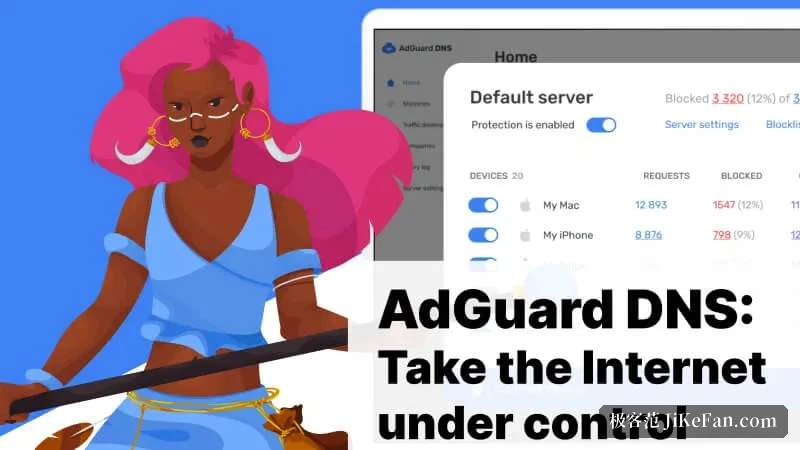
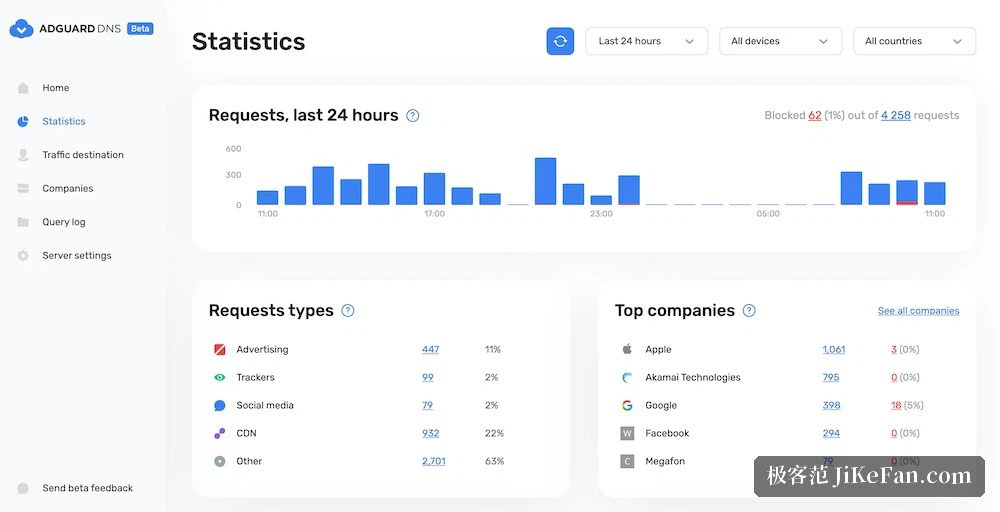
With a personal account the console splits the household into devices and treats each one separately: which lookups a device made, which companies those lookups reached, which countries they came from, all visible in the request log. The statistics page rolls the same data up by hour and by category, so the share of requests that were advertising, and the hours when the network was busiest, become a chart instead of an impression. Custom rules and custom blocklists are supported for anyone who wants to tune the policy by hand, and an open analytics interface makes it possible to feed the numbers into another system.
The advanced route: run your own
The resolution core behind the public service is published under an open licence in the official repository, so anyone who enjoys this sort of work can run it on a server or a software router and keep the rules and the statistics entirely under their own control. Anyone who would rather not can simply use the public nodes, and the configuration is identical either way. Nodes are deployed in many regions, requests are answered by the nearest one, and a switch of resolver should not change how fast the connection feels; if one node is temporarily unavailable there are several backup addresses to fall back on, which is a sturdier arrangement than a single address. The base service is free for individuals, a few digits in a settings field remove most of the advertising from an entire household, and the details of how to attach are documented on the project's own site.