
Electerm 5.9: a terminal that reads your password vault
Version 5.9
Summary
Electerm 5.9 puts a shell, a remote file browser and desktop sessions in one window, and lets bookmarks pull passwords from KeePassXC instead of a config file.
Recommend- Name
- Electerm
- Version
- 5.9
- Pricing
- Free
- Open source
- Open source
- Operating system
- WindowsmacOSLinuxAndroidiOSHarmonyOS
- Website
- https://electerm.org
- Updated
- 2026-11-09 16:57
Electerm is a free, open-source terminal tool that puts a shell, a remote file browser and desktop sessions inside one window. One client covers most of the ways you reach a machine room, editing a file on a server stops being a move between two screens, and passwords can stay in the vault you already keep.
One window for the shell and the remote files
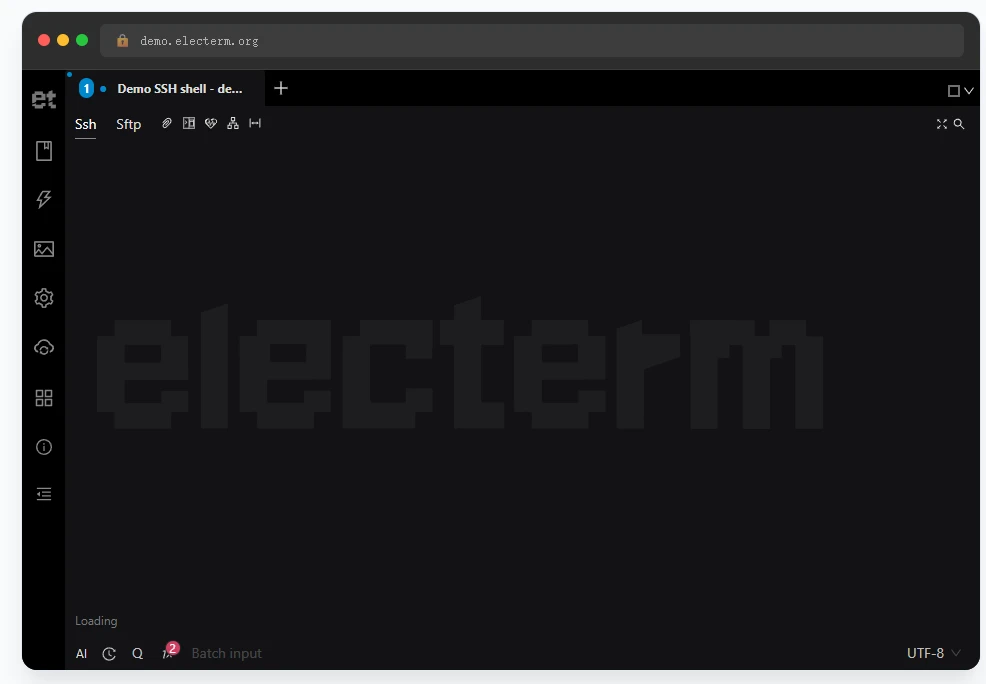
The layout splits left and right. Command-line tabs sit on the left, a built-in SFTP file manager on the right, and the two panes work either side by side or stacked top to bottom. Double-click a file and it opens in the built-in editor. Save it, and the change goes straight back to the server. That replaces the older routine of calling an editor inside the terminal, or editing a local copy and uploading it again.
Tabs and split panes are the base of the workflow. Each session takes one tab. Quick input sends a single command to one terminal or to every open terminal at once, which saves a lot of pasting when several services need a restart. The window is summoned with Ctrl+2 and hidden with the same keys, close to how a drop-down terminal behaves.
File transfer is covered on several fronts. Zmodem rz and sz work directly, Trzsz is supported as well, so a transfer inside a tmux session does not die halfway. Beyond SSH and SFTP, the client also speaks FTP, Telnet and serial lines, and it opens RDP, VNC and Spice desktop sessions. Few machine rooms need a second client.
5.9 brings the password vault into the terminal
Version 5.9 shipped on 2026-11-07. The most useful change is that widgets can now talk to a password manager. Once the matching widget is in place, SSH, FTP, VNC, Spice, Telnet and RDP bookmarks read their password from the vault, and KeePassXC is supported today. The switch is set per bookmark, so nobody has to enable it everywhere at once.
This fixes a long-standing awkwardness. Passwords used to live in the client configuration or had to be typed every time, and a team sharing one vault was left copying and pasting by hand. Now the password stays in the vault, the client fetches it once per connection, and keeping a secret is separated from using it.
The same release gives widgets two more jobs. A widget can hand its own bookmarks to Electerm for import and reports the result afterwards, calling out entries that carry keys. If a widget install cannot reach GitHub, the download falls back to mirror sites and to jsDelivr instead of stopping there.
Three changes on the SSH side
More key types are accepted. Starting with 5.9 the client reads PKCS#8, PPK v3 and FIDO2 keys, and the multi-factor flow was adjusted as well. PPK v3 is the newer PuTTY format. FIDO2 means a physical security key that has to be touched before login completes. With all of them in one place, moving to a new machine no longer needs a separate converter.
The bookmark form can also generate a private key on the spot. Preparing the key while creating the connection removes the old two steps of generating locally and importing afterwards. Bringing a new machine online becomes one task instead of two.
The built-in editor gained a Markdown preview. Notes and deployment records kept on a server can be read as rendered pages without downloading them first or opening a second window. Writing and proofreading stay in the same place. The change does too.
A safety net under terminal rendering
Losing a WebGL context is one of the nastier faults in graphics rendering. Tight video memory or a driver refresh can trigger it. The symptom is awkward: the session keeps running and output keeps scrolling, but the screen stays blank. Version 5.9 falls back to DOM rendering on its own and keeps the session alive, so the display resumes and the command history survives.
That is less a new feature than a way to close an old class of failure. What hurts most in a terminal is not slowness but losing sight of the output. The fallback turns a forced reconnect into a brief flicker.
Who it suits
Electerm is released under the MIT licence and costs nothing. There is no paid tier and no locked feature. Desktop builds cover Windows 7 and newer, macOS 10.15 and newer, and Linux. Android, iOS and HarmonyOS builds exist as well, and the interface is translated into 14 languages.
- Current version
- 5.9, released on 2026-11-07
- Licence
- MIT, free to use
- Desktop platforms
- Windows 7 and newer, macOS 10.15 and newer, Linux
- Mobile platforms
- Android, iOS, HarmonyOS
- Connection types
- SSH, SFTP, FTP, Telnet, serial, RDP, VNC, Spice
- Data sync
- Gist, WebDAV, a self-hosted server
A workable routine is to group bookmarks by environment and keep production apart from staging. Freeze recurring actions as quick commands. Let the vault hold the passwords and let the client only connect.
Bookmarks and themes travel between machines through Gist or WebDAV, so a new laptop does not start from an empty list. Install the widgets you need and leave the rest off; the interface stays calmer that way.
Passwords belong to the vault, files to the file manager, the command line to the terminal. Three jobs back in three places costs far less attention than three extra tools.