
Battle.net: buying, patching and the friends list in one launcher
Summary
Battle.net keeps a whole library of Blizzard games behind one sign-in, patches them in the background, syncs progress across machines and carries the friends list, voice chat and two-factor login inside the same window.
Recommend- Name
- Battle.net
- Version
- 2.51.5.17438
- Open source
- Proprietary
- Operating system
- WindowsmacOS
- Website
- https://www.battle.net/
- Updated
- 2026-10-06 18:52
One sign-in for the whole shelf
Anyone who has kept a couple of games from the same publisher on more than one computer has probably ended up with the same launcher installed on all of them. The service has been around since the 1990s, when it was little more than a matchmaking network, and has grown into a desktop client that handles buying, downloading, patching and socialising together: one account looks after every game on the shelf. By September 2026 the client has been through many rounds of updates, runs on both Windows and macOS, costs nothing on its own and serves as the single door to a publisher's catalogue on the desktop.
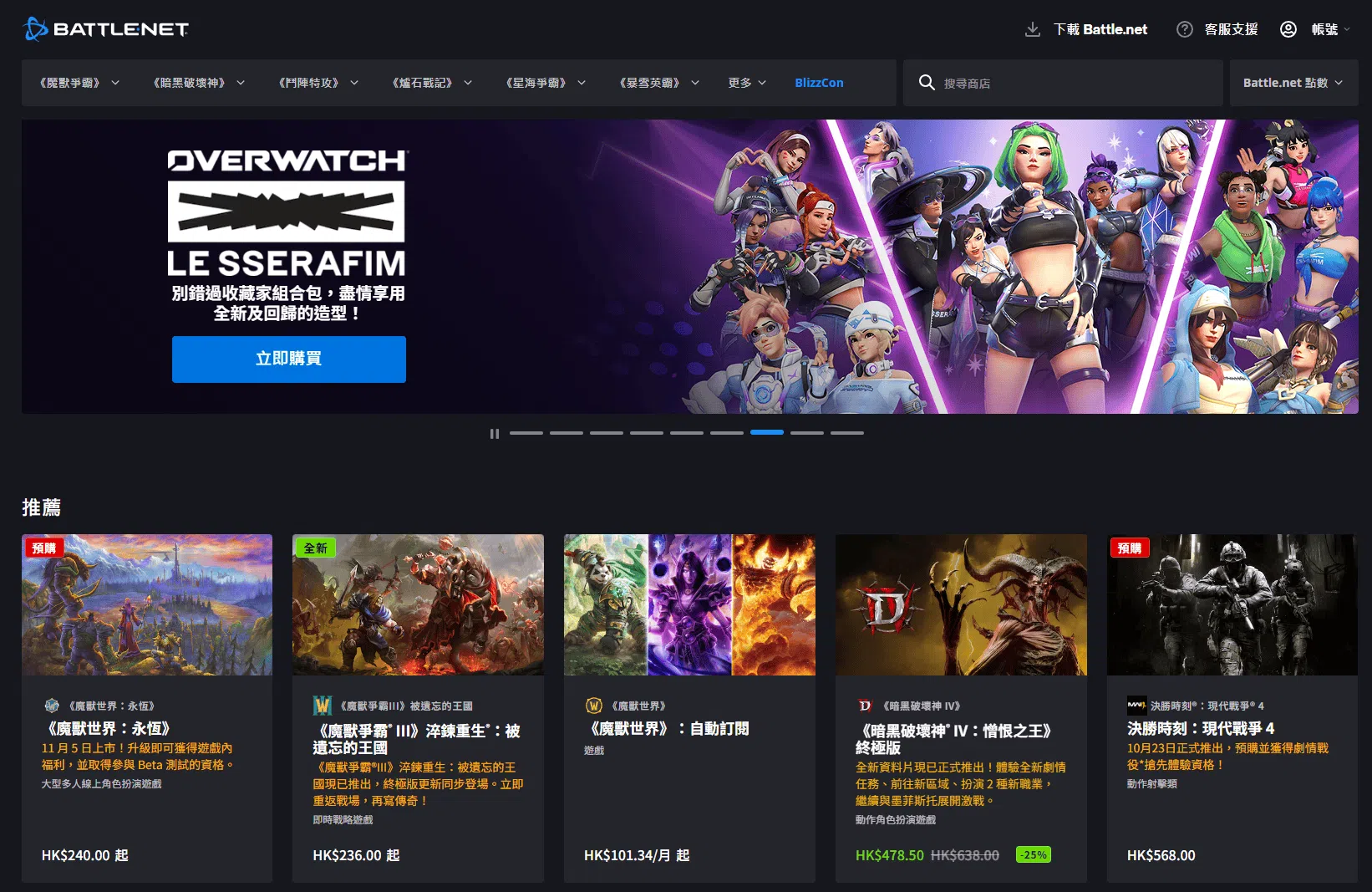
Every game in one library
The core of it is that scattered titles are pulled into a single library: sequels, free competitive games and card games all listed down one side, a click away from playing. Patches and small updates queue up in the background, and game data syncs between machines, so signing in on another computer picks up where the last session stopped. Download control is unusually fine, with bandwidth limits, pausing and resuming, and the option to install only part of a title when disk space is tight. Desktop shortcuts, launch parameters and voice settings are managed from the game page instead of being hunted for inside the game's own menus. For a player holding several games from one publisher, one fewer window to remember is a real saving.
Social features that are not an afterthought
The friends list is the second spine. A cross-game list connects the people met in different titles, text and voice both live inside the client so a group does not have to move to another program, and a status line shows what a friend is playing and how far along they are, which is enough to decide whether to ask. Status can be set to invisible or busy, so a single-player story gets left alone. Community news is folded in as well: official announcements, patch notes and event previews sit on the front page instead of being dug out of a forum, and streams and tournament links are placed where they are easy to see.
Account security and the feel of using it
On the account side there is an authenticator app and in-client two-factor, with an option to remember a device for thirty days so the code is not needed every time. Once that is bound, a leaked password alone is not enough to get in, and a new machine triggers a notice from an unfamiliar location. The interface stays restrained, with no third-party advertising filling the screen and a shop page that shows only the publisher's own titles; purchase history and refund requests are handled from the account page without a detour through support. Two small touches earn their keep: playtime statistics show how recently a game has been eating the evenings, and automatic updates can be limited to idle hours so the working day keeps its bandwidth. Two things are worth knowing. Regional and international services are separate systems and accounts do not carry across, so the right site matters at install time. And some of the larger titles ask a fair amount of the machine, so the minimum specification is worth checking on older hardware.
What has changed in recent years
Long-time players may still picture a plain matchmaking lobby, but the client has been catching up. The interface was rebuilt with light and dark themes, a tabbed layout that separates games, shop and chat, and a window that stretches to any size. A performance panel is built in, so frame rate, latency and video memory can be called up while playing without installing a third-party monitor to tune the graphics settings. The installer has gone on a diet as well: the first download is a bootstrapper of a few tens of megabytes, the rest is pulled once the client is running, and an interrupted transfer resumes where it stopped. On the mobile side the companion app handles security checks and remote downloads, so a new expansion can be fetched onto the home machine while away, ready for the moment one sits down. Small conveniences like that are what an official launcher can offer and a third-party one cannot.