
Unraid: a home server that accepts drives of any size, and runs containers and virtual machines
Summary
A NAS system in development since 2005 that puts drives of different sizes into one pool, protects the array with a parity drive, and runs containers and virtual machines on the same box. The stable release as of 2026-09 is 7.3.2.
Recommend- Name
- Unraid
- Version
- 7.3.2
- Pricing
- Paid
- Open source
- Proprietary
- Operating system
- Linux
- Website
- https://unraid.net
- Updated
- 2026-10-06 07:00
What Unraid is: a home for mismatched drives
Storage at home rarely grows in a tidy shape. One drive is bought when space runs short, a second comes out of a machine that was retired, a third is left over from a project, and none of them agree on capacity or model. Throwing them away feels wasteful, and keeping them apart by hand is a chore nobody enjoys. Unraid is a NAS operating system developed since 2005, which makes it one of the older names in this corner of software, and it was designed for precisely that mess: drives of different sizes and different models sit in the same machine and are presented as one pool, with more room added whenever another drive turns up. As of 2026-09 the stable release is 7.3.2, and the next series is in public testing.
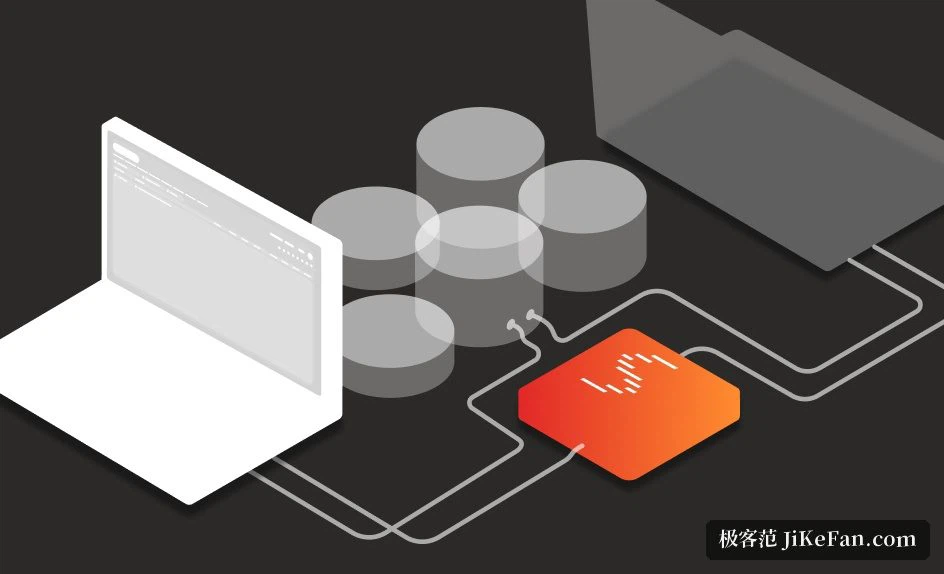
What separates it from many conventional arrangements is the shape of the array: one drive given over to a parity calculation, and a group of data drives beside it. While that parity drive is present, a single failed data drive does not take its contents with it; a replacement goes in and the data is rebuilt. For a household that is a friendly property, because drives can be bought one at a time instead of all at once, and the plan does not have to be perfect on the first day.
Mixing sizes without starting over
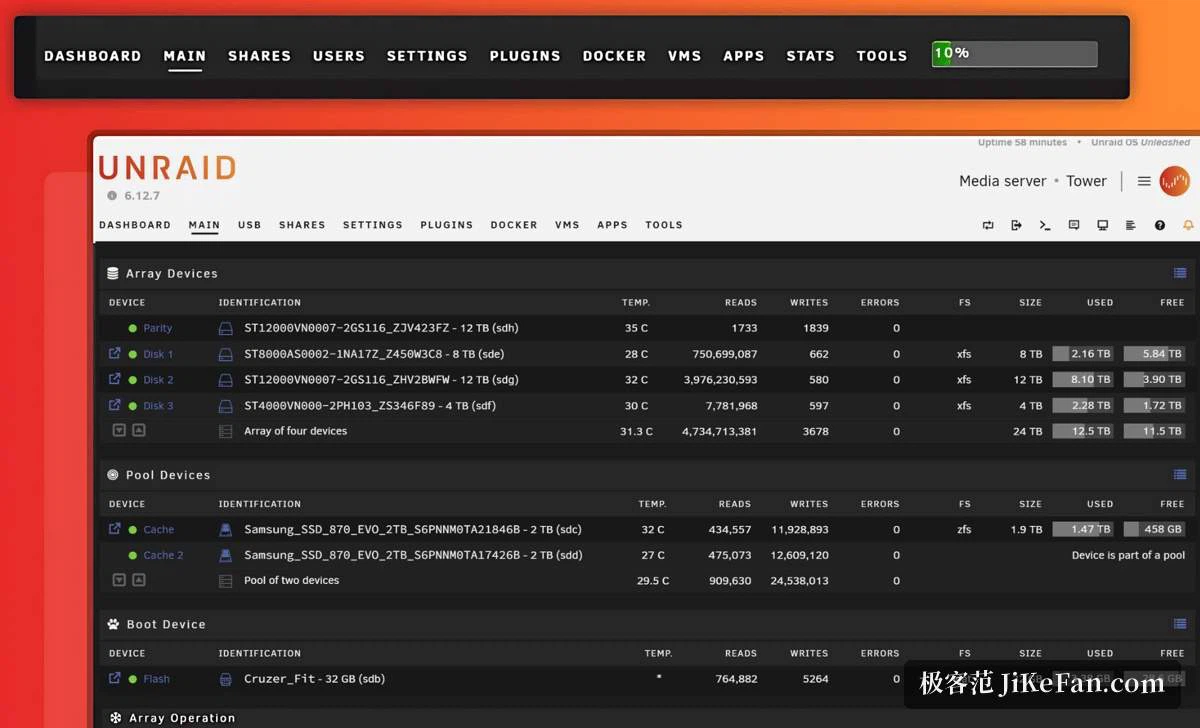
The signature ability is the mixing itself. An 8 TB drive, a 12 TB drive and a 4 TB drive can live in one array, and the total is simply their sum, so nothing is wasted trying to keep pairs equal. Upgrading later means swapping one drive at a time while the old ones stay useful. In the web interface each drive reports its temperature, its read and write totals and the space left, which turns the health of the whole set into something readable at a glance rather than a matter of guesswork.
Beyond the classic array, solid state drives can be gathered into a ZFS pool used as cache, most often to speed up file access or to hold virtual machine images and data that is read constantly. The system itself starts from a small external flash device, so it occupies no bay inside the case, and that also makes moving the whole installation onto new hardware, or copying it aside, far simpler than it would otherwise be.
Containers and virtual machines: one box, several machines
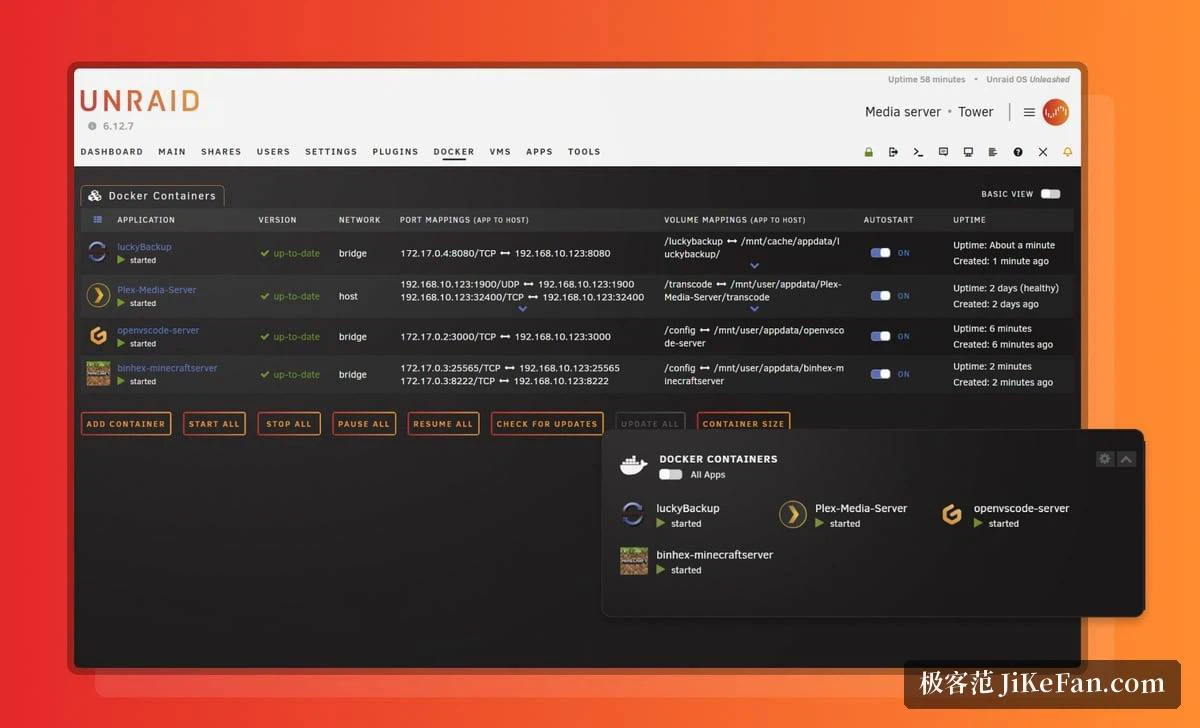
For anyone who keeps a film library or runs downloads overnight, storage is only the beginning. Container support is built in, and the community catalogue of templates holds several hundred ready-made entries, so a media server, a download client, a photo backup or a home assistant is usually a few clicks away, with the move to a new version handled from the same screen.
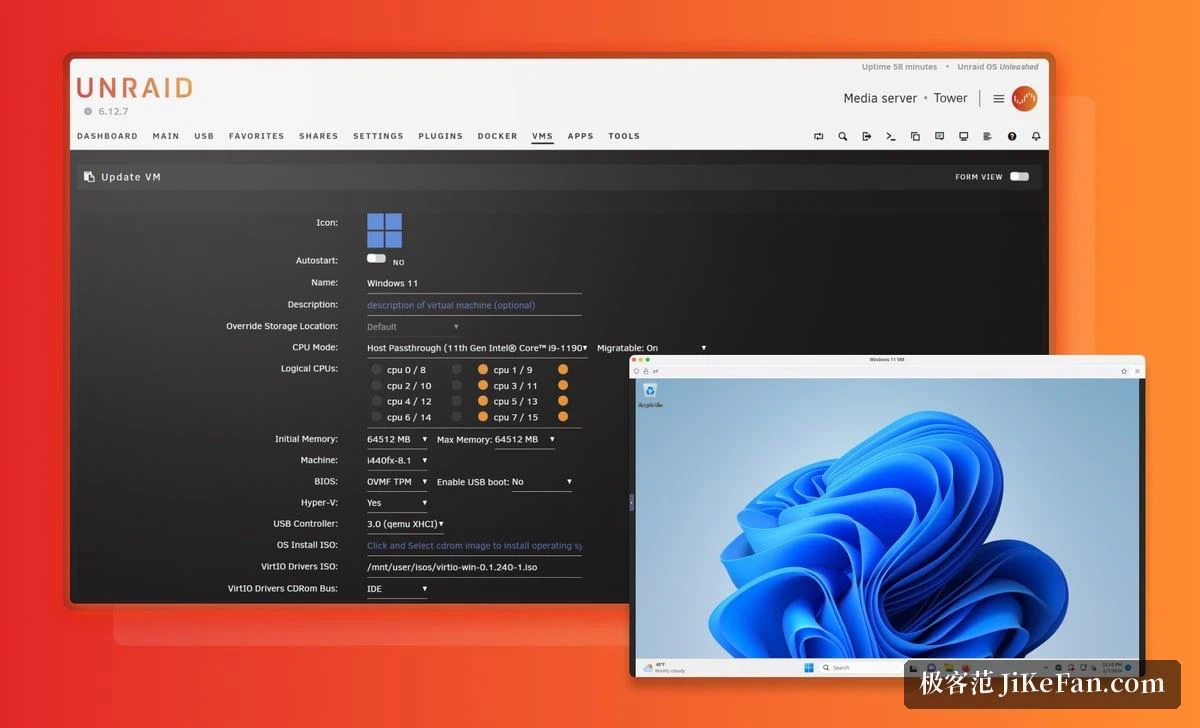
When stronger separation is wanted, or a complete operating system has to run, the machine can host virtual machines instead. A discrete graphics card can be handed straight to a guest, which is why people use one box as storage, games console and workstation at the same time: a Windows guest for office work during the day, the film server in the evening. The hardware ends up far more fully used, and the electricity bill does not double to match.
Getting started, and what it costs
The web console is laid out plainly, with tabs for the dashboard, the main array, shares, containers and virtual machines each doing one job. The official documentation walks through every step from a blank machine to a finished array in words and pictures, and the community has added guides of its own on top; a newcomer following along usually has a service running inside an afternoon. That reputation explains a good part of why the system stayed popular with people who build small laboratories at home.
It is also paid software, with licences sold in tiers according to how many drives a machine holds, and the current prices belong on the official site rather than in a summary. For somebody who treats the safety of their data and the steadiness of a service as the point of the exercise, the one-off payment buys continuing system updates and a good deal less fiddling.
Who it is for
The system suits a household holding several drives of different sizes that wants storage able to evolve for years, and wants media services and self-hosted applications running on the same box rather than on a second machine. Its case rests on three points: drives of any size can be added as they arrive and growth never means starting over; containers and virtual machines work without an evening of preparation; and the graphical management means a home server is no longer reserved for people who live on the command line.