
Suyan Is an Input Method That Cannot Reach the Network
Summary
A desktop input method built to run with no networking capability at all: the dictionary is local, speech recognition happens on the machine, and a clipboard manager, a screenshot tool and a configurable candidate window come folded in.
Recommend- Name
- Suyan
- Version
- 5.2.1
- Pricing
- Free
- Open source
- Proprietary
- Operating system
- WindowsmacOS
- Website
- https://suyan.zhangjh.cn/
- Updated
- 2026-10-18 22:00
An input method that cannot phone home
An input method sees more of what you write than any other program on the machine: it is the layer between the keyboard and the application, so the sentence exists inside it before the editor ever receives it. That position is exactly why the mainstream products in this category built a business model on top of it — candidate ranking computed on a server, dictionaries updated from what everyone types, speech recognition streamed to a data centre, and, in the noisier cases, advertising shown from the candidate window itself. None of that requires a conspiracy to explain; it is what happens when a server sits inside the loop. The first design decision here was to take the loop out.
The program has no networking capability at all. Not a switch you can turn off, not an offline mode you enable before opening something sensitive: the ability is absent, so there is no code path that could send anything anywhere. What you type, which keys you favour, what you say into the microphone — all of it stays on the machine because there is nowhere else for it to go. For work that involves material you are not permitted to leak — legal, clinical, financial — this is worth more than any feature list, because it changes a policy that people are supposed to follow into a property of the program itself.
A dictionary is not a network feature
The obvious objection is that cutting the network must cost something in input quality, and it is worth answering honestly rather than dismissing it. The dictionary here is a community-maintained pinyin lexicon that has been refined over years of real use, and day-to-day coverage sits broadly on a par with what mainstream commercial input methods deliver. That is also the honest ceiling for any pinyin dictionary of this size: the language is enormous and no lexicon predicts every personal name or every new product.
What closes the rest of the gap is import rather than download. Custom dictionaries and phrase lists in the engine's own text format can be added, so specialist vocabulary — drug names, case citations, internal part codes — is available within a session instead of never. What a cloud dictionary genuinely adds is recency: new slang, new names, the words that appear this month. That is a real cost and should be named as one. What arrives in exchange is that the vocabulary on your machine is the vocabulary you chose, and that nothing about how you type leaves the room.
Speech recognition, also local
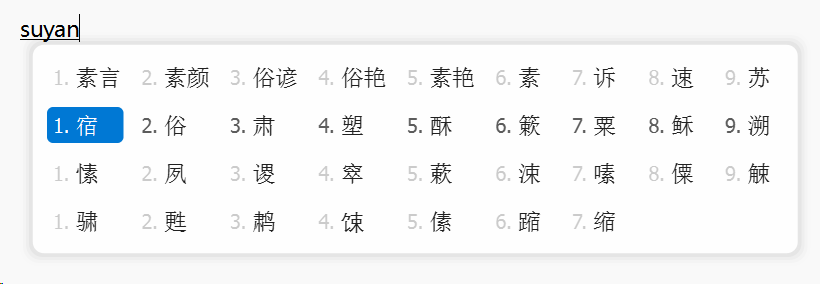
Speech is where offline claims usually collapse, because the usual implementation is a microphone in front of a data centre: audio is streamed out, text comes back, and the promise of privacy rests on a policy document. Here the recogniser runs on the machine. Hold the shortcut, speak, stop, and the characters appear. Nothing is uploaded because nothing is connected.
In ordinary use Mandarin dictation is fluid, text arrives as each phrase finishes, and the wait is the recogniser's own rather than a round trip across a network. The situations that matter are mundane: hands busy, thinking out loud into a document, a long passage where typing is the bottleneck rather than the thinking. It is also the function that is hardest to find elsewhere on the desktop, which is why it carries a disproportionate part of the argument for this program.
Three utilities that belong here
An input method is resident from login to shutdown, which makes it a sensible host for the small tools used in the middle of typing. A clipboard manager keeps a history of what was copied — text and images both — so a separate utility is not needed for the five-times-a-day case of wanting the thing copied two steps ago. A screenshot tool sits one keystroke away from the candidate window, which avoids the small but constant tax of switching applications mid-sentence.
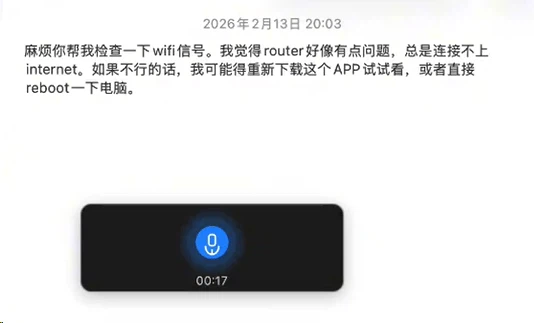
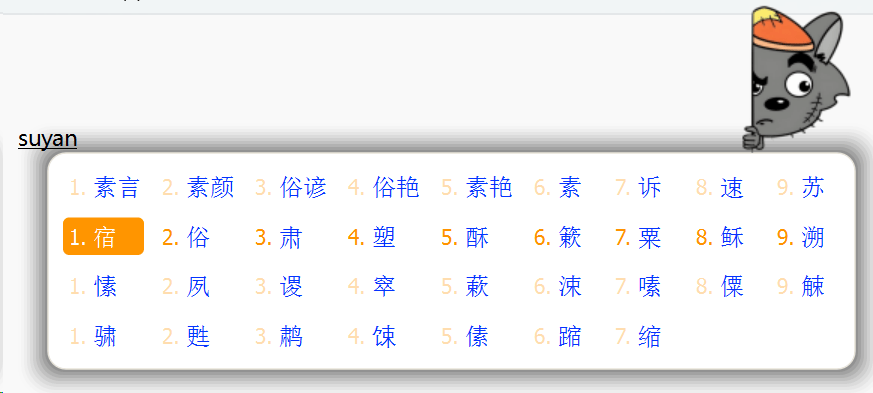
Then appearance, which is not decoration in an input method: the candidate window is on screen all day, so its layout, font and colours matter in the way a terminal's font matters. Layout, typeface, colour scheme and optional background images are all adjustable, and the light and dark variants follow the system setting without being asked. None of this is feature creep in the usual sense. The tools sit where the typing happens, and moving between programs in the middle of a sentence costs more than the tools do.
What is underneath, and what is on top
The typing logic rests on an established input engine with a long history, the kind that people have configured by hand for years and value for exactly the things that make it powerful and awkward at the same time. The engine contributes the input method proper — the segmentation, the candidate generation, the rules. What this product adds is everything the engine leaves to the user: a dictionary that is already installed, a candidate window and appearance configured through a graphical interface instead of a hand-written configuration text, and the three utilities above folded in rather than assembled separately.
The main program is not published as source, and the author has given the reason: to prevent the wrapper from being repackaged and sold. Anyone who has built a friendly layer over a configurable engine will recognise the worry. Both Windows and macOS are supported, and the intent is that typing feels the same on either.
Who it is for
Three overlapping groups. The first is people whose work involves material they cannot afford to leak, and who have been asked to trust a privacy policy instead of a technical guarantee; for them the absence of a network stack is the entire purchase. The second is people who like what a configurable engine can do but not the evening it takes to assemble a usable configuration — the same capability with the setup already done. The third is people who dictate more than they type, for whom local speech recognition is not a privacy argument but a latency and reliability one.
What this program does is narrow and complete: no network, no uploads, no pop-ups, and speech that never leaves the machine. The dictionary is adequate, custom vocabularies can be imported, and a clipboard history and a screenshot tool come along because they are used while typing anyway. For anyone whose only requirement of an input method is that it stop taking data, this is about as thorough an answer as the desktop currently offers.
The honest summary
The interesting part is not a feature but a subtraction. Removing the network from an input method removes cloud candidates, cloud dictionaries and the usual speech pipeline at once, and everything afterwards is a consequence of that one decision: a local lexicon, a local recogniser, and a set of utilities that had to be built rather than borrowed. The cost is real — new words arrive later, and specialist vocabulary depends on someone importing it — and the limit is equally real: two platforms, one author, and a closed main program. For the audience it targets, that trade is not a compromise. It is the reason to install it.