
Raysync: taking the waiting out of long-haul file transfer
Summary
Raysync moves very large files on an enterprise scale: a UDP protocol of its own, resume after a break, layered checks, and licensing by edition.
Recommend- Name
- Raysync
- Version
- 20261115
- Pricing
- Paid
- Open source
- Proprietary
- Operating system
- WindowsLinuxmacOSAndroidiOSWeb
- Website
- https://www.raysync.cn/
- Updated
- 2026-11-15 12:09
Send tens of gigabytes of footage to another city, or push thirty thousand small files to a data centre abroad. On paper it is one upload button, in practice it eats half a day. Traditional transfer methods slow down over distance and packet loss, and a break halfway means starting again from zero. Raysync aims at that stretch of the job. Server side runs on Windows, Linux and AIX, the clients reach phones and a browser, and the vendor sells the whole thing as an enterprise system for very large files: not more bandwidth, but the waste choked off along the route.
The waiting, not the bandwidth
What hurts over distance is the acknowledgement. Data goes out and waits for a reply, and that round trip multiplied by tens of thousands of packets leaves the link idle. Raysync wrote its own protocol on top of UDP, adding forward error correction, congestion control and selective retransmission. The vendor claims bandwidth use of up to ninety-six per cent, and speed a hundred times the traditional method on the same line. Any such figure depends on the route, but the target is the same one: get the waiting down first.
Fragmented files are the second hard case. A single project folder holding tens of thousands of small images costs more in connection setup than in payload. Raysync compresses and splits into concurrent chunks at the sender, then unpacks and merges at the receiver, and the vendor mentions tens of thousands of concurrent transfers. For people cutting film, working in design or running simulations, that matters more than raw bandwidth.
A break does not mean starting over
Losing the line halfway through a large file is where most people give up. Raysync builds in resume and error retransmission, and runs several checks after the transfer, using both hashing and an incremental comparison. Packet loss, a client that quits, a jittery route: the job continues from the last checkpoint instead of resending several terabytes. On a cross-border link this decides whether a scheme is usable at all.
The problem it goes after is not a short pipe but a long wait: squeeze the cost of acknowledgement, retransmission and checking, and the throughput follows.
Who may look, what travels, what is left behind
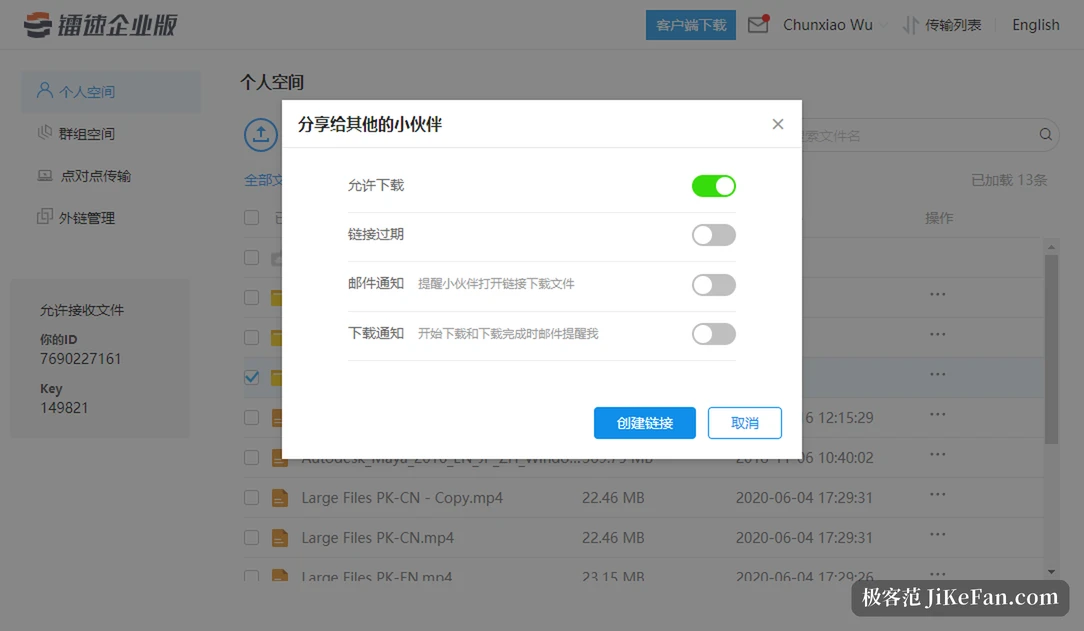
Enterprise file movement runs into three questions: who is allowed to see it, whether the route is safe, and whether anyone can prove later what happened. Raysync encrypts at the link layer with AES-256, runs the route over TLS and supports the Chinese national algorithms as well. Permissions work at user and group level, with upload, download, preview, delete and external distribution granted separately. A link sent outside can carry an expiry date, an access password, a download limit and an IP allowlist, and mail notice plus download reminders can be ticked at creation. The system keeps a full operation log of logins, uploads, downloads, previews, forwards, deletions and permission changes, protected against tampering and exportable, which covers an internal review as well as an outside audit.
Deployment, and the invoice
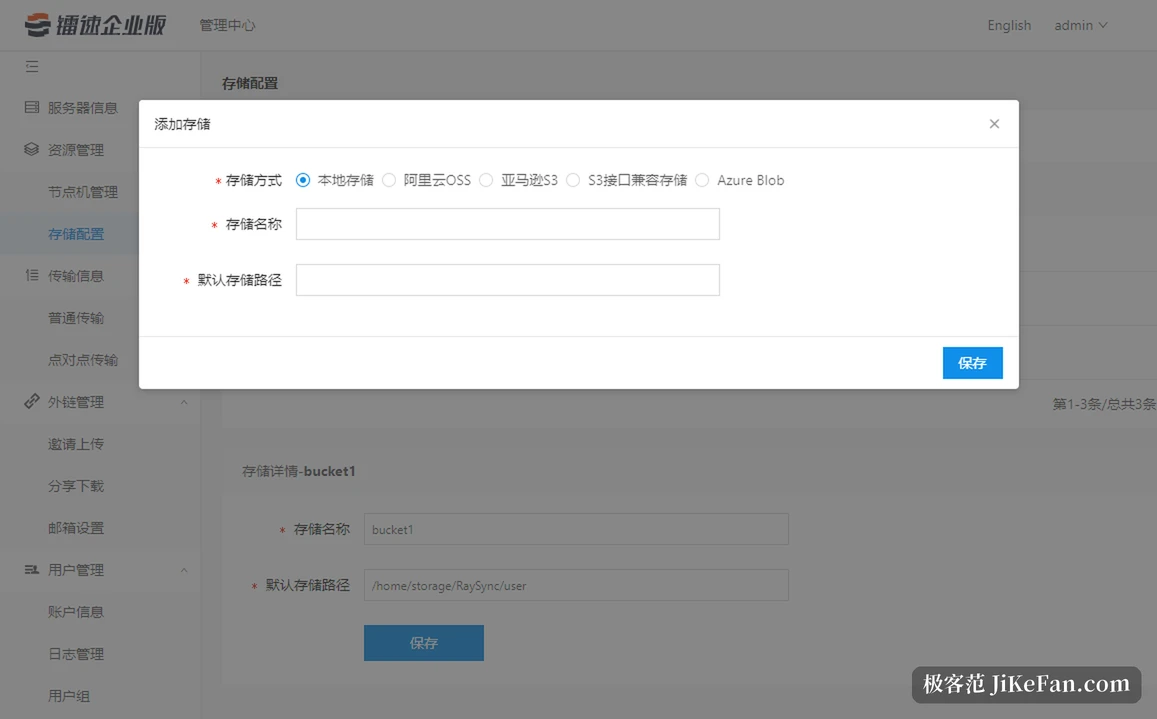
Private, public cloud and hybrid are all supported. The server installs on Windows, Linux and AIX, the clients cover Windows, Linux, macOS, iOS, Android and a browser. A team already running FTP can put the fast path in through gateway or proxy mode, keeping existing scripts and business systems and switching in stages. Anyone who needs the transfer inside their own software gets an SDK, an HTTP interface and a command line.
Pricing is a licence, split into a Professional and an Enterprise edition. Professional gives ten users and three visitors, 200 Mbps of UDP bandwidth and 100 GB of download traffic. Enterprise opens up the user count, with bandwidth and traffic following the plan. Both editions need a conversation with sales for a trial, and there is no free build to install and keep. That shapes the choice: this is software a company buys, not a small utility for one desktop.
Which teams it fits
Anyone sending a few hundred megabytes to a colleague now and then should stay with a cloud drive and a messenger. What needs this is data large enough that the transfer itself is the bottleneck: footage handovers in animation and effects, drawings and simulation results coming back from a factory, gene and research data moving between institutions, disaster recovery between regions. Large files, long distance, a demand for traceability, and a high price for interruption.
The hundred-fold claim is not a reason on its own. Speed depends on the bandwidth at both ends, on line quality and on how the concurrency is set, so the only honest measure is your own sample. Ask for the trial, run a batch of real files over the real route, watch what comes out, and pick the edition afterwards.