
Pop!_OS pairs a Rust desktop with graphics switching that needs no logout
Summary
A Linux distribution built by a hardware vendor on top of Ubuntu long-term support, with its own Rust desktop, per-application graphics switching and full-disk encryption offered during setup.
Recommend- Name
- Pop!_OS
- Version
- 24.04
- Pricing
- Free
- Open source
- Open source
- Operating system
- Linux
- Website
- https://pop.system76.com/
- Updated
- 2026-10-04 04:22
A system that assumes you are here to write code
Pop!_OS comes from a company that also builds the laptops it runs on, and that shows in what the installer leaves behind. The idea is that after the first boot you open an editor and start working, instead of spending an evening hunting for graphics drivers and an input method that behaves. Language runtimes and common development tools arrive already in place, keyboard shortcuts are built around typing rather than around a mouse, and window management assumes you will have several terminals open at once. The current long-term support release is 24.04, which is the version most people should install on a machine they depend on.
COSMIC, a desktop written from scratch in Rust
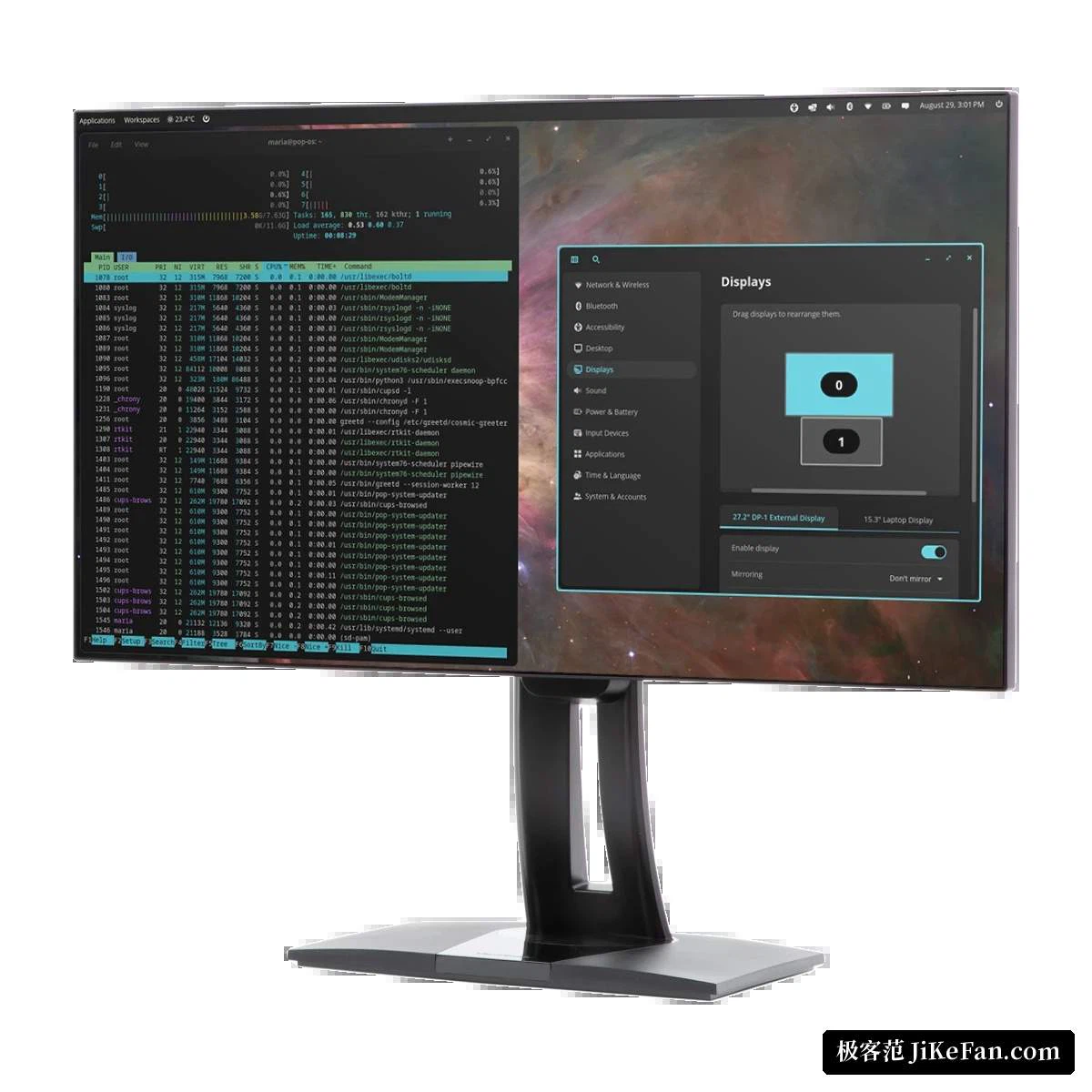
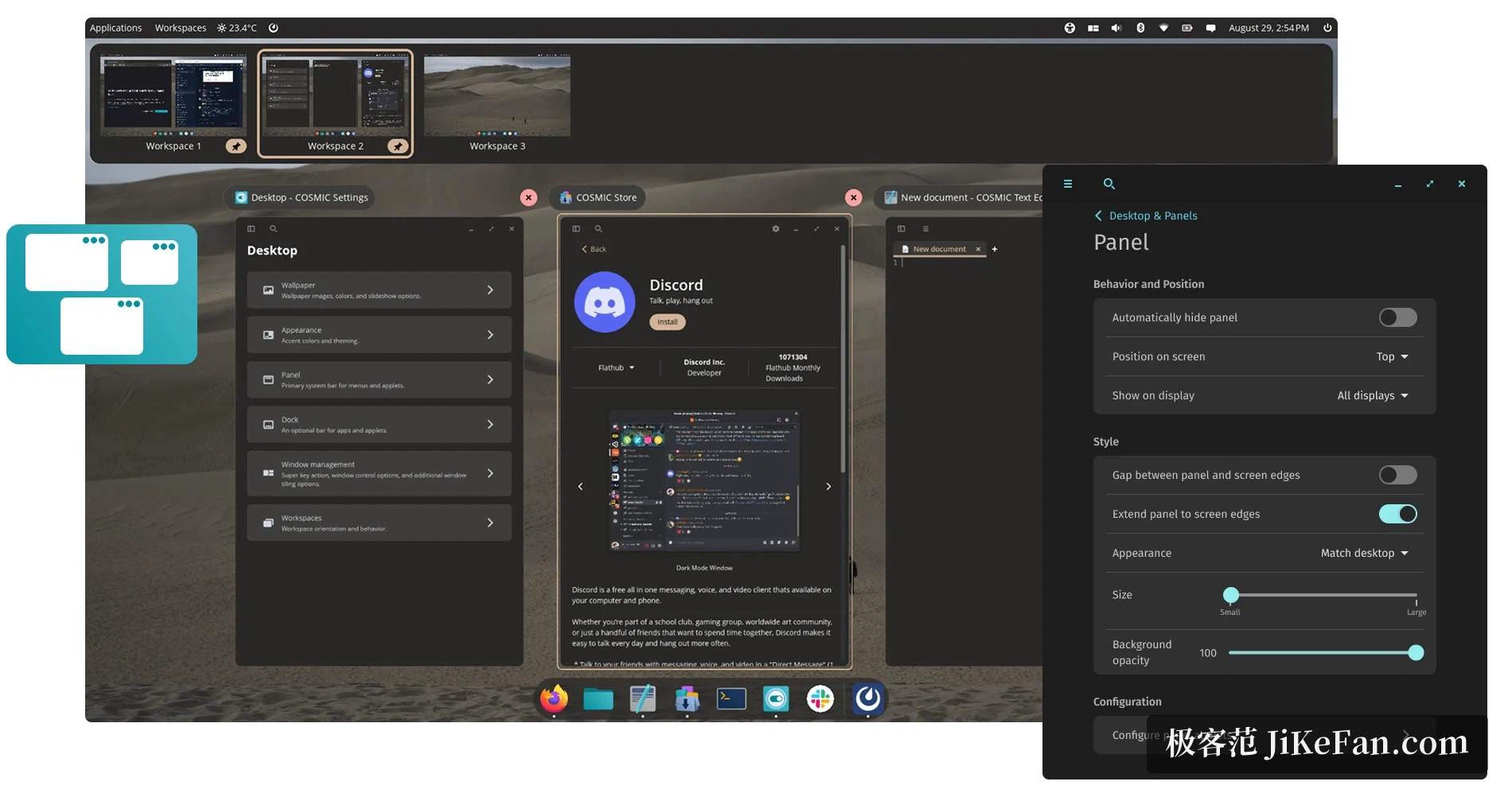
Starting with 24.04 the system ships COSMIC, a desktop environment the same team wrote in Rust rather than assembling from older components. At first glance it looks familiar, with a top panel and a dock along the bottom edge, but the window handling is where it separates itself: there is a floating mode that behaves like any ordinary desktop, and a tiling mode that fills the screen with windows without gaps. In tiling mode a couple of keystrokes split the workspace, move focus between panes and swap two windows, which is exactly the shape a coding session takes. Panel position, icons, themes and dock behaviour are all adjustable, and the interface does not carry the dated look that keeps some people away from Linux.
Encryption and graphics settled during setup
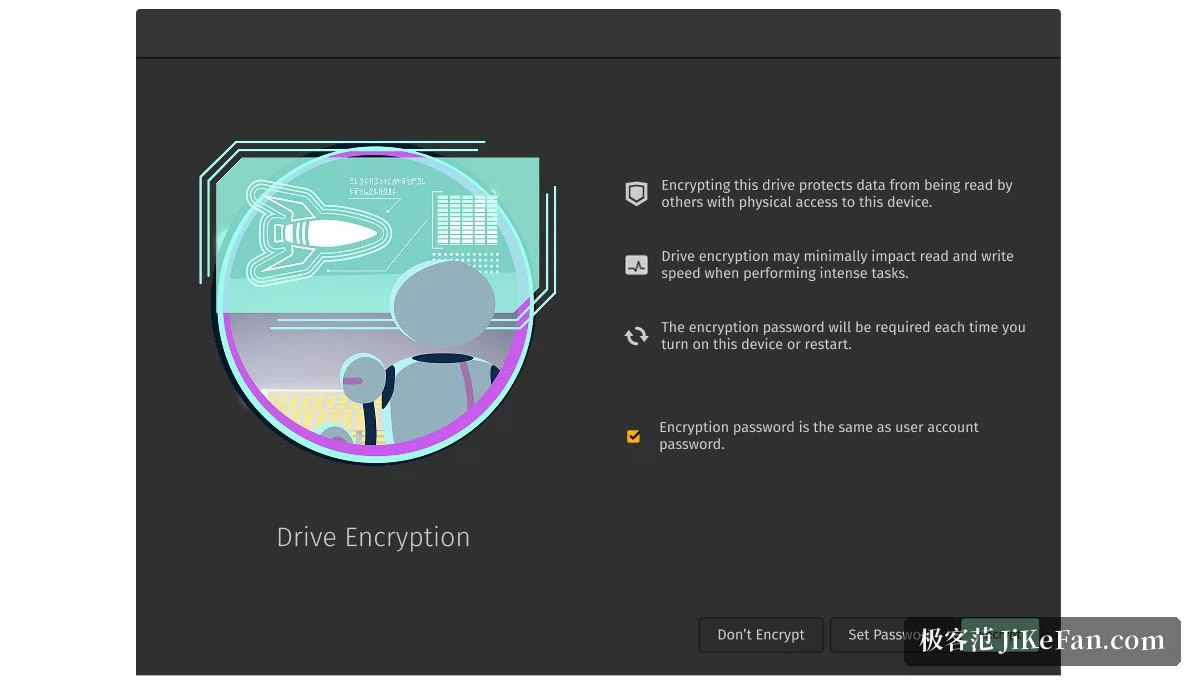
The installer offers full-disk encryption, with the key generated on the spot and asked for at every boot afterwards. Beyond the system partition there is a separate recovery partition, so an update that goes wrong can be rolled back instead of leaving you with a machine that will not start. Laptops with a discrete graphics chip can run in a hybrid mode that saves power or in a mode that keeps the discrete chip in charge for games and heavier workloads, and the switch happens without logging out of the session, which is the part that most distributions still get wrong. System and firmware updates sit in the same graphical tool, so no terminal is required to keep a machine current.
The Ubuntu base carries the software catalogue
Because the distribution is built on Ubuntu long-term support, the packages, drivers and toolchains from that ecosystem generally install and run unchanged. Traditional package files work, Flatpak applications work, and containerised development environments work. Common tools are a click away in the software store, while people who prefer the command line keep the package manager they already know. Version managers, database servers and container engines each have a written path in the official documentation, which removes a round of searching. For a workstation that has to stay stable for years, the maintenance window of the long-term release is the practical argument.
Who should install it, and where it stops
Two groups get the most out of it. The first is developers moving away from Windows or macOS who would rather not spend their first week on configuration. The second is people running hardware from the same vendor, where the operating system and the machine are tuned together. The distribution is free and open source, and the site offers two images, one with the discrete graphics driver included and one without, so the choice follows the machine. It is not a universal answer, though: some professional applications, certain peripherals and games protected by anti-cheat systems still refuse to run, and it is worth checking that the tools you rely on daily have a working alternative before wiping a disk.