
OpenAnima 1.1 hangs GIFs and sprite sheets on the desktop
Summary
OpenAnima 1.1 is an open source overlay engine for Windows: GIF, APNG and sprite assets become draggable transparent layers, and a layer can span monitors.
Recommend- Name
- OpenAnima
- Version
- 1.1
- Pricing
- Free
- Open source
- Open source
- Operating system
- Windows
- Updated
- 2026-11-09 16:57
OpenAnima is an open source utility for Windows that turns local GIF, APNG, WebM clips, still pictures and sprite art into separate transparent windows floating above the desktop. It leaves the wallpaper and the system theme alone. What it adds is a set of layers you can drag, lock or click straight through, so a desk pet, a pixel character or a status bar finally moves instead of sitting in a folder.
What an overlay layer actually is
Explorer arranges icons on a wall. An overlay is a second, transparent sheet taped in front of that wall. Every layer is its own window, and the layers do not interfere with each other: drag one and the coordinates of the others stay exactly where they were.
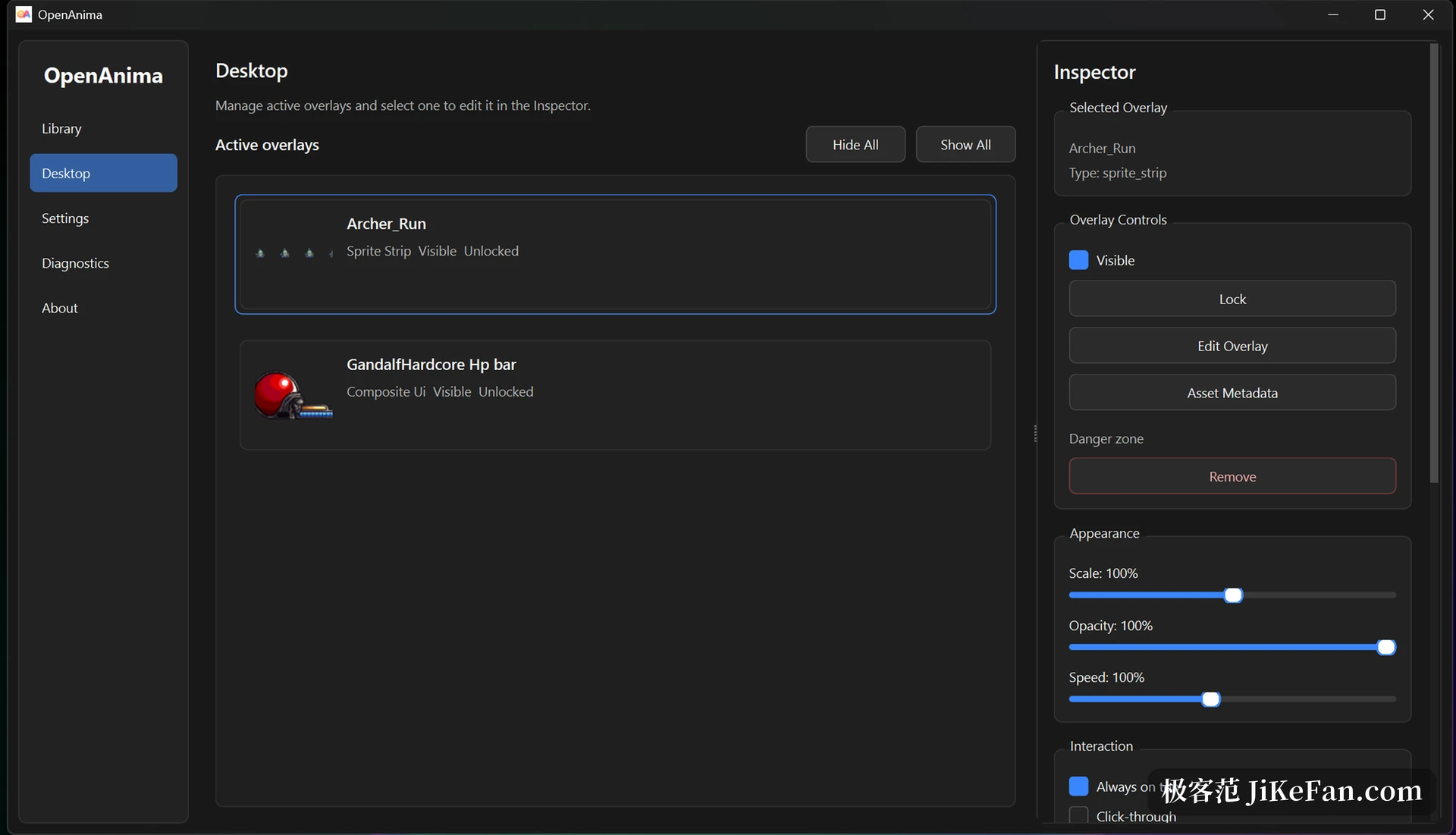
The settings for a single layer fall into three groups. Geometry covers position, scale and opacity, while animation covers playback speed.
Behaviour is four switches. Lock stops an accidental drag. Click-through sends the mouse to the window underneath, always-on-top keeps the layer visible above other programs, and hide takes it off the desktop while the configuration stays.
All of that is written to a local config.json and comes back on the next launch. The write is atomic and carries a schema version, so a damaged configuration is backed up before it is rolled back. One bad field should not cost you an entire desktop arrangement.
Eight asset types, each with its own settings
A tool that only plays GIFs gets boring inside a week. OpenAnima lists eight types: GIF, still image, APNG, WebM video, frame folder, sprite strip, sprite sheet and composite HUD.
The first four are one file, one clip: drop it in and it plays. The last four want a little structure.
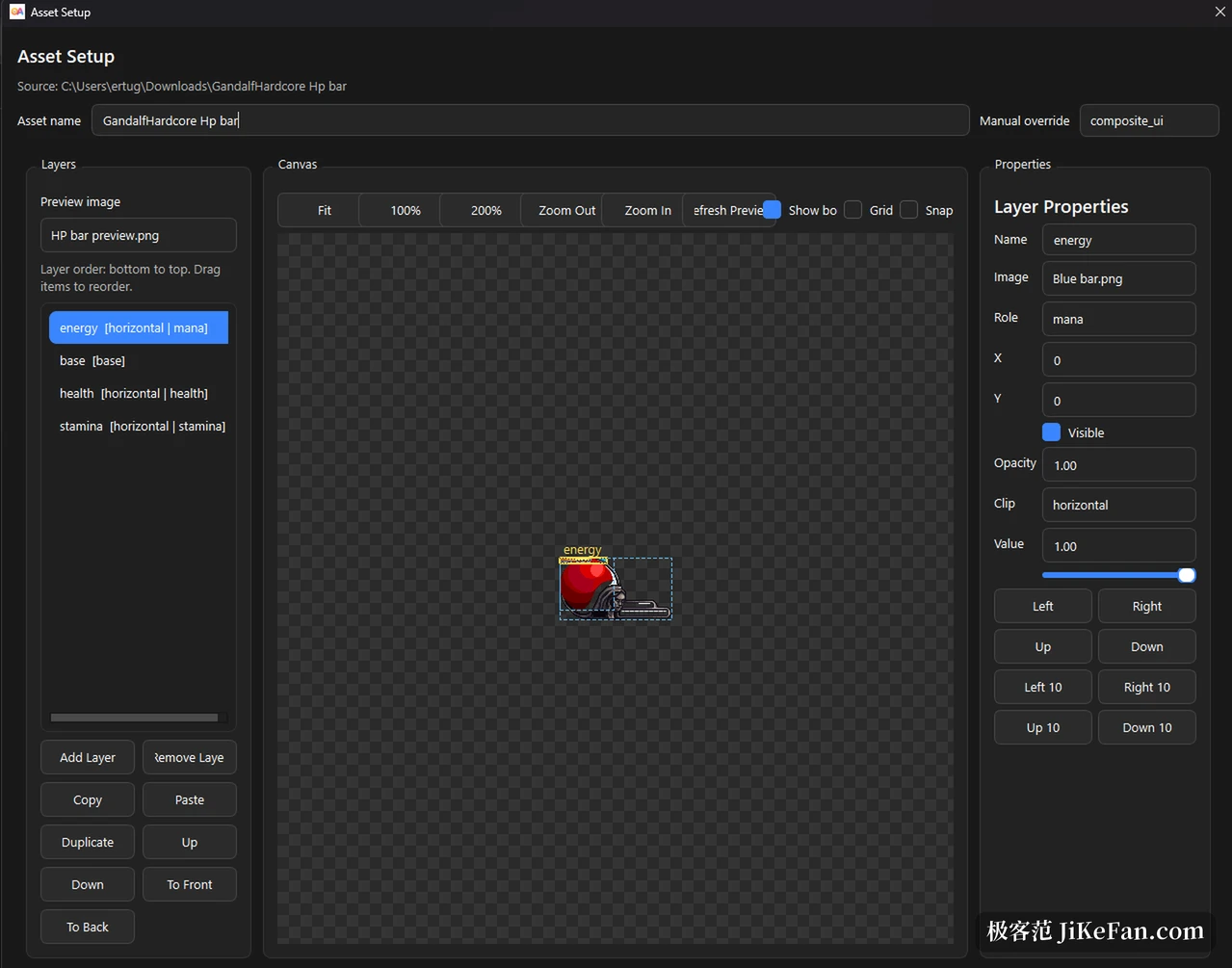
Frame folders expect images named in order plus an asset.json that states the type and the frame rate. Sprite strips get cut frame by frame out of a single row or column. Sprite sheets are freer still, and each animation can be given a name inside asset.json. A composite HUD stacks layered images and attaches a few runtime value sliders, which is how health bars and mana bars are built.
Those few lines in asset.json look trivial and decide whether the tool is still useful next year. Art and description live apart: the same images with different parameters become another animation, and what you edit is text, not code.
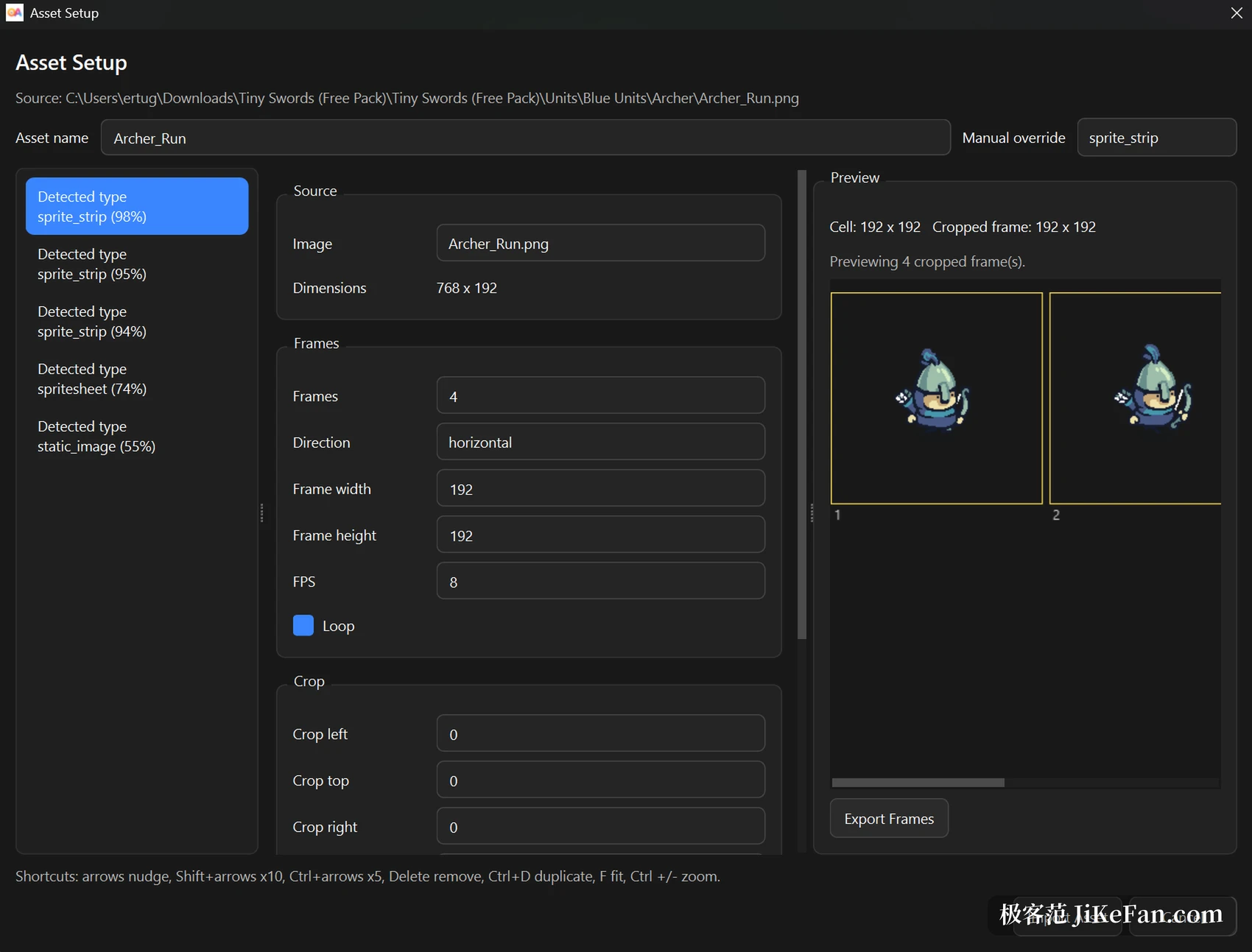
Import opens a dialog that detects the type and asks you to confirm. A wrong guess can be overridden by hand, and a sprite strip can be cropped on the preview, counted and set to loop, which saves the usual detour through another editor and back.
A library page holds the assets: a single file, a whole folder, a pack organised by folders, or an archive. They appear as thumbnails, and one click puts the selected item on the desktop.
Version 1.1 puts layers on every monitor
Before 1.1 a layer only knew the primary screen. The release adds dragging across monitors, and the main window can assign a layer to a specific display. If the monitor arrangement changes afterwards, layers that ended up outside the visible area are moved back to a safe position instead of disappearing past the edge.
There is a matching recovery path. A layer that is locked, set to click-through or dragged somewhere invisible is the easiest thing to lose, because it can neither be clicked nor moved. Buttons on the settings page and on the diagnostics page, plus the same commands from the tray, centre a layer again or return it to an operable state.
The diagnostics page lists runtime facts: version, configuration path, log location, how many layers are active, and the most recent warnings.
A local API for streams and automation
Once an animation sits on the desktop, the obvious next wish is to drive it from a program: switch scenes, swap assets on an event, follow the state of a stream. OpenAnima leaves an experimental local interface for that. It is off by default, binds to the loopback address only when enabled, and every request that changes state must carry a token header.
The surface is not fancy but it is enough: query the state, list the layers, create a layer, move and scale one, save and recall scenes, read recent events. An outside tool that refers to a layer should use the persistent identifier, because it survives across sessions while the runtime identifier is new on every start.
Two caveats belong here. The interface ships as experimental and the contract may still change. Events travel through an in-memory buffer with polling, so there is no push channel yet. If the default port is already taken it picks another one, and the address displayed in the interface is the one that counts.
Who it suits, and the rough edges
Three kinds of people get something out of it. One wants a moving character on the desktop and refuses to install a whole desktop environment for it. Another streams or records and needs a visual element that can be switched on and off at any moment. A third has a folder full of pixel art and an urge to try things with it.
Assets stay on the machine, no account is needed, and nothing is validated online.
The rough edges are just as visible. The project is maintained by one person, the repository sits just over forty stars, and the documentation is mostly in English. Advanced work with composite HUDs and sprite sheets still means writing configuration by hand, and the interface only carries you halfway. Whether the alpha channel of a WebM clip shows up depends on the local media backend and the installed decoders, so a black box or torn pixels point at decoding first. The store build weighs 61.9 MB and asks for Windows 10 build 17763 or newer.
One more thing stays in your hands: the pictures, animations and sprite art used by a layer belong to their respective authors. The tool ships no assets and makes no judgement about commercial use.