
DiscImageStudio 1.5: a picture burned into the disc surface
Summary
DiscImageStudio 1.5 turns a picture into sector data inside the disc physical layer: the burned surface shows the image, and the files still read back.
Recommend- Name
- DiscImageStudio
- Version
- 1.5
- Pricing
- Free
- Open source
- Open source
- Operating system
- WindowsLinuxmacOS
- Updated
- 2026-11-09 16:57
DiscImageStudio is a disc surface imaging tool for Windows, with an experimental command line build for Linux and macOS. It encodes a picture into sector data that obeys the physical layer of the disc, so a burned disc shows the pattern on its surface, with no printable media and no special printer involved.
The surface is data, and data can be a canvas
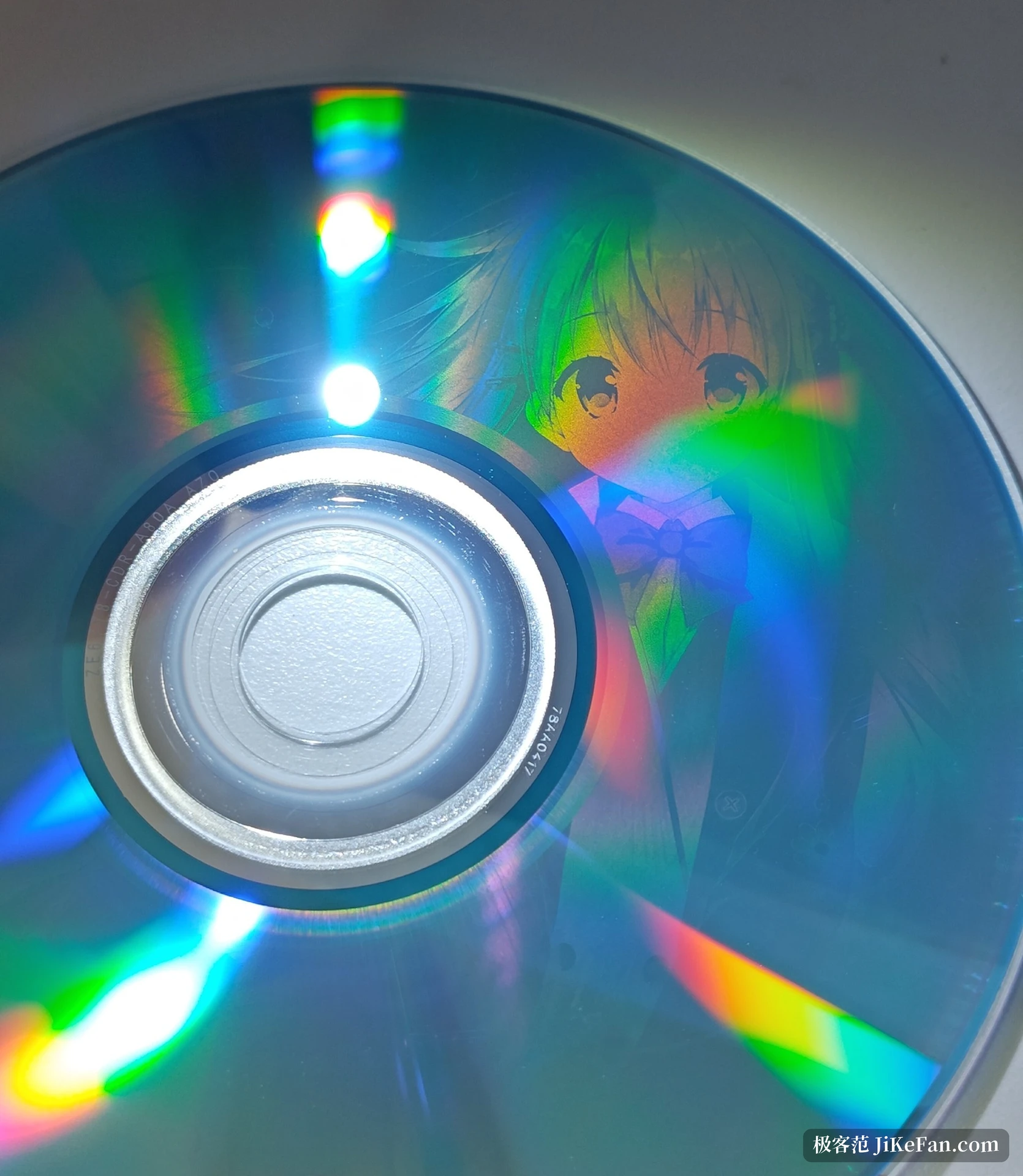
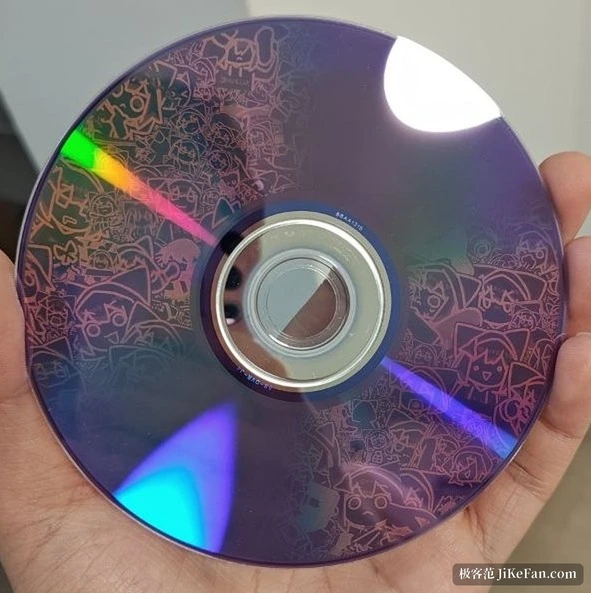
The dark and light rings on a burned disc are data. A drive reads reflectivity, and the arrangement of zeroes and ones inside the sectors, once modulated, leaves blocks that differ in brightness across the surface. Because the brightness comes from the data, choosing the right data makes the surface show a picture.
DiscImageStudio does that translation. It prints no cover and sticks no label: it resamples the image to the radial geometry of the disc, maps it onto the spiral track, and uses particular sector patterns to stand in for light and dark. The result is still a legal, readable disc, files come off it as usual, and it merely happens to look like the picture you gave it.
Different media, different dictionaries
CD, DVD and Blu-ray do not share a physical structure, so they do not share a brush. A CD uses the 0D and AA sector identifiers to build two levels, a DVD works in the scramble domain with A5 and 92, and Blu-ray goes through the single-layer BD-R specification at 25 GB, either pure drawing or mixed with files under UDF 2.01. All three stop at two levels, which the physics fixes rather than the software shirking; grey is simulated by dithering.
Each output format meets the existing toolchain. A CD exports a WAV track with a format header plus a matching CUE file, which cdrecord and ImgBurn read directly, and a RAW audio track is also available. DVD produces a standard ISO. The Blu-ray output is consumed by ordinary software, so no proprietary tool is needed to read the disc.
One project across three pages
The Windows build splits the work into design, preview, export and burn, laid out as a horizontal step bar. On the design page the layer list and the files-to-disc settings sit on the left, a round disc preview fills the middle, and layer properties with tonal controls, dither strength, gamma, brightness and grey levels, occupy the right.
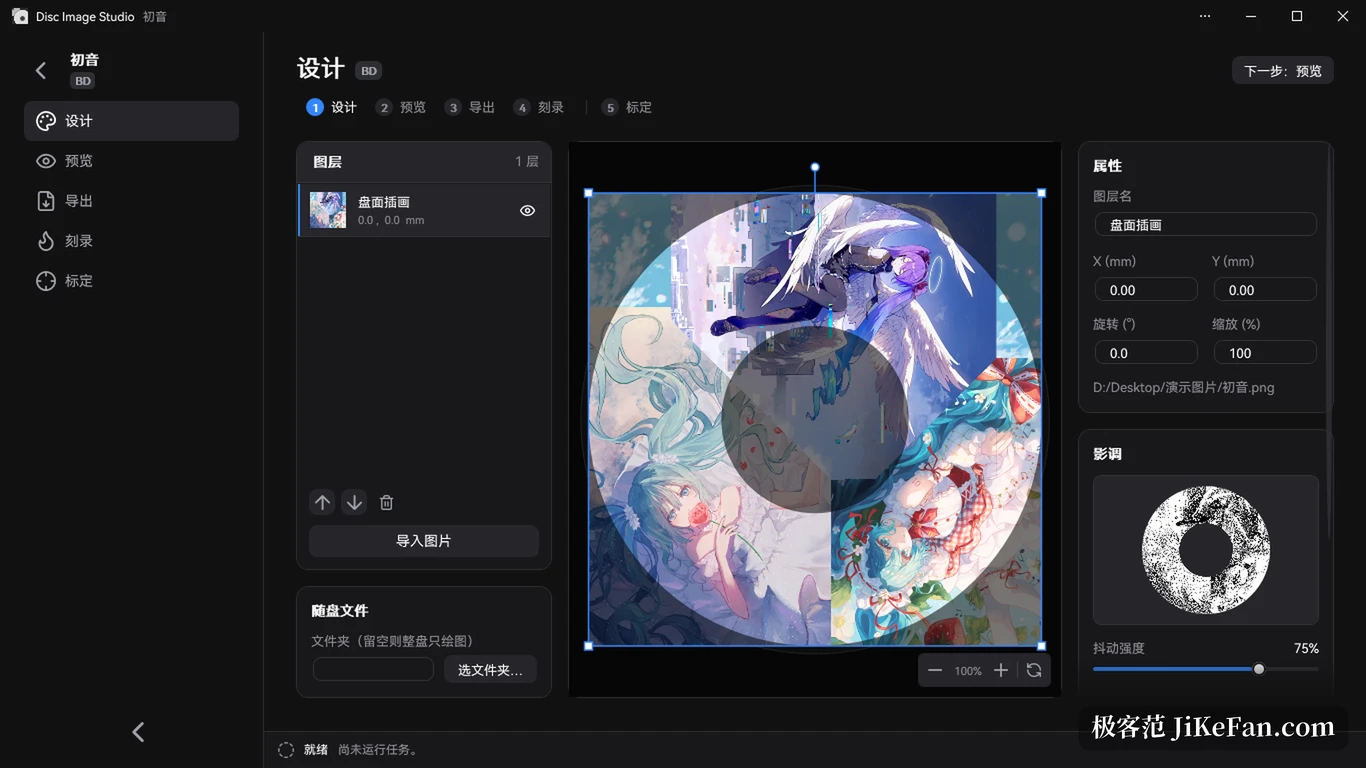
Files on disc is the more practical part. You point at a folder to be written to the same disc and choose whether the file area sits on the inner or the outer ring, and those settings are saved with the project. For a hybrid disc the projection marks the file area in yellow, counting the ring the file system itself occupies, so the composition shows at a glance whether the picture will be interrupted by data.
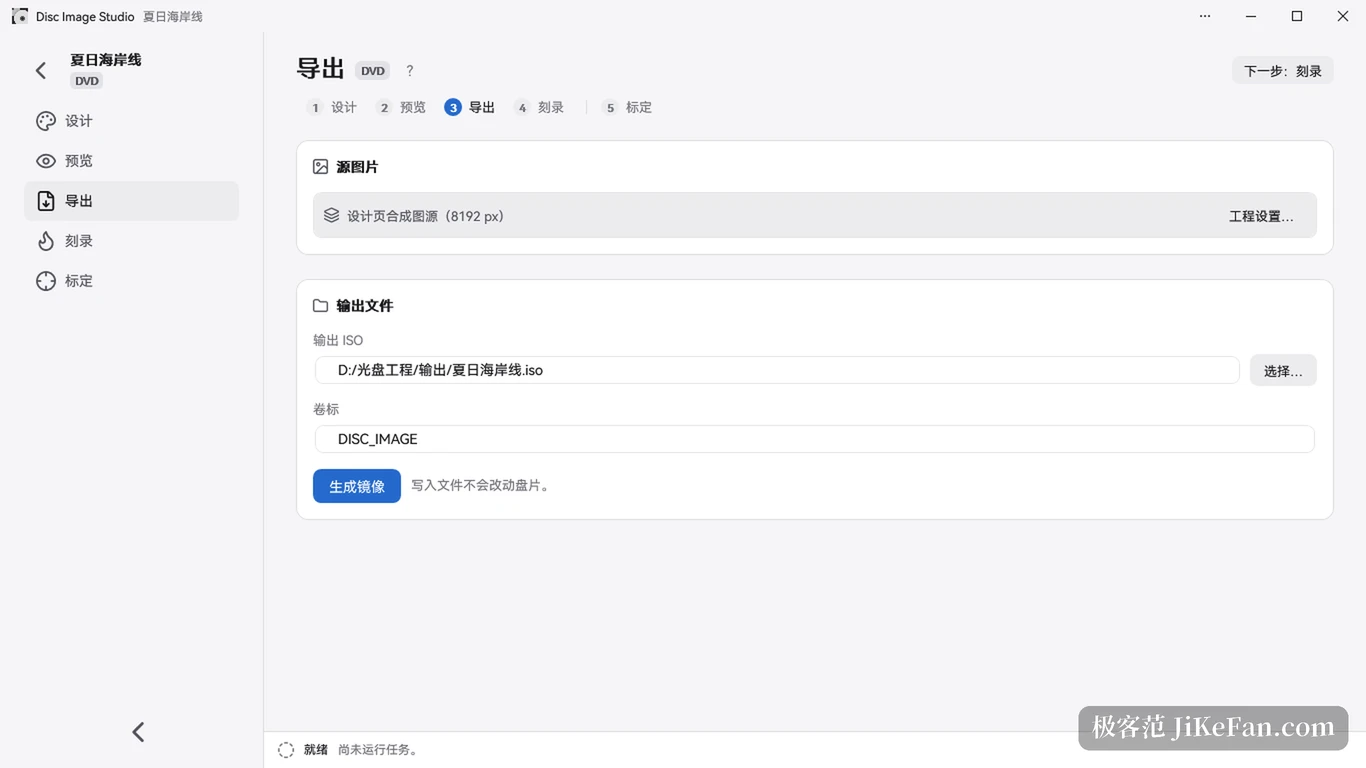
The preview page checks the projection, and export comes next. The export page performs one action, generate the image, and writing a file never touches the media, so an ISO or an audio track is a chance to change your mind first. Burning can be handed to an external program, or done by the built-in instant burn that writes while it generates.
Calibration: making the pattern land where it should
Sitting straight on screen does not mean it lands straight on plastic. Linear velocity differs between the inner and outer radius as the disc turns, the real track pitch is not the theoretical constant, and radial lines burned at a fixed pitch come out visibly bowed.
The project answers with a calibration flow in three levels, coarse, boundary and fine, which derives inner and outer radii and the pitch distribution from photographs of the surface and then fits a cubic polynomial. By its own account the precision of the physical data it can pin down moves from the order of one part in a million to one part in a hundred trillion. Presets for several common disc brands are included, and a calibration of your own can be saved and reused.
The repository also carries a separate greyscale dithering tool that turns a source image into a two-level PNG at 0 and 255, with side-by-side preview and lossless export. It works as a preparation room before the image goes onto the disc, so the same result is not chased by generating one image after another.
The invisible repairs inside 1.5
Version 1.5, published on 7 November, adds no features; nearly everything sits underneath. It separates the geometric sector count of a disc from the usable one. Old presets that lack the field now reserve 2 sectors for CD and 608 for DVD, export and streaming burn both work from the usable area, and DVD and Blu-ray keep 16 and 32 sector alignment.
Burn diagnostics now cover DVD and Blu-ray as well as CD, recording build environment, drive firmware, media type and blank state, buffer protection and finalise settings, and the time each stage took. When a burn fails, the source stream and the device context are kept, and Blu-ray also retains the real SCSI sense data. The same release corrects the sub SY6 sync code for DVD EFMPlus in states 3 and 4 per ECMA-267, and removes a duplicated 32-bit zero padding in the DVD data frame EDC calculation.
One addition is a DVD read compatibility option, experimental and off by default. It rewrites the scramble bytes in each sector that fall outside A5 and 9B to 9B at fixed intervals, hoping to improve how some drives read the disc back. The project notes that more feedback from drives and media is needed, and that surface texture and contrast may shift with it.
What has to be accepted
It draws in two levels, so photographic greys are out of reach. A desktop build with a graphical interface exists for Windows only, on x64 machines running Windows 10 2004 or later, or Windows 11; Linux and macOS get the experimental command line version. Blu-ray support stops at single-layer BD-R of 25 GB.
Two further conditions cannot be avoided. Writing needs a real burner the system recognises, so a cloud machine or a virtual machine can only finish the image half of the job. Instant burn is labelled experimental, and an interruption, a power cut or a generation too slow for the drive can ruin the disc, which is why only disposable media belong in that slot. The same image burned on two machines may also differ in density, so fixing a media batch and leaning on the presets is the way to keep it stable.
Turning a picture into readable data, then letting that data take shape on the surface, is patient work. DiscImageStudio promises no first-time success. It does turn every deviation into a number you can measure and correct.