
Fluent 2 keeps AI a shortcut away in every Mac app
Summary
Fluent 2.3.6 is an AI assistant for macOS: a shortcut floats a panel over the current app and carries the selected text as context, on local or hosted models.
Recommend- Name
- Fluent
- Version
- 2.3.6
- Pricing
- Paid
- Open source
- Proprietary
- Operating system
- macOS
- Website
- https://fluentmac.app/
- Updated
- 2026-11-09 16:57
Fluent is a global AI assistant for macOS, written in native Swift, with an installer of only 73 MB and a keyboard shortcut as its front door. It is not another chat application. The idea is to make AI a layer pressed onto the system: you are writing mail, editing copy or reading a PDF, you press the shortcut, and the model receives the text you selected, what sits on the clipboard or the window in front of you. The answer lands back where you were typing.
Not an app, a layer on the system
Most AI tools work by switching windows. You copy something, jump to a browser or a client, paste, ask, copy the answer and come back. Twice a day that is nothing. Forty times a day it wears a groove.
Fluent folds the chain into two steps. The shortcut floats the Smart Panel over whatever you are in, and the paragraph under the caret, the fragment you just copied or the browser tab you are reading already travel with the question. The panel is one entrance for everything: rewrite a selected sentence, draft a reply, summarise a document, explain what a column in a table means.
Repeated work can be stockpiled. Common chores become saved actions with their own shortcuts, and phrasing you keep adjusting becomes a prompt template that accepts variables. The gain is not having to memorise commands. The cost is half an hour spent sorting out your own routine first.
Where the context comes from decides whether the answer helps
Context is gathered in layers. The shallowest is selection and clipboard, which nearly everyone needs. Above that sit the current window and the browser tab, so asking what this page says or how to answer this mail needs no manual copying. Higher still are files and folders: hand a directory to a conversation and it can read the documents inside, search them and run a few file related actions.
On the Mac this runs on interfaces the system provides, so there is no dependency on a particular application; if text can be selected, it can be sent. The price is that applications drawing their own interface may expose no text at all, and those cases fall back to asking about a screenshot.
Before handing a whole folder to an AI, one question is worth asking: is there anything in there that should not leave the machine. A local model uploads nothing. A cloud model does. Which path is taken is your decision, not a default shipped by the software.
Where the models come from: local, system, subscription, key
Fluent makes no models of its own. It is a connection layer, and there are four routes through it.
First, a route runs a local model inside the application on the MLX framework for Apple Silicon: the model is downloaded to the machine, inference happens there too, it works with the network off, and history is written to disk encrypted. Second, a route borrows Apple intelligence built into the system, which needs macOS 26 with the feature switched on, and costs neither space nor money. Third, a route signs in to a subscription you already pay for, so requests count against that plan instead of starting a second bill. Last, the classic API key, with about a dozen providers listed and billing by usage.
The four routes coexist, and each action can pick its own. Translation and typo fixing happen constantly, so they go to a cheap small model; a long document analysis gets a bigger one. Switching costs one click in a dropdown.
Dictation deserves a mention because it is easy to overlook. Fluent dictates live into any application, covers more than forty languages, does the recognition locally and adds punctuation as you speak. For anyone who writes for a living, that is often worth more than the question and answer side.
Council: models argue with each other
A single model sometimes returns an answer that reads smoothly and is wrong underneath. Fluent has a mode called Council that hands the same question to several models at once, has them score each other blind, and settles on a conclusion.
That suits questions where a wrong answer is expensive, such as checking what a contract clause actually means or whether a technical plan hides a trap. It does not suit asking about the weather, and it does not suit a hurry, because cost and time both multiply.
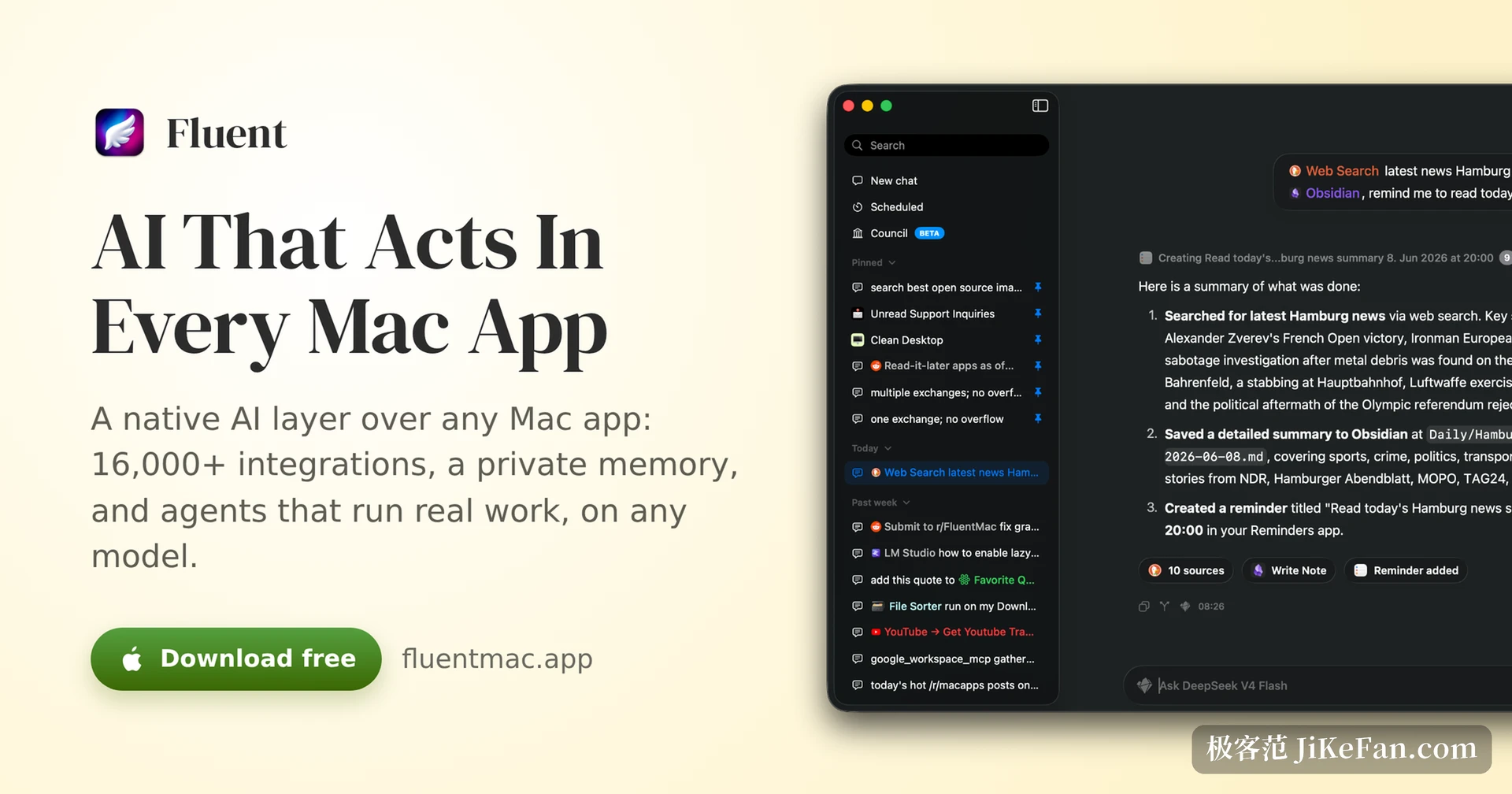
What Fluent 2 adds: teammates, a desktop pet, scheduled actions
The 2.x line moved its centre of gravity from answering to doing. AI teammates are the largest piece. A teammate has its own pointer and can open applications like a person, fill in forms, walk through settings pages and read out what it sees on screen. Every step asks for confirmation by default, and anything that writes stops and asks first. The stated position is that these teammates can run on local models, which means no quota and no network.
A desktop pet sounds like a joke, and the logic underneath is sober. It watches what you are doing and offers a line at the right moment: suggesting a change of tone while you write mail, wondering whether a price on a product page is high. More than a dozen looks can be swapped in, which makes it the least productive and most memorable feature of the set.
Third, actions can be scheduled. Set a time and a task and it wakes up and runs it, whether that is a briefing every morning or a weekly collection of material, and a sleeping machine can be woken for it. Image generation inside the chat and a preferences panel rebuilt around system settings round out the release.
Price, licence and limits
The licence is bought once, in three tiers called Basic, Standard and Team. They differ mainly in how many Macs a licence covers and whether updates last for life. A purchase includes updates for a set period; after that the version you paid for keeps working, and catching up costs the difference. The site offers a seven day trial and a fourteen day refund, with a separate discount for students and teachers.
The limits deserve the same clarity. macOS only, so Windows users are out. Apple intelligence inside the system needs macOS 26. Local models have real memory requirements, and a machine with 8 GB cannot carry a large one. There is no account system and no sign up: a licence key from the receipt activates the app, the published policy says no third party analytics or advertising SDK is bundled, and the licence check is the only time it goes online.
The real threshold for a tool like this is not a feature list but a habit. Put it on a shortcut and let it join the dozens of rewrites, summaries and replies you do every day, and it becomes part of the work. Open it occasionally to ask one question, and it is a web page with extra steps.