Malwarebytes, free edition: the on-demand scanner that has cost nothing for twenty years
Summary
A scanner you start yourself rather than one that sits in the background: quarantine you can undo when something turns out to be a false alarm, plus startup management and a file shredder, at no cost.
Recommend- Name
- Malwarebytes
- Version
- 5.4.3
- Open source
- Proprietary
- Operating system
- WindowsmacOSAndroidiOS
- Website
- https://www.malwarebytes.com/
- Updated
- 2026-10-05 10:01
A scanner that has been running on request for twenty years
Among security programs, the free edition of Malwarebytes occupies an odd place. It arrived in 2004 and, twenty years on, the on-demand scanning at its core has never been charged for; tens of millions of people around the world have used it without paying anything. It also works differently from the resident suites most machines carry: nothing sits in the background consuming resources, waiting for something to happen. You decide when to look. You start a scan, and it reports back. That position is what turned it into a second opinion for a lot of people — when the program that is always on says the machine is fine and the machine does not feel fine, this is what gets run next.
What it looks at, and how
The free edition offers a quick scan and a custom scan. Between them they cover disk files, memory, startup entries and the registry, and the detection list includes trojans, ransomware, spyware and so-called potentially unwanted programs — the toolbars and bundled extras that are not quite malware but are not wanted either. Anything found goes into quarantine first rather than being deleted on sight. If it turns out to be a false alarm, one click puts it back; if it is genuinely hostile, it gets removed. The signature set keeps moving with the threat landscape, and in an independent real-world test run in April 2026 the paid edition took a full protection score, which says something about the engine underneath both versions.

The small tools that come with the free edition
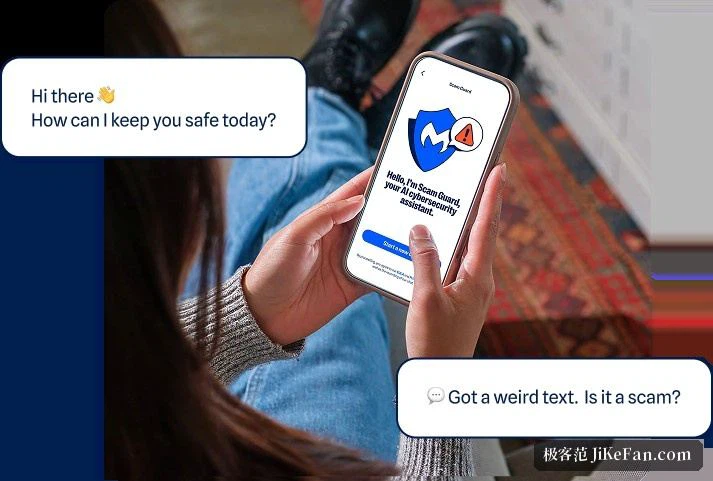
The free tier has been gaining weight for years and is no longer only a scanner. On Windows it brings startup management, firewall controls, an alert when something connects for remote desktop access, and a file shredder, plus a monthly automatic scan as a backstop. A separate digital footprint scan and a scam-protection tool are also free, and there is a browser extension that blocks advertising and tracking scripts and catches the usual fraudulent pages before they load. Used with the desktop program, the picture is reasonably complete.
Where free ends and paid begins
The distinction that matters is between cleaning up afterwards and stopping things in advance. The free edition cleans up: you trigger it, it looks, it reports. The paid edition stands guard — real-time protection, web protection, a dedicated line of defence against ransomware — and is meant to be the primary security program. A new installation starts with a fourteen-day trial of the paid version, and when that ends the program steps down to the free scanner, with the real-time module switching off rather than the features disappearing. Which is why a common arrangement on Windows is the built-in security centre doing the standing watch and the free scanner coming through once a month for a second pass.

Light, multiplatform, no learning curve
Installation is short, the interface is plain, scans are quick by the standards of the category, and the background footprint is modest. Windows, macOS, Android and iOS are all supported, with the free scanner covering Windows and Mac. If what you want is a second opinion that does not interfere, does not sit resident and answers when called, or if a machine has started behaving strangely and you want to find out why, this belongs in the toolbox.
Getting more out of it than the features alone
Rhythm matters more than the feature list. Fix a cadence for quick scans — once a month is enough for most people — and reach for a custom scan of a particular folder when something feels wrong. Read the quarantine list before acting, so that a legitimate utility is not swept away as a risk. And use the startup management that comes with it: a surprising number of machines that get slower every month are carrying a dozen programs that launch themselves at boot. Paired with a resident security program it does not fight for the same job, which is the reputation twenty years of this arrangement has earned — it does not take over, does not get in the way, and is there when needed. Uninstalling is clean as well: nothing is left running behind.