
Luakit: a browser assembled from scripts, small and entirely yours
Summary
An open source browser framework built on a common rendering engine, in which the behaviour of the browser is assembled from scripts. Keys, tabs, blocking and proxies are modules chosen in a configuration file, and a few edited lines change how the whole thing works. Very small, quick to start, and aimed at Linux and BSD.
Recommend- Name
- Luakit
- Version
- 2.4
- Pricing
- Free
- Open source
- Open source
- Operating system
- Linux
- Website
- https://luakit.github.io
- Updated
- 2026-10-02 23:50
A browser that can be put together like a construction set
Most browsers hand over what they have decided to give: change a key binding, remove a feature that will never be used, and there is usually nowhere to stand. Luakit takes the enthusiast's route. It is a browser framework built on a common rendering engine and the desktop toolkit that goes with it, and the behaviour of the whole browser is assembled from scripts. The configuration file is code, so editing a few lines decides how the thing works. The design comes straight out of the Unix habit of composition: the rendering engine underneath is responsible for drawing the page, and the interaction on top is handed entirely to a script layer that can be edited, so the browser stops being one cast block. The project is released under GPL v3, is aimed mainly at Linux and BSD users, and pursues three things: fast, small, controllable.
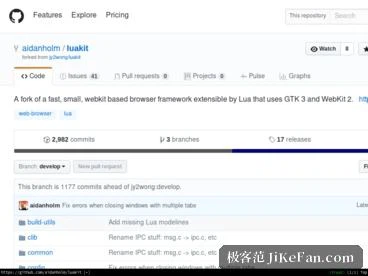
Modular inside, with behaviour defined by script
The inside is divided into modules: key bindings, tab management, ad blocking, proxy settings and a privacy mode each stand on their own, and which of them the configuration file pulls in, and with what parameters, determines what the browser grows into. The default configuration works out of the box, and the keyboard style will feel familiar to anyone who has used a keyboard-centred editor of the old school: a couple of letters jump to a link or switch a tab, and the hands do not have to leave the keyboard. Anyone who wants to go further can, because the script layer puts every detail within reach, from key mapping to the interface theme, and ready-made user configurations circulate in the community, where taking a copy and adjusting it slightly is the usual way in.
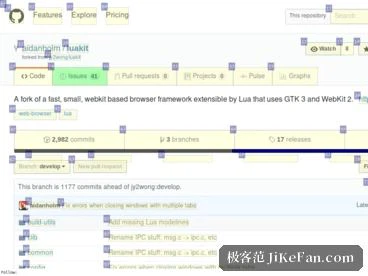
Light, quick, and modest with resources
The rendering core is the toolkit's own engine, and the whole installation takes only a few megabytes, so it starts quickly and still runs smoothly on an older machine that was never going to be fast. Pages are drawn through the system toolkit, which means it sits inside the desktop theme instead of standing out against it. Because the logic runs on a just-in-time implementation of the scripting language, the cost of executing scripts is tiny, and adding modules does not make it feel slower. History, bookmarks and session restore are all present, form filling and download management have their modules, and the basic ground of daily browsing is covered more completely than the size would suggest.
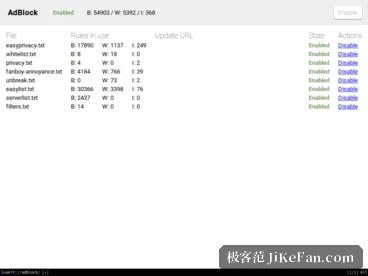
Privacy that can be decided by the owner
The scripting shows its advantage here too. Blocking rules, switches for scripts and the policy for cookies are all written in a configuration that can be read, so what is enabled and what is blocked is visible at a glance instead of buried in the deep folders of a graphical settings dialogue. With a filter list of one's own, the treatment of advertising and tracking scripts can be arranged exactly as preferred, and there is no argument with a default that cannot be inspected.
For people who are willing to tinker
It is not for anyone who wants to unpack and use: there is no automatic update channel and no cloud account holding the settings, everything has to be arranged, and problems are solved through documentation and the community rather than a support desk. But for someone who wants complete control over how the browser behaves, who works from the keyboard by preference, or who needs a pared-down browser on an embedded device or an old machine, this shape, where the framework is the browser, fits exactly: only the modules that are wanted are installed, and only the logic that has been written is running. As of September 2026 the current release, 2.4, has reached the repositories of the major distributions, so in most cases it is already available from the package manager, and the source is public in the official repository.