
ISO Workshop: six entry points for disc images
Summary
A small utility that opens, converts, burns and copies disc images without a manual, costs nothing for personal use, and stays out of the way the rest of the year.
Recommend- Name
- ISO Workshop
- Version
- 13.7
- Pricing
- Free
- Open source
- Proprietary
- Operating system
- Windows
- Updated
- 2026-10-08 20:53
One small tool for a format nobody loves
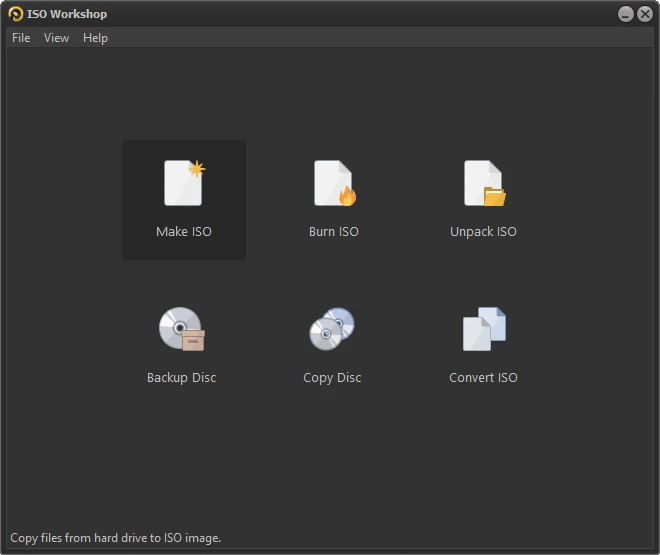
Disc images turn up all through a working life: the installer for a fresh system, the backup of a software disc that once arrived in a box, an old game worth keeping. The programs that handle them have a habit of being heavy, expensive, or both at once. ISO Workshop takes the opposite route. The installer is small, the window offers six entry points and no more, and every label explains itself without a manual: create, extract, convert, burn, copy, back up. An image opens the way an archive opens, the folder tree inside can be browsed directly, and a single file comes out without unpacking the rest.
Light, but not hollow
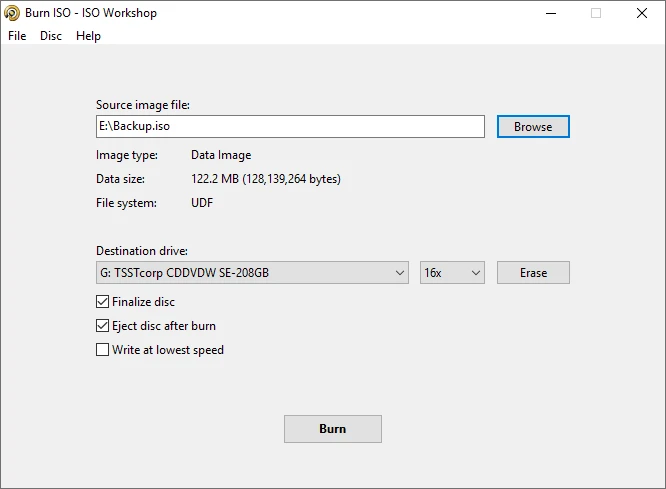
Lightness on its own would be a gimmick, so the details carry the weight. Writing a disc ends with a verification pass, which is the difference between a disc that reads on your drive and a disc that reads on somebody else machine. Whole-disc copying works while reading and writing at once, so a duplicate takes as long as the drive needs rather than twice as long. Demand on memory and processor stays low enough that a notebook from a decade ago still behaves.
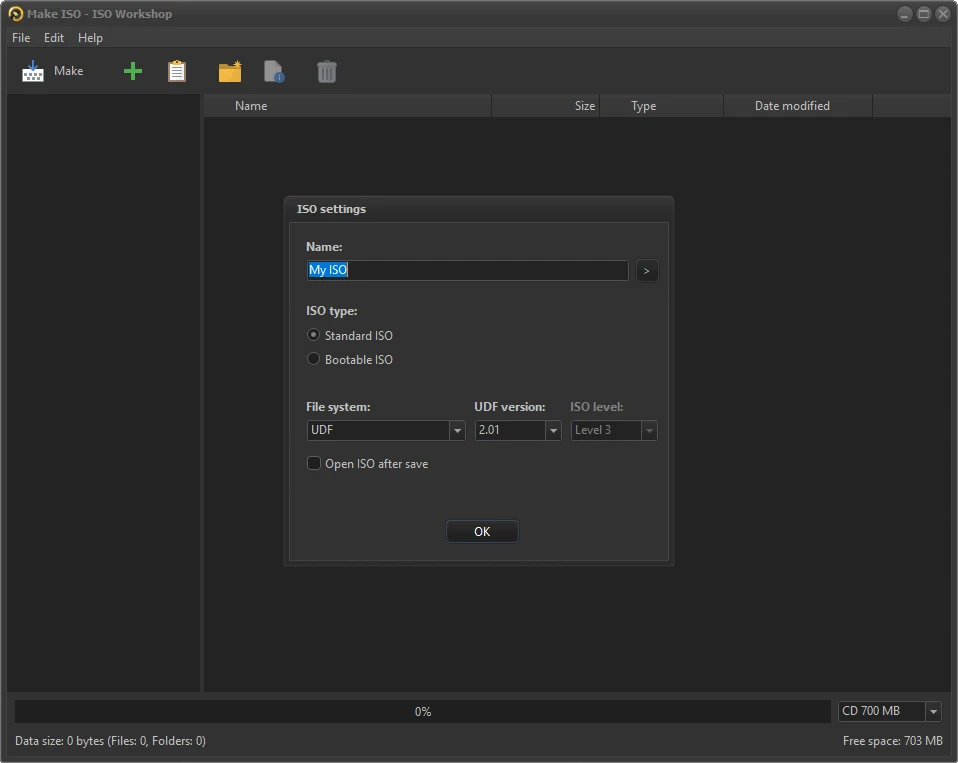
Format coverage is the other half of the job. Common image formats convert into each other in one step, so a file handed over in a shape your tools refuse can be turned into one they accept. Bootable media takes about three clicks. Pulling a single folder out of a system disc is a browse-and-drag task rather than a full mount.
There is a quieter argument for keeping it installed. Most people meet disc images a handful of times a year, quite often on a day when something has already gone wrong, and a subscription sized for daily use never adds up against that. A tool that asks for nothing, installs in seconds and finishes one job suits the pattern better than a suite with a dozen modules where two ever get opened.
Free for personal use, plain about the rest
The licence leaves little room for doubt. Personal use costs nothing; commercial use and a few advanced needs have their own terms, stated on the vendor site where anyone can find them. The company behind the product has spent many years on optical media utilities and still ships updates, which in a category where the drive itself is quietly disappearing is rarer than it sounds. What keeps the software alive is not nostalgia for plastic, but the fact that an image remains the normal way to move a system from one machine to another.
That is also why it belongs in a maintenance kit rather than in the daily rotation. Nobody opens it every week. It gets opened when a notebook needs a rescue disk, when a drawer of old discs should become files, or when someone hands over an image in a shape your usual tools will not touch. On those afternoons, already installed saves an hour of hunting for a substitute that will not sneak a browser toolbar into the setup.
The appeal of ISO Workshop is a kind of product wisdom: nobody ever wanted a heavier tool, they wanted a five-minute job to take five minutes.
How to use it well
Check where an image came from before writing it to a stick, because a rescue disk is only as trustworthy as its source. Burn at a lower speed when the disc matters, and leave verification switched on. Turn old discs into images sooner rather than later, since the plastic ages while the file does not. None of this is difficult. It is only the difference between a tool that sits unused for years and one that quietly saves a bad afternoon.