
Internet Download Manager 6.42: taking downloads over from the browser and finding video on the page
Summary
Internet Download Manager splits a file into parallel segments, takes downloads over from the browser, and keeps long jobs in queues with a scheduler.
Recommend- Name
- Internet Download Manager
- Version
- 6.42
- Pricing
- Paid
- Open source
- Proprietary
- Operating system
- Windows
- Updated
- 2026-10-06 20:46
The old problem of download speed
Internet Download Manager, almost always shortened to IDM, is a multi-threaded download tool for Windows. The idea underneath it is not complicated: cut a file into several segments, download them at the same time so the line is filled more completely, then reassemble the pieces locally. On a connection where a single thread never reaches the speed the line is capable of, that approach usually produces a visible improvement, and the improvement is in how the available bandwidth is used rather than in the bandwidth itself.
That distinction is the honest way to describe the tool. It does not make a slow line faster; it stops the line from being idle while one stream waits for a reply. Most people who are disappointed by download accelerators have bought the first claim, and most people who are pleased by them were suffering quietly from the second problem.
Taking over the browser, and finding video
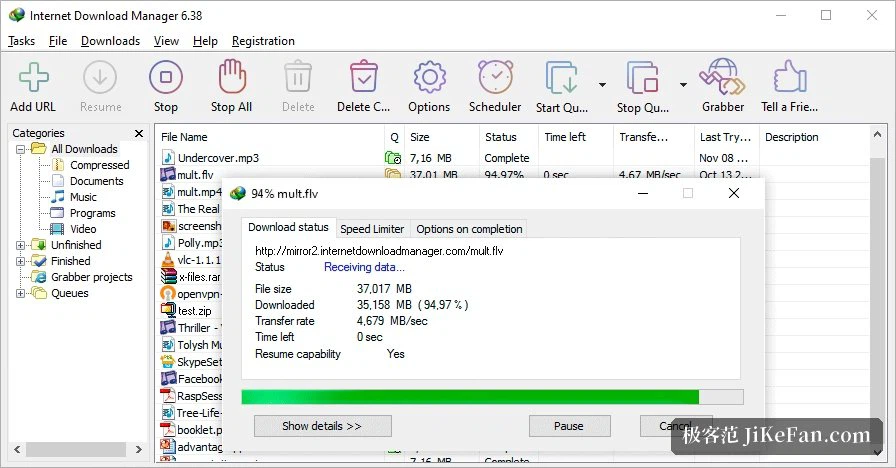
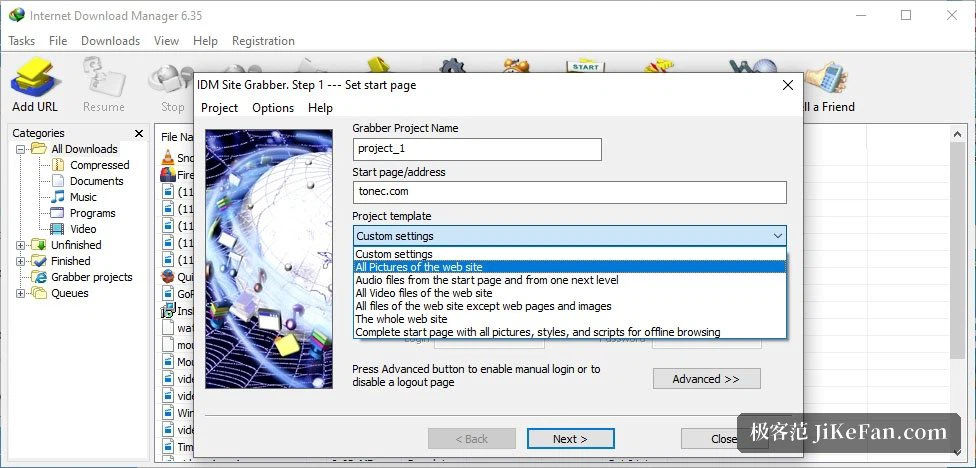
The most convenient part is the arrangement with the browser. Once the extension is in place, downloads started in the browser are taken over automatically and handed to the program, so nothing has to be copied and pasted into a separate window. Audio and video resources playing on a page can be recognised as well, and the tool offers an extra entry point for downloading them, which is genuinely useful for material that plays online while exposing the address of the source file.
A word belongs here rather than in a footnote: downloading copyrighted material is still bound by law and by the terms of the service it came from. The feature describes what the program can do; using it on material you are entitled to have is the premise, and nothing about a download manager changes that.
Queues, resuming and the scheduler
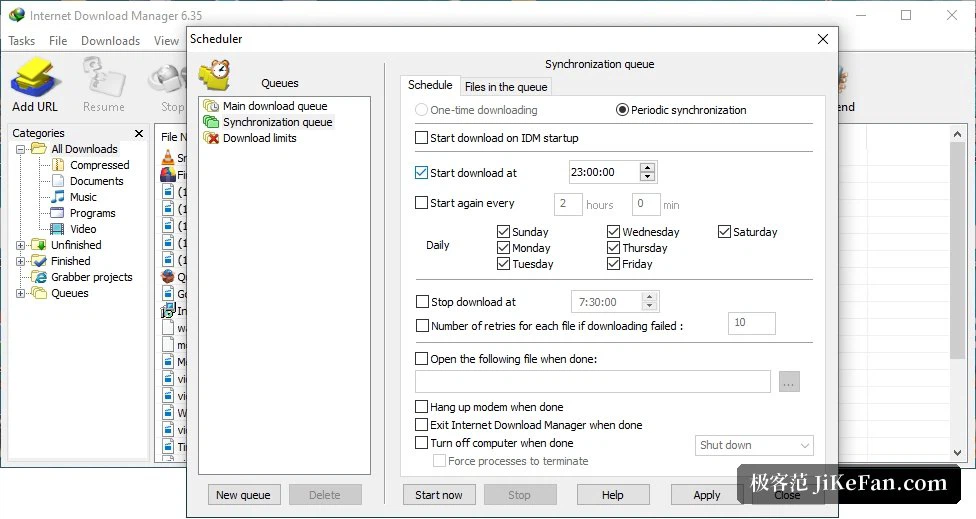
On the management side the tool is more capable than a browser's download list. Jobs can be arranged in a queue, the number running at once can be set, anything can be paused and continued at will, and after a network interruption the transfer picks up from the point where it stopped instead of starting again. Anyone who has lost a large file at ninety percent knows what that is worth.
There are scheduled tasks as well: a download can be told to start or stop at a given time, and when it finishes the program can shut the machine down or open the file. For the case that actually justifies a tool like this, a large file running overnight, those settings remove most of the time spent watching a progress bar.
Licence, and the limits that stay
It is commercial software: a trial period comes first, a purchased licence follows, and the purchase is a one-off rather than a subscription. What no licence changes is physics — the speed of a download depends on the connection, the server and the route between them, and a download manager can only improve concurrency and the strategy for retrying. A physical ceiling stays a ceiling.
Which leads to the sensible way of deciding. For the occasional small file, the browser's own mechanism is enough and there is no reason to add a program. For large files handled regularly, where queues, resuming and a schedule make the difference between managing downloads and being managed by them, the tool earns its place.
Put the parallel segments, the browser takeover and the task queue together, and what Internet Download Manager solves is the management of downloading rather than the downloading itself. It does not change your bandwidth, but it arranges the work so that nobody has to sit and watch — provided the sources are lawful and there really are large files to deal with.