
Blisk: a developer browser that puts desktop and phone side by side
Summary
Blisk is built on Chromium for web development rather than daily browsing. It carries a hundred device profiles, shows desktop and mobile views side by side with shared scrolling, reloads on save and reports script errors as they happen.
Recommend- Name
- Blisk
- Version
- 25.0.115.28
- Pricing
- Paid
- Open source
- Proprietary
- Operating system
- WindowsmacOSLinux
- Website
- https://blisk.io/
- Updated
- 2026-10-04 21:45
A browser aimed at building pages, not reading them
Blisk is a browser built on Chromium whose purpose is web development and testing rather than everyday browsing. What it does is take the equipment needed for checking a responsive page and put it inside the browser itself: a hundred device profiles covering phones, tablets, laptops and desktops, with iOS, Android, iPadOS, macOS and Windows among the systems. Official builds exist for Windows, macOS and Linux.
The reasoning behind that choice is easy to follow. Testing an adaptive layout normally means a browser, a set of device emulations, a separate tool for synchronised scrolling and another for reloading on save, each with its own habits. Folding them into one window does not add a capability so much as remove the cost of switching between four of them a hundred times a day.
Side by side, scrolling together
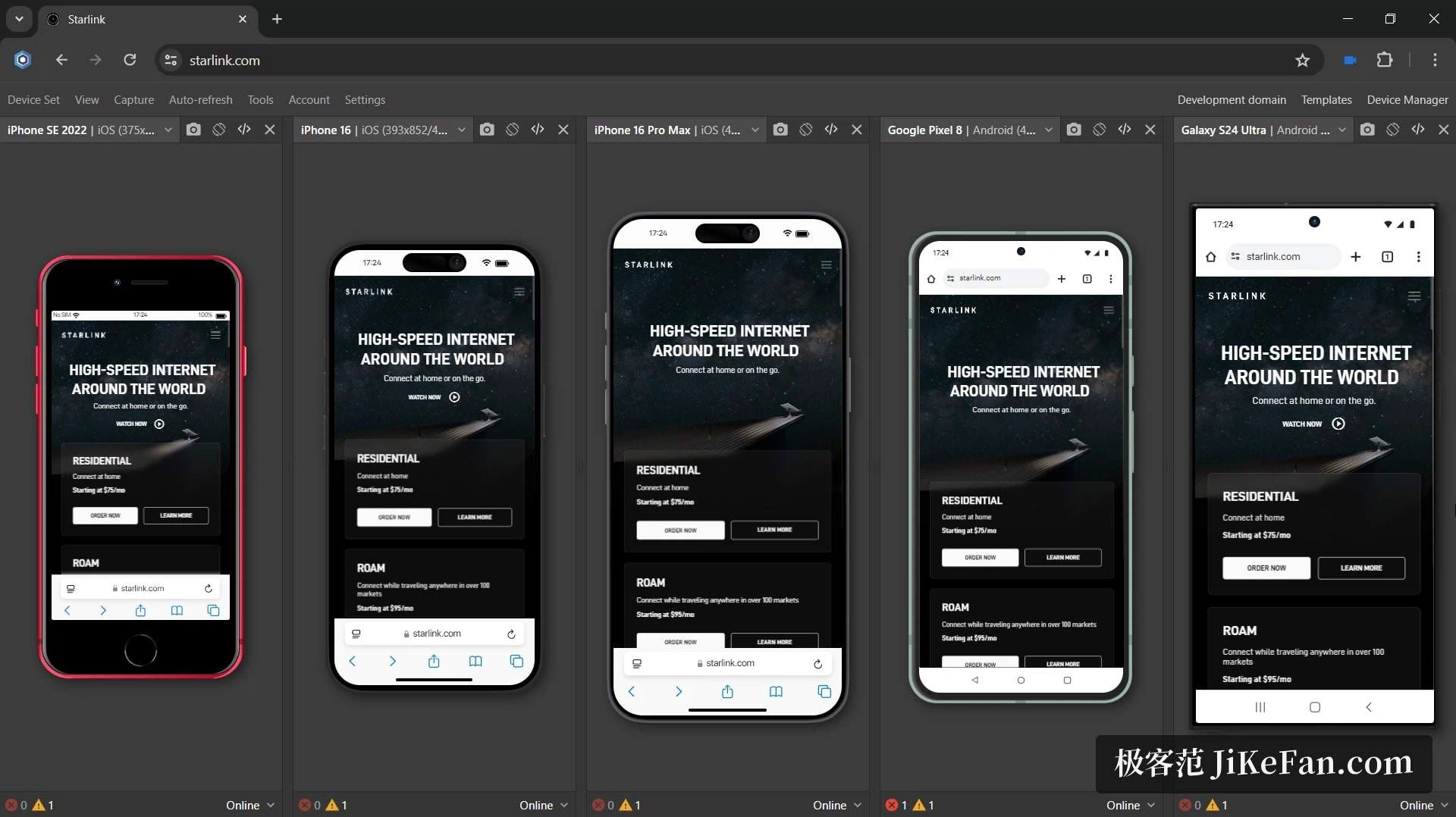
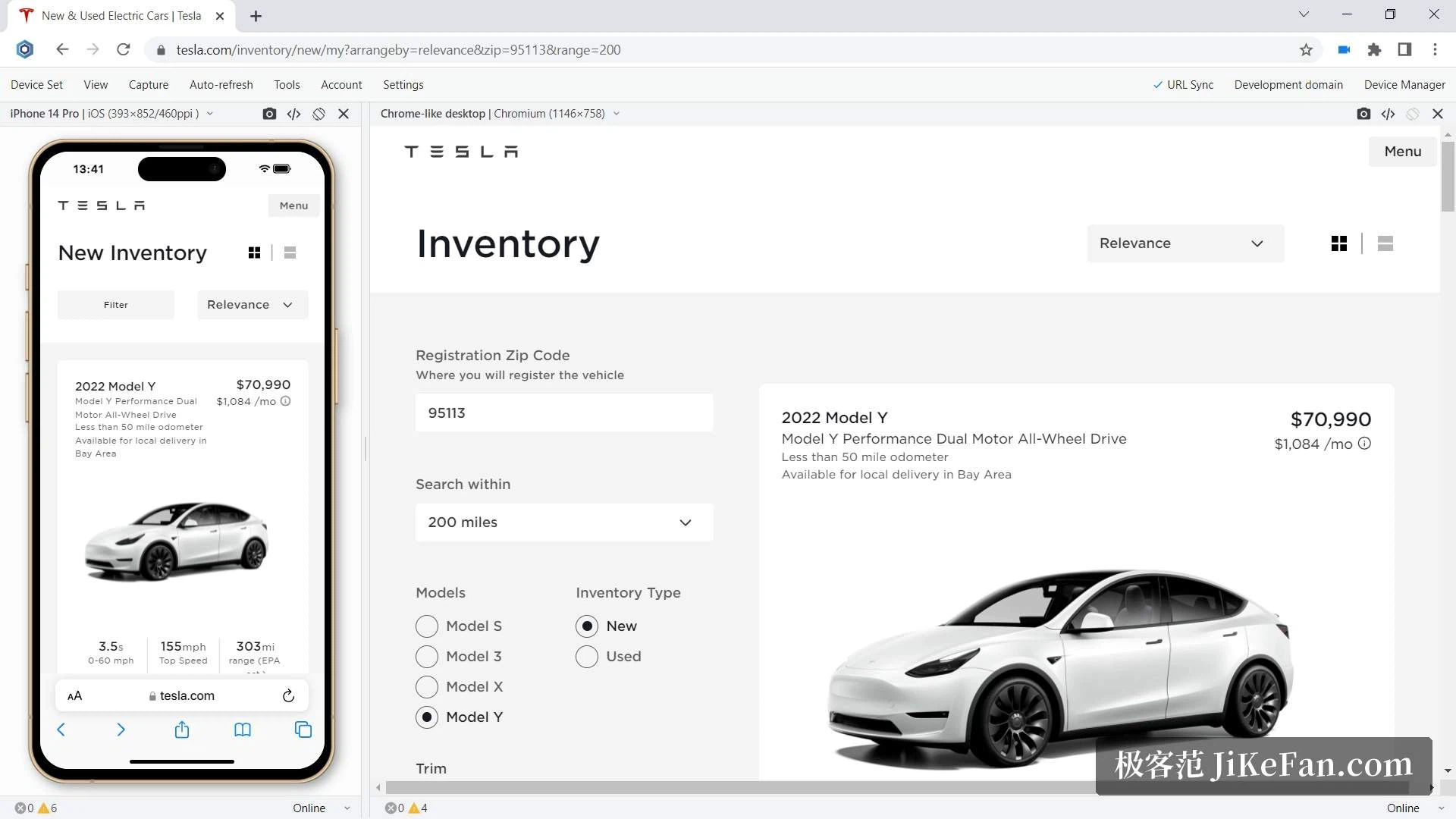
The central view is the pair: a desktop view and a mobile view placed next to each other, showing the same code at the same moment. The more useful part is the synchronisation, because the devices follow each other's address and scroll position, so wherever you scroll on one side the other follows instead of leaving you to hunt for the same spot in another window.
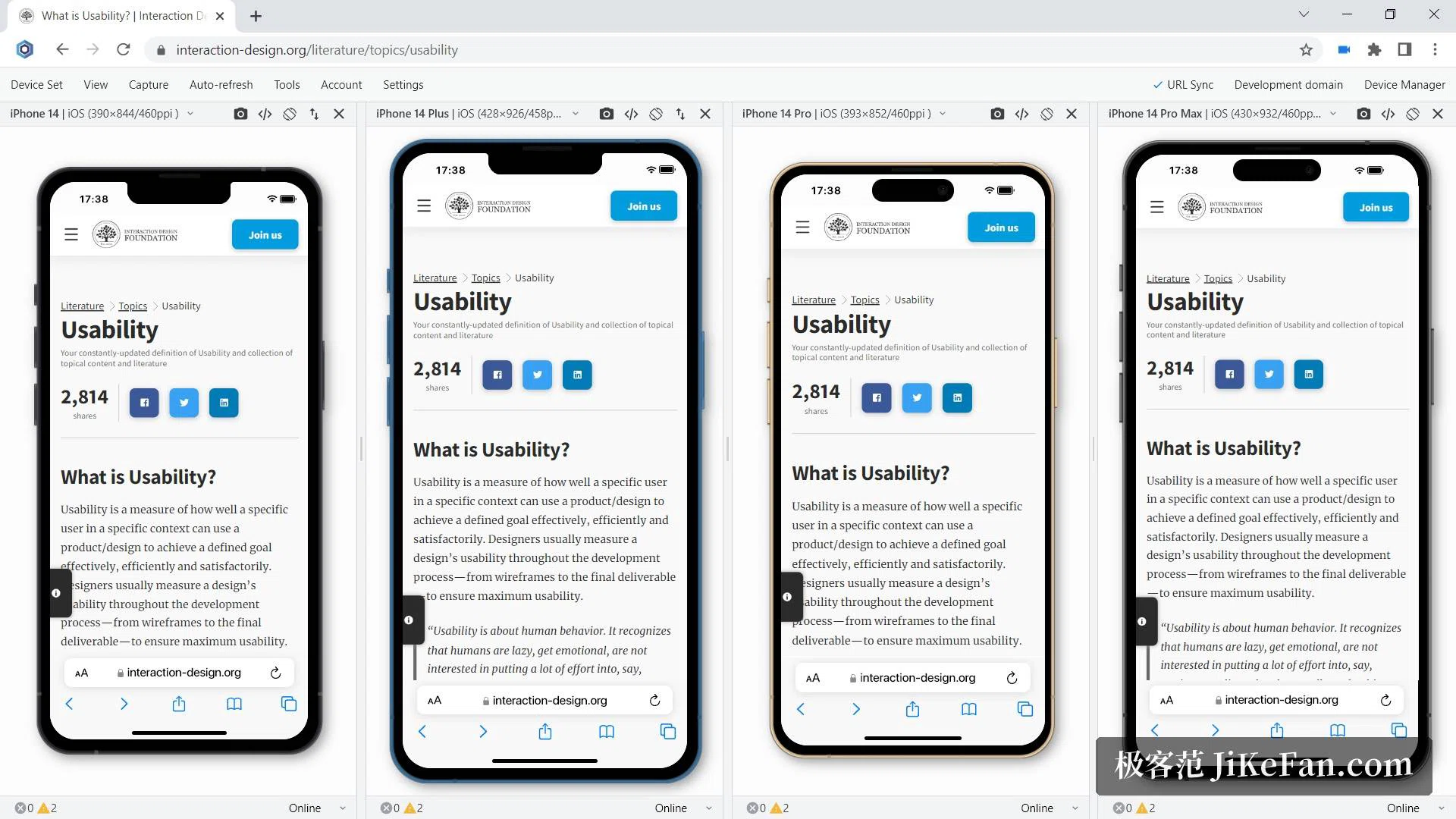
Device groups can be saved and reused, and shared with the rest of a team, which removes the ritual of arranging the same five devices every morning. Each device can open its own developer tools for debugging and for measuring performance, so a problem found on the narrow view is investigated on the narrow view rather than guessed at.
Save, reload, and hear about mistakes
Automatic reload watches the source: when a change is saved the page updates itself, and stylesheets can be set to refresh asynchronously without a full page load. Which file types and which directories trigger a reload can be stated explicitly, and for projects with a bundling or preprocessing step a delay can be configured so that the reload waits for the build to finish.
A built-in monitor reports JavaScript errors and resources that failed to load while they happen, on whichever device the problem appears. Reported at that moment, a broken reference is a two-minute fix; discovered at the end of an afternoon, it is a hunt through a dozen changes.
Screenshots, recordings and simulated conditions
Screenshots and screen recordings are uploaded automatically, so they can be shared with a colleague or attached to a bug report without a detour through a file manager; the screenshot comes with a small editor for marking what matters. For testing conditions, the browser can imitate a medium or slow network, switch to a dark theme, send touch events, change orientation, and display a device at its real size.
It can also be started from a command line or terminal with a device, an address and an orientation given up front, and it can be opened from another browser through a link. Licensing is a free trial with a paid licence afterwards, and the current version is 25.0.115.28, with the exact terms best read on the vendor's own pages.
Two details in that list are easy to skim past. The screenshot editor belongs to the sharing path rather than to a separate program, so a marked-up image leaves the browser in one step instead of three. And the licence question arrives late by design: an unpaid trial followed by a paid licence means the decision comes after the habit has already formed, which is the reason to spend the trial on real work rather than on a demonstration.
When building a responsive page, the slowest part is usually checking the result on a real device while the change is still fresh in mind, and Blisk compresses that into one window: side-by-side views, scroll synchronisation and reload on save, taken together, are a real saving. Whether the licence is worth paying for is a question best answered after a project on the trial.