
AnyBurn: a free disc toolbox under 6MB, with image conversion and bootable USB in one place
Summary
A small optical toolbox that packs burning, image conversion and bootable USB creation into an installer under 6MB. It covers CD, DVD and Blu-ray, reads the common image formats, and stays free for personal and commercial use, with a Pro edition for the extras.
- Name
- AnyBurn
- Version
- 6.9
- Open source
- Proprietary
- Operating system
- Windows
- Website
- https://www.anyburn.com
- Updated
- 2026-10-06 19:22
A disc toolbox under 6MB
Discs turn up less often than they used to, but the jobs around them have not gone away: an old device that wants a firmware disc, a car stereo that reads nothing but an audio CD, a maintenance stick that has to boot, an image that ought to be checked before it goes onto blank media. None of that happens often, yet each task wants a dedicated tool, and installing one for a few uses a year is a poor trade. AnyBurn takes the other route: the whole installer stays under 6MB, a portable build needs no installation at all, and burning, image handling and boot media are gathered in one place. It is free for personal and commercial use alike, and by 2026-09 it has reached version 6.9.
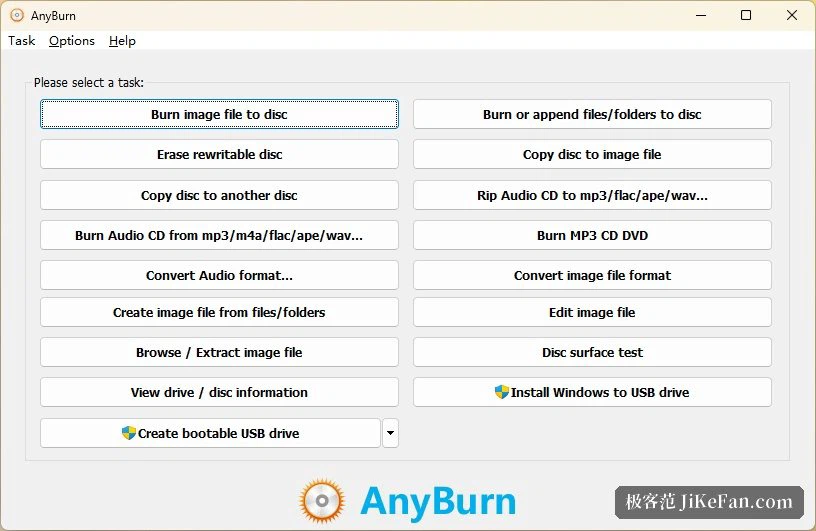
Burning: data discs through audio CDs
All three families of media are handled: CD, DVD and Blu-ray. Data discs are the plain case, where files and folders are dragged in and a file system such as ISO 9660 or UDF is chosen before writing. Audio gets finer treatment than expected. The common compressed and lossless audio formats can go straight onto an audio CD, or be arranged as an MP3 disc that fits more songs onto one piece of media; the reverse works as well, so an audio CD can be ripped back into those formats, which settles a format conversion at the same time. Write speed can be set and the result verified afterwards, two details that matter to anybody archiving for the long term.
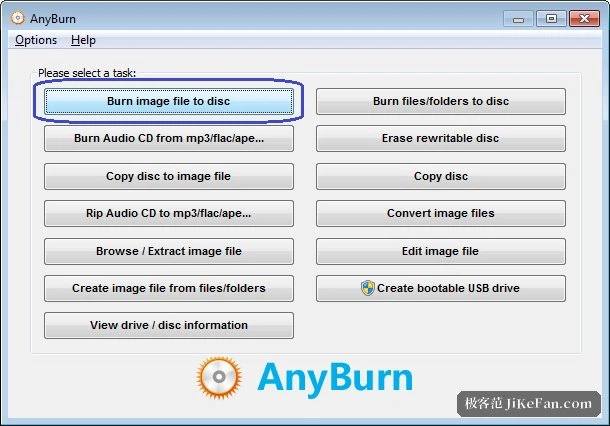
Images: create, browse, extract, convert
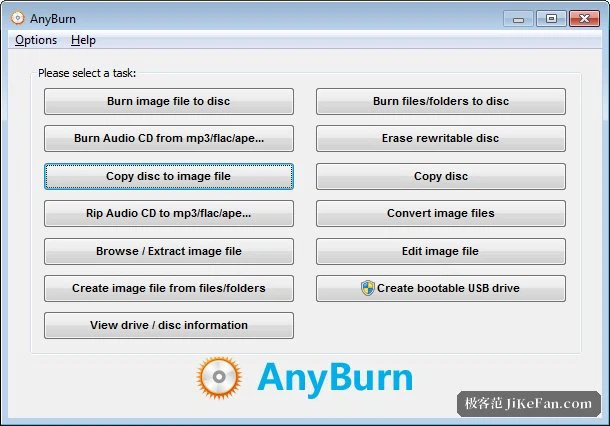
Disc images are the second pillar. The common image formats are read, including the paired kind that arrives with a separate index file, and a whole disc can be copied into a single image or into such a pair for the record. The other direction works too: files on a hard disk can be packed into an image, and images can be converted from one format to another. An image can be opened and its contents pulled out without burning anything first, and the contents can be edited or extended with further sections. For anybody holding a pile of older image files in formats that little else opens, that converter role saves a search for a second tool.
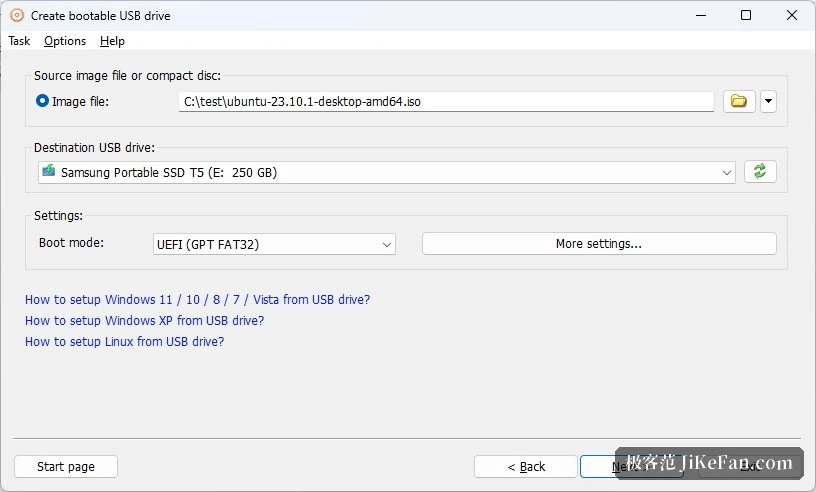
The capability most people come for: bootable USB
For most users today the everyday case is boot media. Writing a system installer image to a USB stick runs as choose the image, choose the stick, confirm the write, and that is the whole procedure for Windows and for Linux distribution images alike. Further options include carrying a Windows installation environment on a stick, which belongs to the Pro tier, making an image out of a prepared stick as a backup, and writing an image back to a stick. Seen as maintenance equipment it does the job: reinstalling a system or carrying a small rescue environment needs one stick and a few megabytes of software.
Why a small tool earns its place
A tool used a few times a year should be small to learn. Few items on screen, names that say what happens when they are pressed, and a half-year gap between uses does not turn into a search for the manual. When it is clear what has to be chosen before writing and what remains afterwards, a failed attempt costs little to redo. A large suite is not wrong, and for somebody who burns discs every week it is the right shape; for a rare task, though, it leaves update notices and unused features behind. If the need comes a few times a year, the tool can be that size.
What a tool leaves out can be a virtue too. Nothing resident, no advertising, no grabbing file associations on its own: none of that appears on a feature list, and all of it keeps a working day quiet. The portable build belongs to the same idea, since a machine that refuses installations still opens a folder and runs once from a stick. The value is not the count of features but the habit of turning up quietly and then going away.
Editions and platforms
Two editions exist. The free one already covers burning, ripping, image conversion and boot media, which is the whole of the everyday need, and it stays free for personal and commercial use; the Pro edition adds audio format conversion and the Windows installation environment on a stick, so an upgrade is worth it only when those come up. System support runs from Windows 2000 through 11, with 32-bit, 64-bit and ARM64 builds side by side, which is thorough coverage for an established optical tool. For somebody who burns a disc now and then, tidies up an image, or makes one boot stick a year, and does not want a large suite installed for a rare task, this small tool earns a place on the shelf.