
KOReader: a reader you put on an e-ink device yourself, and scans that reflow
Summary
An open source reading application that puts its own interface onto several popular e-ink readers and onto Android and Linux. Reflow of scanned PDFs, dictionary lookup, export of annotations and progress that follows the reader between devices are all present, under the AGPL with the source open.
Recommend- Name
- KOReader
- Version
- 2026.07.1
- Pricing
- Free
- Open source
- Open source
- Operating system
- LinuxAndroid
- Website
- https://koreader.rocks
- Updated
- 2026-10-06 20:47
The software that comes with a reader rarely lets you have your way
Reading software that ships on an electronic ink device is usually restrained in what it does and even more restrained in what it allows you to change, and it is helpless in the face of the two problems that matter most: a scanned PDF whose layout falls apart on a small screen, and a book in a foreign language with no dictionary behind it. KOReader is an open source reading application built for electronic ink, and it runs on Android and on Linux as well. It is published under the AGPL, kept going by a community around the world, and it can be put onto several popular e-ink readers as well as onto an ordinary computer or a phone, which is why people who read a great deal have taken to it. The project began in 2014 as a custom firmware in a reading community, and it has been developed without a pause for more than a decade. As of September 2026 the current release is 2026.07.1, with a large update arriving every few months.
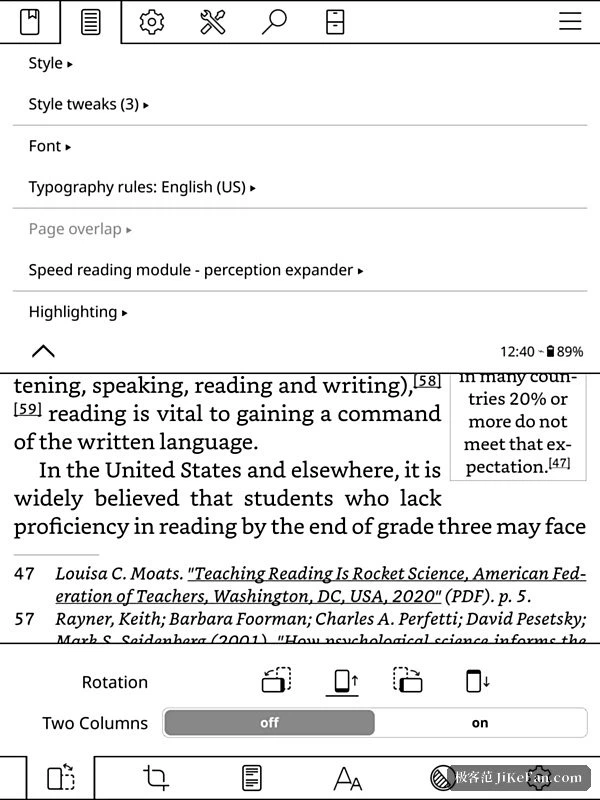
Many formats, and typography down to the detail
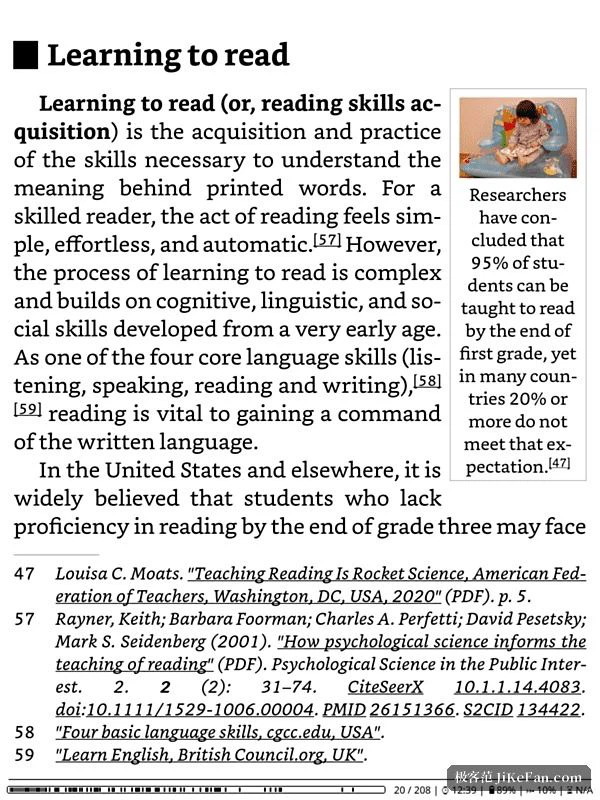
It handles both of the broad families at once. Scans and comics, the fixed layouts, keep the page as it was; the reflowable ones can be rebuilt to fit the screen. The typographic settings go as deep as the typeface, the size, the leading, the margins, justification and the rules for breaking words, each on its own, and dictionaries for breaking words in several languages are built in, with particular care taken over Chinese, Japanese and Arabic, which do not use the Latin letters. The sore point of a scanned PDF is looked after too: a reflow engine inside presses a two column scan into a shape that suits a small screen, and trimming the margins, adjusting the contrast and reading in two columns are all there.
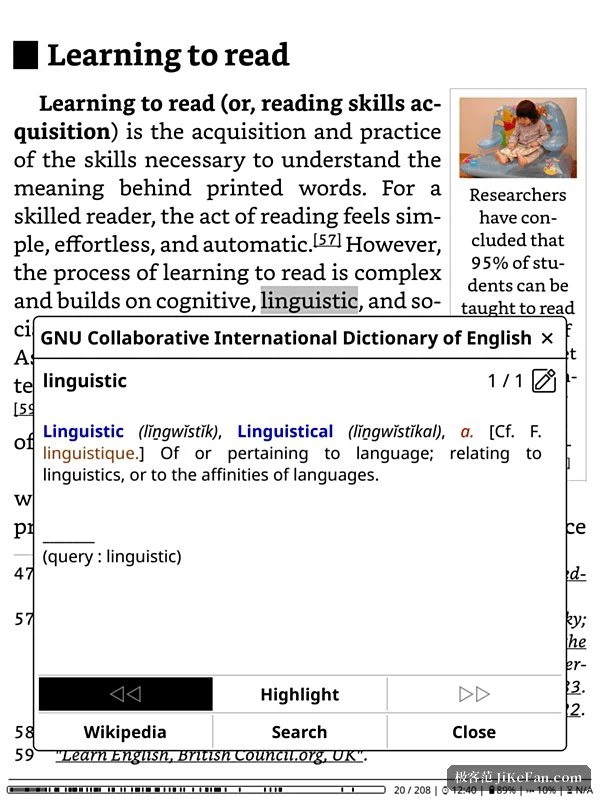
Looking words up, annotating, and finding the way about
Select a word and the meaning arrives: a dictionary format is supported, an online encyclopedia and online translation can be connected, and a long press on an unfamiliar word brings up the entry, inside which a further search can be started. Annotations allow a highlight to be drawn across a page break, and the notes can be exported as text or sent to a service that keeps them. Finding the way about is where it stands out. A map of the book shrinks the whole thing onto one screen, so the place of a chapter, a bookmark or an annotation is visible at a glance, and a browser of pages runs through the book like a strip of film, which makes hunting for a diagram easy.
Made for e-ink, and made for freedom
The interface has no animation, the menus turn like pages, the contrast of the text can be adjusted, and a page turns noticeably faster than it does in the software that came with an older device, while using less of the battery. Progress is synchronised, so a second device carries on at the same page. Library catalogues and services that hold an article for later can be connected, and a new book can be pushed across the local network. The recent releases added a plugin for cloud storage and support for the newer version of the catalogue protocol, which makes sending a book and keeping a copy a good deal less trouble. The statistics are done with care as well: how long each book took, how fast the pages went by, how long a session lasted, all recorded, and a finished book can produce a poster of the year, so the amount read is plain to see.
Getting it on, which is not equally easy everywhere
The difficulty of installation differs a great deal from one device to another. On Android and on Linux the package or a distribution independent bundle is simply downloaded. On some readers it is a matter of a memory card or of replacing a start up script. On the best known of them the device has to be unlocked first, and anyone doing that should find out beforehand what it does to the warranty. A guided tour waits on the first run, and the gestures take a few minutes to learn: a tap at the edge turns the page, a long press selects and looks a word up, a pull downwards brings the top menu. Once the habit is formed, the software that came with the device feels like a pair of tight shoes.