
360 Safeguard: a free security and maintenance suite for Windows, from scanning to cleanup
Summary
360 Safeguard is free security software for Windows, running from Win7 through Win11. It combines multi-engine trojan scanning, real-time behaviour monitoring, separate ransomware protection, system repair, junk cleanup and startup management into one client, and a first checkup clears most common problems at once.
- Name
- 360 Safeguard
- Version
- 14
- Pricing
- Free
- Open source
- Proprietary
- Operating system
- Windows
- Website
- https://weishi.360.cn/
- Updated
- 2026-10-06 22:53
A familiar face on the desktop
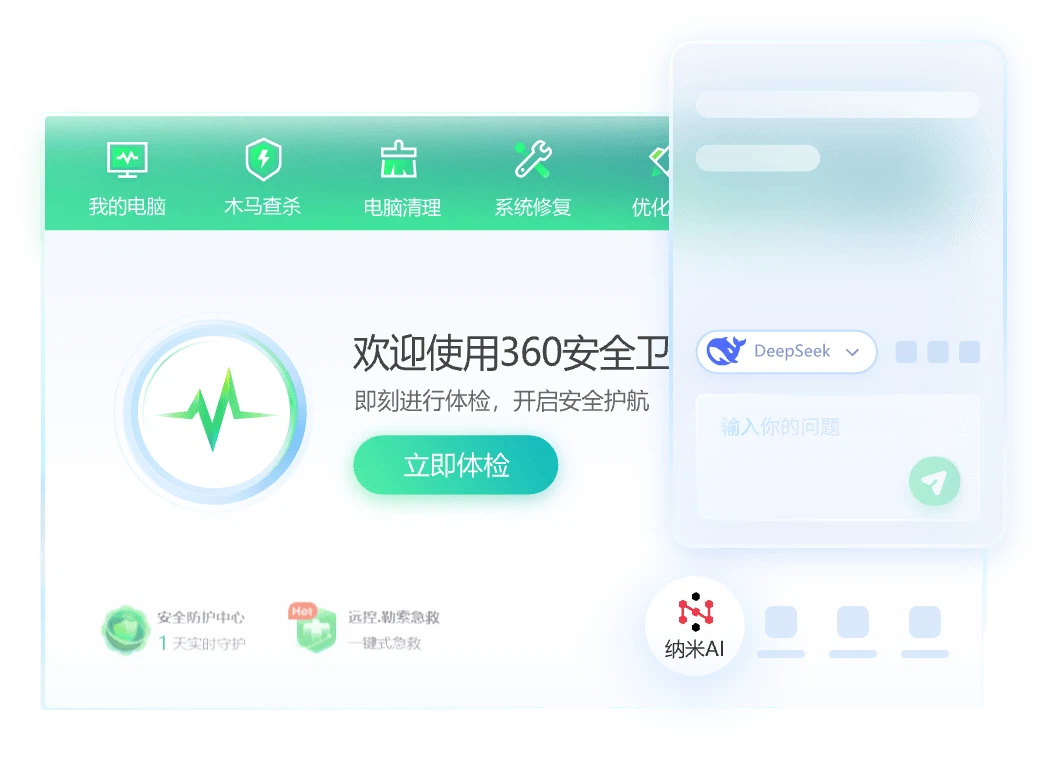
360 Safeguard is free security software for Windows, running on Win7, Win8, Win10 and Win11 alike, with the official site naming the current generation as version 14. What it sells is not antivirus alone but consolidation: protection, cleanup, repair and startup management gathered into one client, so that a single checkup after installation clears most of the ordinary problems a machine accumulates. For anyone who would rather not assemble four utilities and remember which one does what, that arrangement is the point.
It is also the sort of program most Windows users have met at least once, which cuts both ways. Familiar means predictable, and predictable means the interface does not have to be learned before it can be used.
Scanning and protection
The trojan scanner runs several engines together; the official description is six engines working with a cloud virus database and responding to new threats within milliseconds. Active defence watches process behaviour in real time, and warns ahead of drive-by downloads and risky files pulled from a web page. Ransomware protection is a separate switch: once enabled it monitors document folders, blocks known ransomware behaviour and protects the files themselves. Around those sit modules for system threat defence, scanning of removable drives such as USB sticks, and a service that checks driver safety.
Cleanup, repair and speed
Day-to-day maintenance is the part used most often, and it is where the program spends most of its surface area. Junk cleanup covers system caches, traces and leftover files. System repair looks for missing patches and anomalies and offers a single action to fix them. Startup management shortens boot time by taking control of the programs that launch themselves. Network diagnostics exist for the two problems that generate the most support calls, a machine that cannot get online and one whose connection has gone strange. A popup blocker handles the advertising windows that appear on their own, and a software manager covers installing, updating and removing other programs.
What changed in this generation
The official summary of this generation is AI assistance plus a rebuilt cleaner: intelligent recognition inside the scanning step, AI-related help for office work, and a reworked core cleanup tool. The protection centre has also moved to its seventh iteration, gathering web, system, browser, anti-ransomware and entry-point protection into one view instead of scattering them across pages. There are a lot of switches, and the sensible way to use them is to go through the settings once and turn off whatever this particular machine does not need.
Using it without switching everything on
A suite like this arrives with most modules enabled, which is reasonable out of the box and less reasonable a month later. On a machine that is already looked after, half those switches produce nothing but reminders. Walking through the settings once and turning off the parts this computer has no use for is not a compromise; it is the intended way to end up with a tool that stays out of the way.
What it cannot do is worth stating as well. No scanner makes a machine safe by itself, and the modules that watch document folders only help if the folders they watch are the ones actually in use. The program is at its best as a routine: run the checkup, read what it found, fix the things that matter, and leave the rest alone.
For a free Windows tool that works the moment it is installed, this remains one of the easiest places to start: scanning, checkup, cleanup and startup control all sit in one window. The module count is high, so switching off the ones you do not use right after installation makes the interface considerably calmer.