
PDF24 Creator 11.33: an offline PDF toolbox for Windows
Summary
PDF24 Creator keeps more than thirty PDF tools on the Windows machine, so merging, compressing and text recognition run without any connection.
Recommend- Name
- PDF24 Creator
- Version
- 11.33
- Pricing
- Free
- Open source
- Proprietary
- Website
- https://tools.pdf24.org/
- Updated
- 2026-11-10 23:00
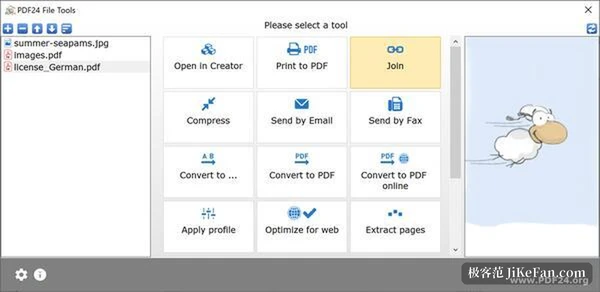
PDF24 Creator is a free desktop program for Windows that collects more than thirty PDF tools into a single offline installation, alongside a virtual printer and a document reader. Those tools merge, split, compress, convert and recognise text. None of them send the file anywhere. A contract that should not leave the office stays on the hard disk from the first page to the last.
Geek Software GmbH, a German company, has maintained the program since 2006. Private users and companies both pay nothing. No page ceiling or export watermark hides behind a licence. Version 11.33 arrived on 6 November 2026 and concentrates on three everyday actions: the right-click menu, saving, and images.
A PDF24 entry in the Windows 11 menu
Windows 11 moved most older tools behind Show more options. Reaching a shell extension now costs an extra click. Version 11.33 registers PDF24 on the new menu itself, and the entry appears whether you select one file, several files, or a folder.
The default is a single entry: opening it launches the file toolbox with the current selection already loaded. If you ticked Use shell extension DLL during installation, the entry expands into a submenu. That submenu holds merge, compress, open in creator and open in reader. The switch lives in the installation options under Extended context menu, and turning it off removes the entries again.
Right-clicking several files carries all of them into the toolbox. Right-clicking a folder hands over the whole directory.
Saving writes back into the open file
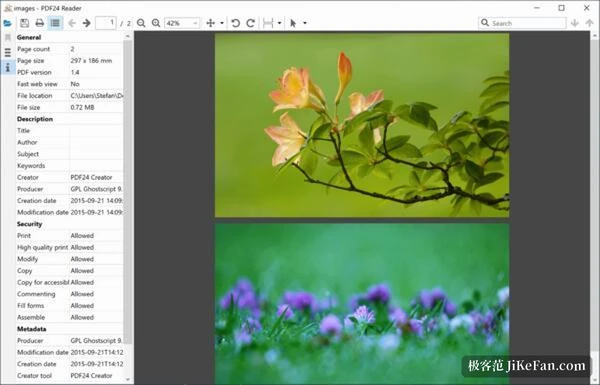
Editing a PDF in the reader used to end with a dialog asking where to put the result, once for every save. Version 11.33 writes straight back to the file that was open. Both the save shortcut and the yes button on closing follow that rule. Save as keeps its own shortcut for anyone who wants a second copy.
Read-only and encrypted files still ask for a path, and so do temporary files opened from a mail attachment or the browser cache. Documents about to be signed ask too. That boundary is sensible.
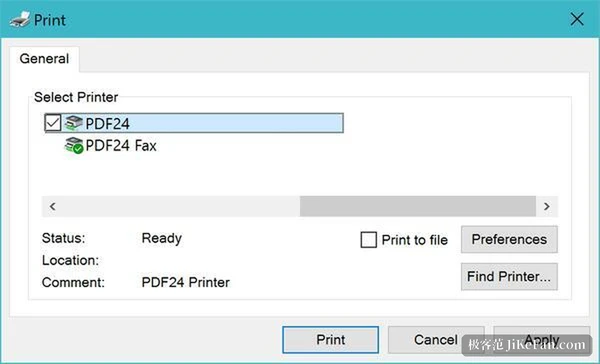
The print dialog remembers the last zoom factor and paper size, separately for each printer, so an A1 drawing stays A1 next time. On Windows 11 24H2 and later there is a quieter gain. When a job leaves the pages untouched, the reader hands the PDF itself to the driverless PDF24 printer. Text and fonts survive as they are, and a 65 page file stays at 572 KB against 13.8 MB through the old path.
Screenshots and scans are no longer recompressed
The program now stores screenshots from the clipboard, and PNG, BMP and TIFF images, losslessly whenever that does not visibly enlarge the file. Only photographs continue to use JPEG. The result is easy to see: letter edges carry no JPEG noise, and the file often shrinks. Images at 1 bit depth become CCITT G4, and transparent PNG keeps its alpha channel instead of turning black. Phone photos carrying an EXIF rotation go in as they are, then turn for display instead of being encoded a second time.
Black and white scans change the most. The same A4 page that used to take around 2500 KB now lands at roughly 65 KB, with the colour depth intact. That number is not a compression stunt. It is the space an archive of scans really saves.
- Black and white A4 scan
- About 2500 KB before, roughly 65 KB now.
- 65 page PDF sent to the PDF24 printer
- 572 KB, against 13.8 MB through the older path.
Updates, error messages and what was dropped
An update through the EXE installer keeps the program directory, the component selection and the options left by an MSI installation. It also remembers which account the PDF24 Windows service runs under. A print server writing to a network share therefore keeps its connection after an upgrade. Replacing the Explorer extension no longer requires closing Explorer, and no restart prompt appears.
The program also rewrites its failure messages. When another program holds the target file, the dialog names the file and its path and offers a retry button instead of an error code. A locked file gets a silent retry for two and a half seconds, enough for antivirus software and sync clients to let go. In service scenarios without a signed-in user, such dialogs no longer block a queue.
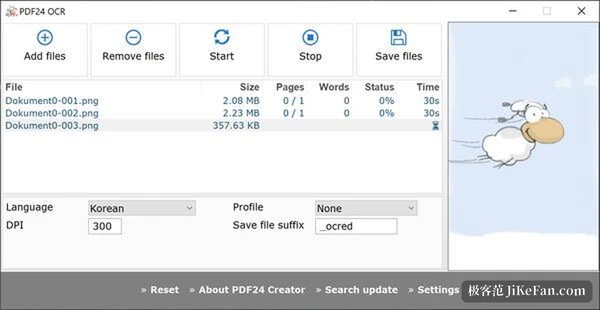
Something was removed too. The online conversion entry inside the creator is gone, and files it cannot handle now state the reason. An archive has to be unpacked first, and an Office document needs Office or LibreOffice installed. Removing existing text in text recognition now deletes only the invisible layer left by a previous pass. Visible text survives, and no spaces appear between CJK characters. Compression also copes with drawings of several hundred megapixels and thousands of fonts when memory runs short.
A Windows machine without a connection, a contract that should not travel: PDF24 Creator 11.33 leaves both where they are. Free, offline and without an account is a combination that is not common among PDF toolboxes.