
Shotomatic 1.9.9: timed screenshots on a Mac
Summary
Shotomatic captures screenshots on a Mac on a fixed interval and presses the page key between shots, so a long PDF is recorded locally without anyone watching.
Recommend- Name
- Shotomatic
- Version
- 1.9.9
- Open source
- Proprietary
- Website
- https://www.shotomatic.com/
- Updated
- 2026-11-10 23:00
Shotomatic is a screenshot tool that runs only on macOS, and its selling point is not sharper captures but captures nobody has to watch. A whole book, a report of several dozen pages, a dashboard that has to be stepped through screen by screen: by the twentieth manual shortcut most people give up. This program records those actions into a session. You set an interval and a region, write the keystrokes into the same session, and the rest runs in the background.
Version 1.9.9 arrived on 5 November 2026. The feature list barely moved. What changed is the entry price and the free allowance.
What the repetition really costs
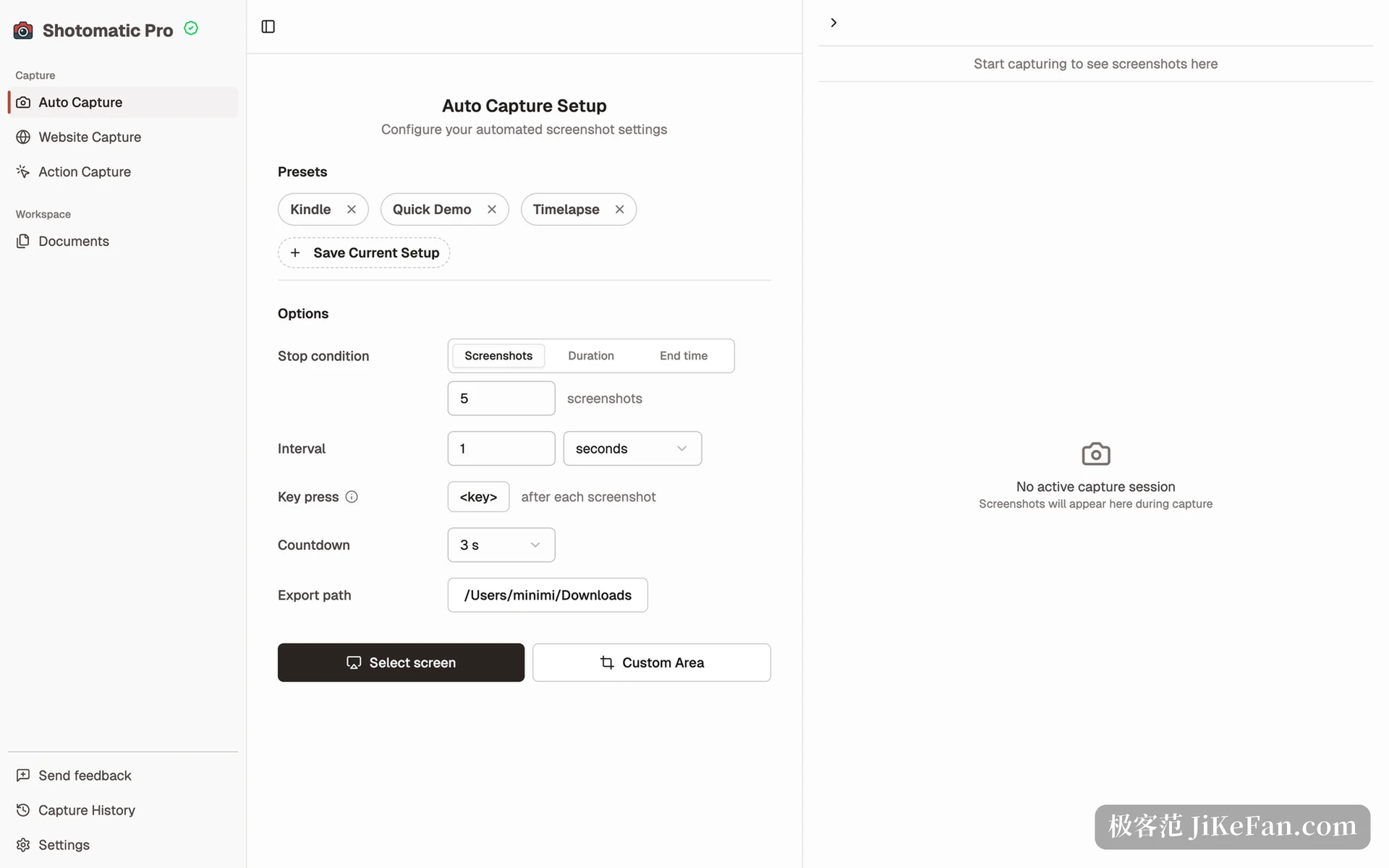
One screenshot takes about three seconds, which does not sound like much. Aim it at a two hundred page ebook, or at monitoring panels that have to be checked screen by screen, and the real cost is not the keystrokes. It is the attention that cannot drift in between. Timed capture targets exactly that case: pick an interval, frame the whole display, a single window or a custom region, and the program runs on its own.
What comes out is not a loose pile of files on the desktop but an ordered session. Order is what makes the rest work, because the PDF export and the video assembly both depend on it to join the pages. A session stays small in practice: an hour of meeting notes is a few dozen shots, and flipping through them beats flipping through a photo library. The documented uses are QA regression runs, screenshots for tutorials, archive work and asynchronous progress reports.
Paging belongs to the same job
An interval alone is not enough. An ebook that stays on page one produces the same page a hundred times. So Shotomatic can simulate keystrokes between two captures, and the usual candidates are the page key and the arrow keys. Set it once and the program walks forward on a rhythm of capture, press, capture.
That combination replaces what used to require a script. The scripting tools bundled with the system can be wired up to do it, but debugging costs more than the task is worth, and a different reader can break the whole thing. Putting the keystrokes inside the capture session keeps every parameter on one panel, so changing the interval and changing the key are the same kind of edit. One interaction is easy to miss. An interval slower than the page turn captures the blank space between two pages, and a key press faster than the capture skips a page.
The shots have to be handed over
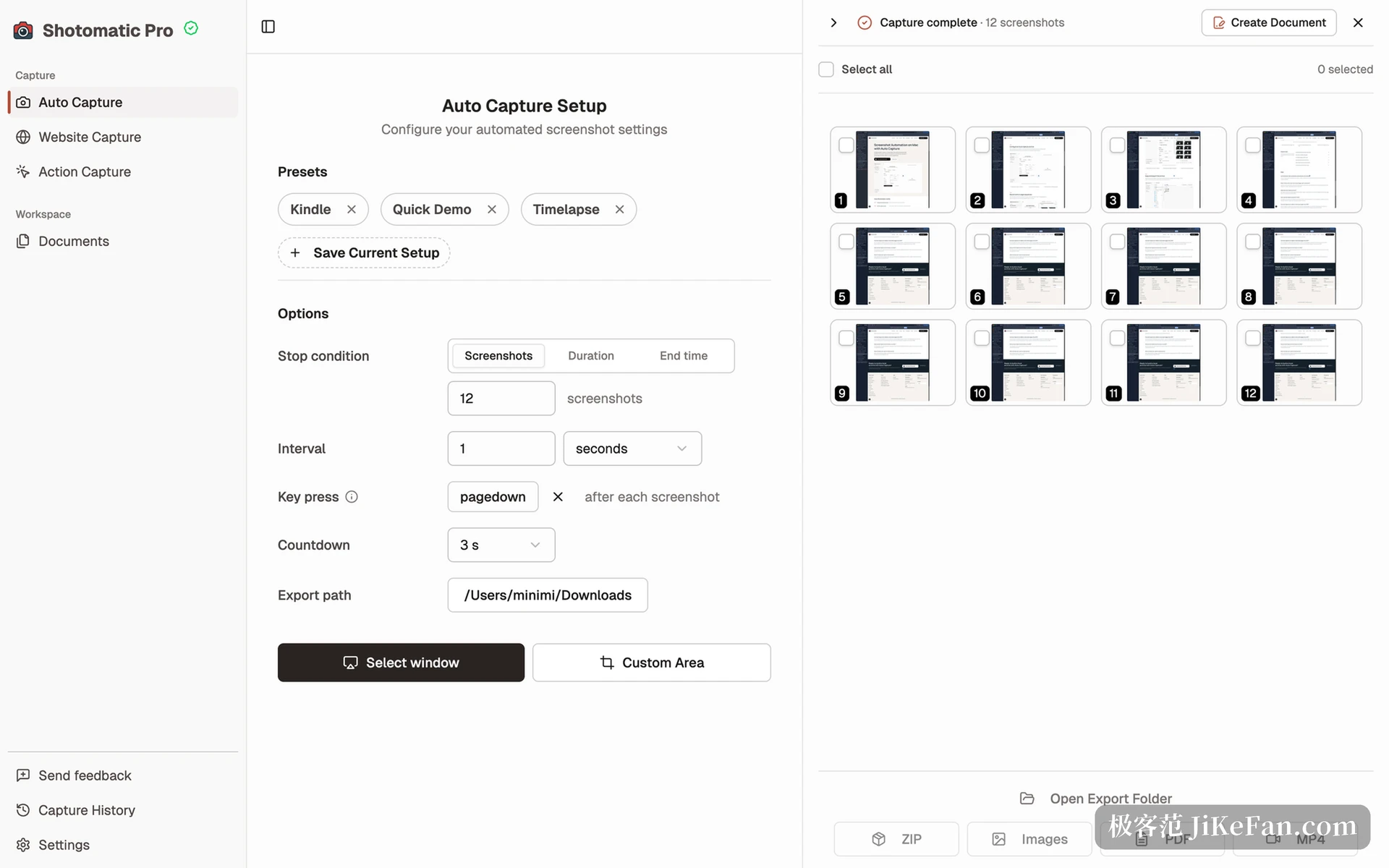
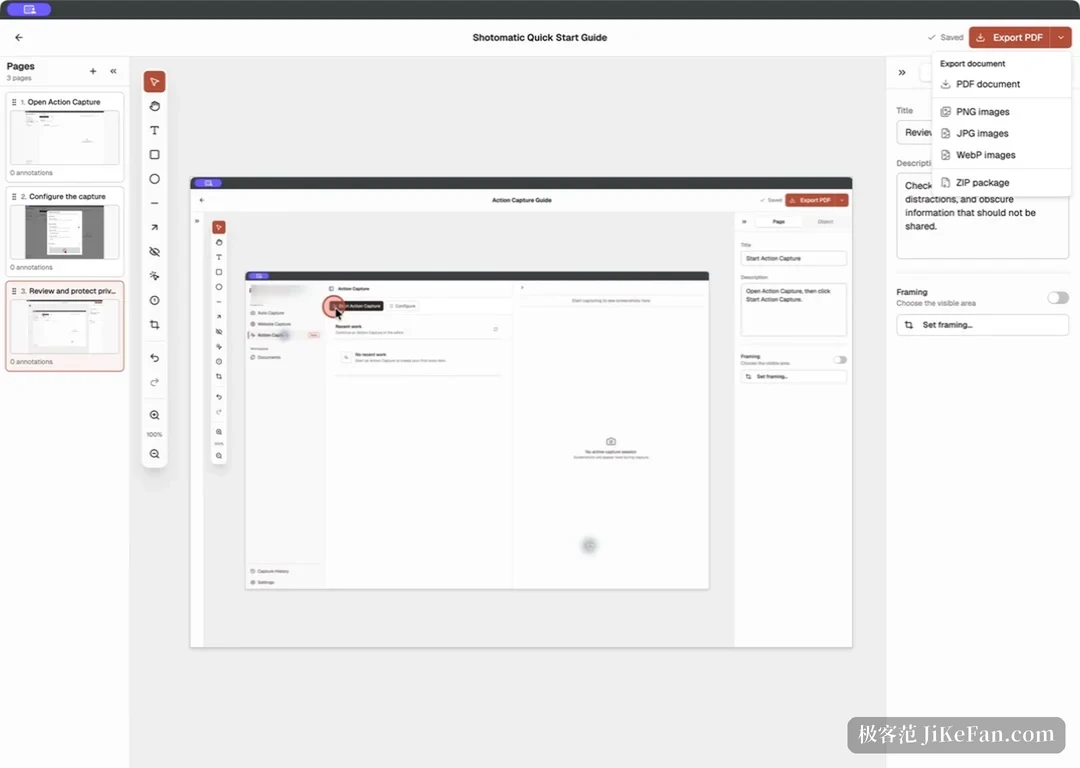
A folder of PNG files is only half a product. Shotomatic exports single images, a ZIP archive and a PDF in session order, and it can compress a whole session into an MP4 for progress records or demonstrations. For anyone writing a tutorial, filing a defect or preparing an audit, one ordered PDF is worth more than fifty loose images. Each frame can be previewed before export, so failed captures are dropped instead of repeating the whole run.
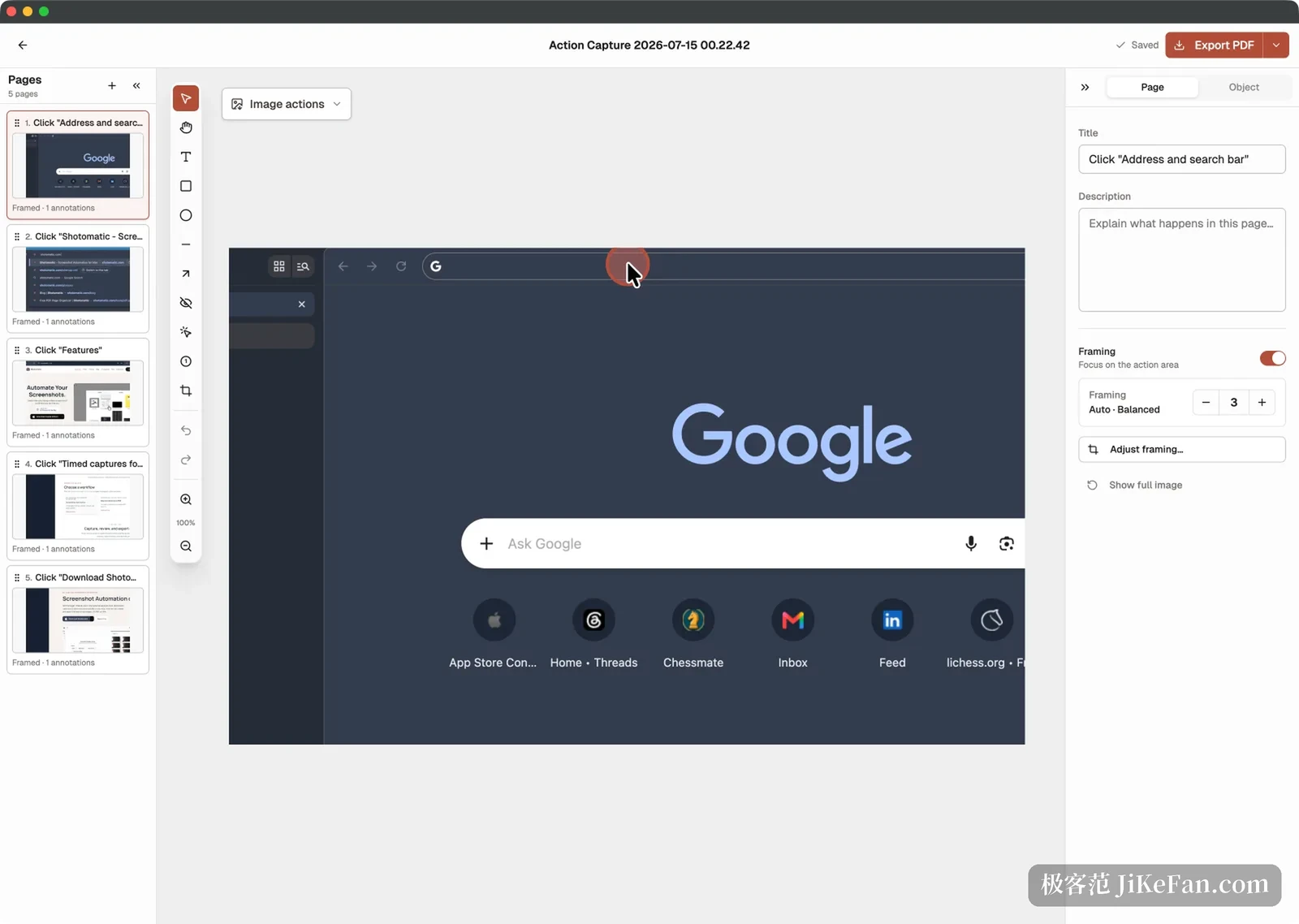
A second mode is called Action Capture, and it triggers on clicks instead of time. Every confirmed click becomes a step page marked with where to press. The editor then reorders the steps, adds notes and markers, and exports the set. That turns one walkthrough into a step document that can be delivered, which saves the usual reconstruction of which button a screenshot was pointing at. Bulk web capture lives in the same shell: paste a list of addresses, preview page by page, adjust viewport, wait time and format, then export together.
What version 1.9.9 changes
This release adds a 3 day pass for people with a single project. If a batch of reports has to be archived this week and never touched again, a permanent licence makes little sense. At the same time the free tier now allows 3 shots per run and 9 per day, tighter than before. A few captures now and then still fit, while batch work needs a licence.
Pro is a one-off purchase: 39 USD for one Mac, 109 USD for up to three, no monthly charge, and a 14 day refund window. That is restrained for a utility, especially with the promise that captures and exports happen on the machine and files never go to a server.
- Free tier
- 3 shots per run and 9 per day.
- Pro licence
- 39 USD for one Mac, 109 USD for three, 14 day refund.
- One-off project
- A 3 day pass.
Shotomatic 1.9.9 adds nothing spectacular. It splits the job of taking a hundred identical screenshots into interval, keystroke and export, then lets the machine run it. Anyone who has used it once will struggle to go back.