
Mechvibes 3.5.6: real switch sound on any keyboard
Summary
Mechvibes 3.5.6 plays real switch recordings under every key on Windows, macOS and Linux, mixes 10 ambience tracks and mutes itself when a call starts.
Recommend- Name
- Mechvibes
- Version
- 3.5.6
- Pricing
- Free
- Open source
- Open source
- Operating system
- WindowsmacOSLinux
- Website
- https://mechvibes.com
- Updated
- 2026-11-10 23:00
A keyboard sound is the least useful decoration on a computer until you have typed several thousand times in one day and notice it is the only feedback that answers one question instantly: did that press land. Mechvibes is an open-source tool for Windows, macOS and Linux that plays a recording of a real mechanical switch under every key you touch. It appeared on Windows in December 2019, gained Linux and macOS afterwards, and the website now claims more than seven million downloads. Version 3.5.6 shipped on 7 November 2026.
GitHub hosts the project under the MIT licence. The 30th of October 2026 marked a break in its history: the parallel MechvibesDX line was renamed Mechvibes 3 and became the only official build, rewritten in Rust and Dioxus, while the old Electron version retreated to a Legacy repository and stopped receiving work. Its macOS build is still labelled experimental and has not been notarised.
The sound follows the cursor, not the window
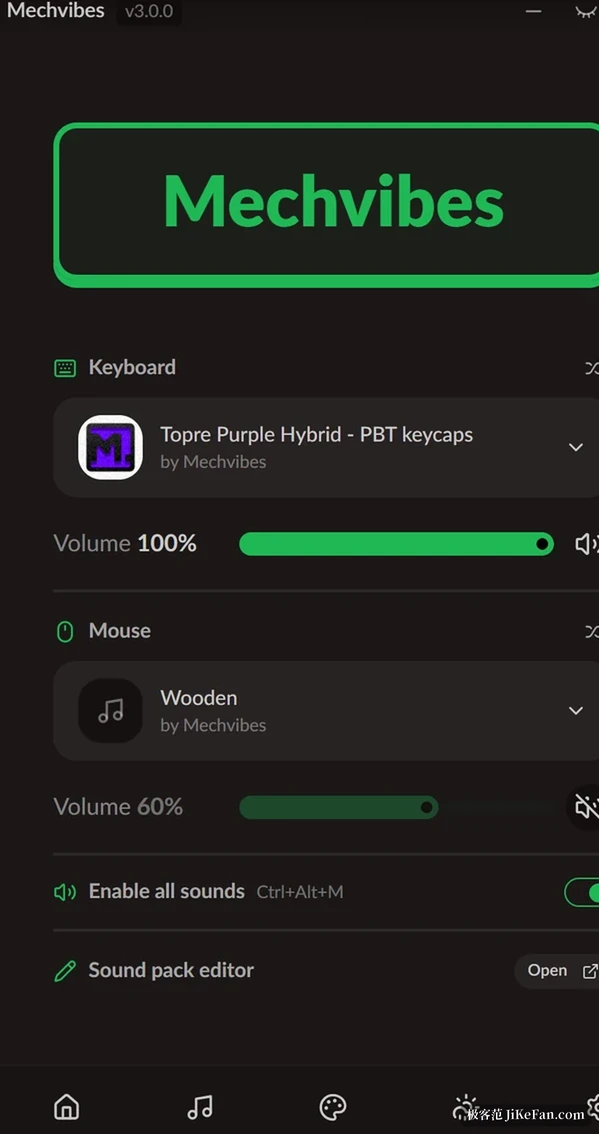
Mechvibes lives in the system tray and captures keyboard and mouse events globally. Typing in a document, a chat window, an editor or a game sounds the same, and its own window can stay behind everything else. The home screen gives the keyboard and the mouse one panel each, with a separate pack and a separate volume slider, which means a crisp switch set paired with a wooden mouse click is allowed out of the box. Ctrl+Alt+M mutes everything from anywhere and the tray icon changes with it.
A pack is a mapping table from keys to audio fragments. That is why press and release can carry two different sounds, and why large keys such as return or space can be assigned on their own. Ten keyboard packs ship with the app, covering the Cherry MX, EG and Topre families, alongside four mouse packs. The community library holds more than nine hundred user recordings, from cream switches and typewriters to sounds that exist only as a joke.
Building one of your own is not hard either.
The editor runs in a browser: record your keyboard once and it slices out every press automatically, which leaves the time for tuning timbre instead of cutting audio.
After 3.0 the audio engine moved out
The rewrite changed the structure more than the interface. The old version kept input capture, audio playback and window drawing in one place. The new one separates them: audio runs on its own engine thread, packs are decoded once at load rather than per keystroke, and up to 32 sounds may overlap, with the oldest fading out instead of being cut when you type faster than the buffer.
On Windows, keyboard capture also moved into a separate worker process, because a window's own input registration and a global hook in one process fight each other. What that feels like in practice is that fast runs no longer drop sounds or smear them together.
Write a long sentence and the rhythm follows your hands, and that continuity is worth more than the memory the rewrite saved.
Mood: ambience mixed underneath
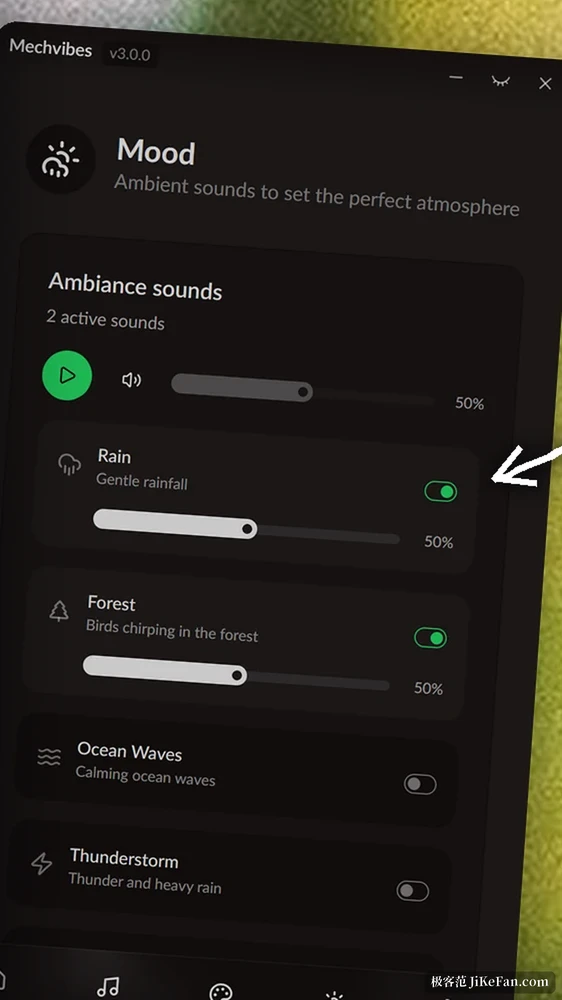
A section called Mood adds ten ambience tracks: rain, forest, waves, thunder, campfire, stream, insects and a few more, each with its own volume and several playable at once. Since 3.5.2 you can drop in your own audio files and loop them, in MP3, WAV, OGG, FLAC or M4A, and the app keeps a copy so moving the original does not break the loop. The point is not to be a white-noise player. It is to put a floor under the keyboard, so a run of typing in an open office sounds less abrupt.
None of it needs a second application running.
The 3.5 week was about knowing when to be quiet
Between 5 and 7 November the project shipped six small releases, almost all of them about silence. First the app learned to mute itself on Windows when the microphone is in use. Then the same behaviour reached macOS 14 and the PulseAudio and PipeWire stacks on Linux, the tray menu gained its own mute for Mood, and a setting appeared that decides whether muting the app also mutes the ambience.
The default is to mute both, and switching it off leaves the rain running while the keys go quiet during a call.
Version 3.5.6 adds pack favourites. Every pack now carries a star, the home screen lists only starred packs, and the built-in ones arrive already starred so the page is never empty. Past a few dozen packs this saves more time than it looks: no more hunting for the set you tuned last week.
The whole look can be replaced
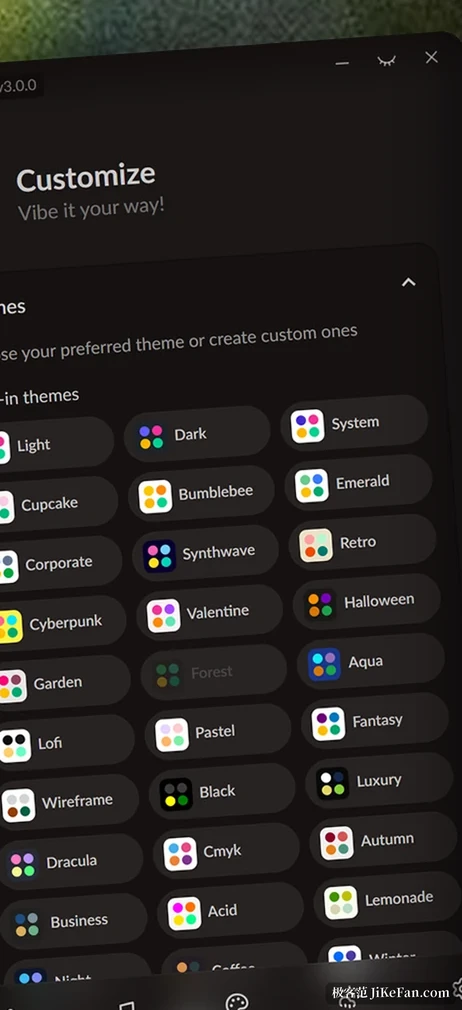
Customize splits theme, colour, logo and background into four panels, with 36 colour schemes built in, and you can assemble your own. A finished look exports as a theme file or as a short link that installs on the other side when opened. Version 3.5.0 added an Intel Mac build and a switch that hides the app in the tray at launch, both of which suit a background tool you install and forget.
Who it suits
Anyone writing a few thousand words a day gets the most out of it. Sound is a cheap pacing cue: you hear yourself advancing and drift less inside long sentences. Laptop users who do not plan to carry an external keyboard come second, because they get part of the mechanical experience for the price of one background process.
Late at night, or in a room shared with family, drop the volume to twenty or thirty percent and pick a duller switch set, and the feedback survives without waking anyone.
What it changes is the listening layer only. Travel, resistance and the length of the stroke are not on offer here, and the project does not claim otherwise. Treat it as a pair of headphones for the keyboard and the expectation fits.
- Version
- 3.5.6, released 7 November 2026.
- Licence
- MIT, source on GitHub.
- Platforms
- Windows, macOS and Linux; the macOS build is experimental.
- Price
- Free, with no paid tier.