
TreeSize rebuilds search, the free tier still reads C:
Summary
TreeSize reworks how a scan is aimed and how duplicates are ticked off, while the free edition maps a C: drive down to a single file and exports a PDF report.
Recommend- Name
- TreeSize
- Version
- 9.9.1
- Pricing
- Free
- Open source
- Proprietary
- Operating system
- Windows
- Updated
- 2026-11-09 16:57
When a system drive turns red, the storage page in Windows can say how much apps and features take. Ask it for one more level and it stops answering. TreeSize works on that next level: it spreads out the size of every folder and every file in front of you. The tool comes from JAM Software in Germany, which says it has been around for more than 25 years and serves over 200,000 customers.
Three editions, from seeing to steering
TreeSize comes as Free, Personal and Professional. The free edition targets personal, non-commercial use at a price of zero. It breaks usage down to the file level, draws the overall shape as a Treemap and exports a PDF report. The two paid editions are priced per user per year and add a duplicate finder, comparison of usage over time, a command line with scheduled tasks, and customised exports.
All three share one premise. The scan happens on the machine, the data never leaves it, and the vendor servers sit in Germany.
The free edition still reaches a single file
The main window puts a directory tree on the left, close to File Explorer, and a switchable pane on the right: chart, details, extensions, users, file age, largest files, history. Once a scan finishes, every folder carries its size and share, and unfolding the tree leads to the file that eats the space.
Speed comes from reading the master file table directly. On a local NTFS volume the program does not have to ask the system about every file, so a drive of several hundred gigabytes usually answers in tens of seconds. The free edition includes that.
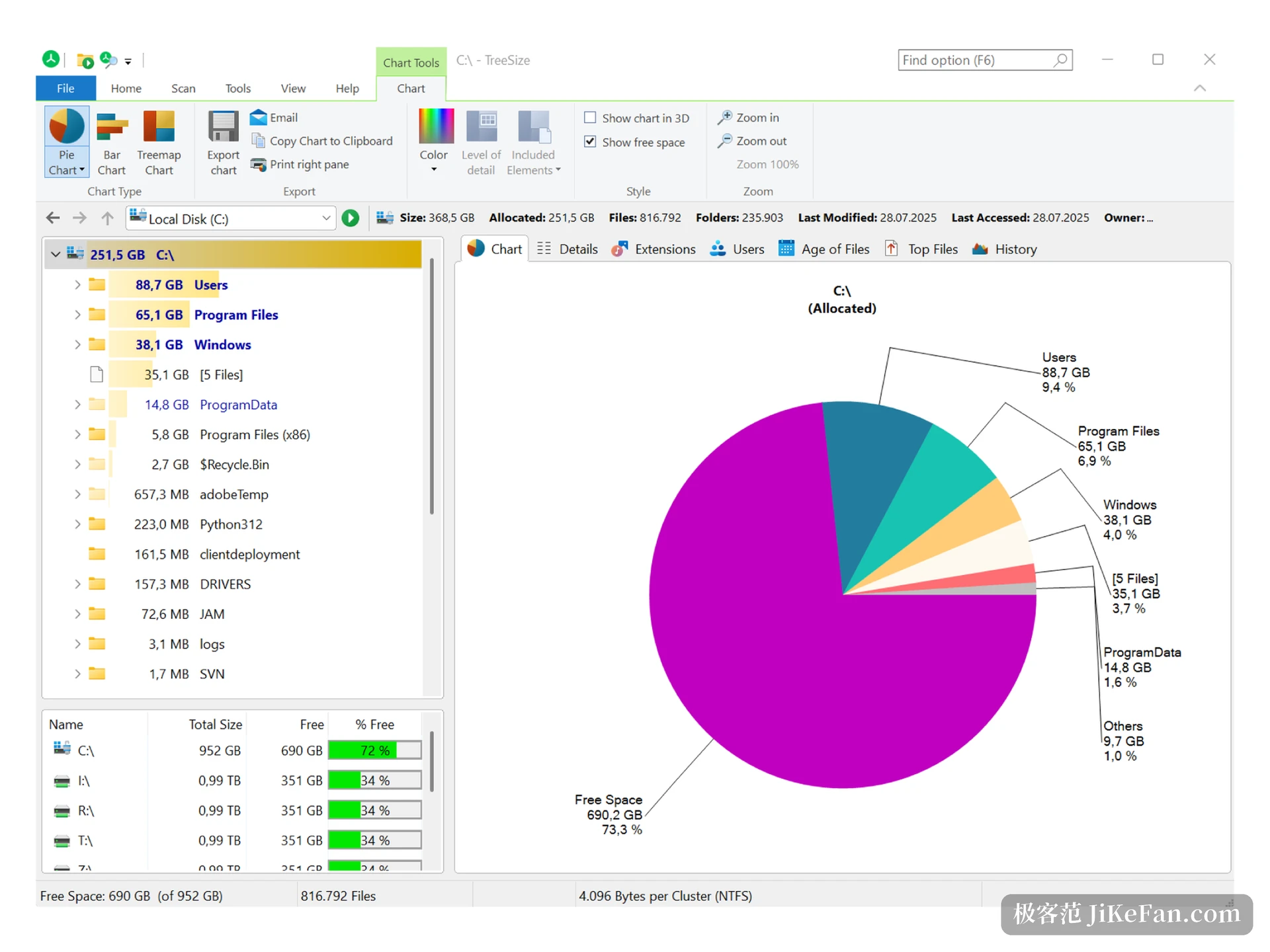
A few touches save effort. Folder sizes are painted as coloured bars inside the row, so the heaviest branch stands out. The context menu integration is back as well: right-click a drive in File Explorer and start an analysis from there.
Where the free edition stops
Free does not mean unrestricted. The vendor scopes TreeSize Free to personal, non-commercial use and leaves Windows Server out of the licence, which is stated in the FAQ. Scanning a share on a server or sending scheduled reports to colleagues means moving up an edition.
The functional gaps are just as clear. Duplicate finding, filtering by largest files, comparing two scans, bulk export and command line calls belong to the paid editions. The free build tells you where the weight sits. Which files are duplicates is a question it does not answer.
9.9 tidies the way a search starts
The changes in the Professional edition concentrate on the search flow. Specifying a location used to mean typing a path into a box. Opening the drop-down now lists every drive connected to File Explorer, local disks, network shares and cloud drives alike, each with its free space beside it. Selecting several works like multi-selection in Explorer and adds them all at once.
Chosen paths sit as small blocks in the input row, each with a cross to remove it. Frequent locations can be pinned and the history cleared entry by entry. Network drives that are not connected are marked unavailable before the scan starts, which saves waiting only to learn that nothing can be read. The whole path entry works from the keyboard.
Ticking files turns from clicks into rules
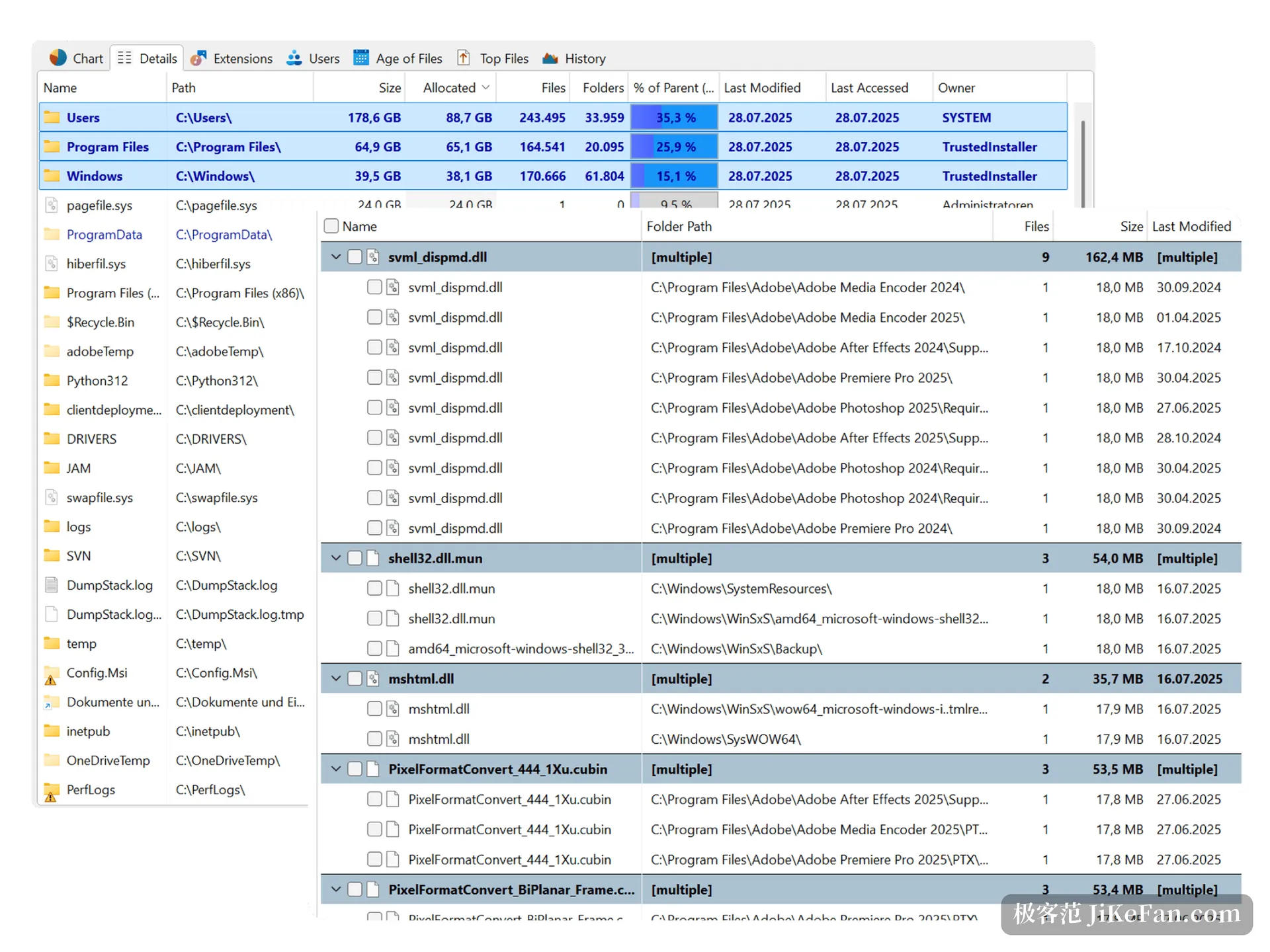
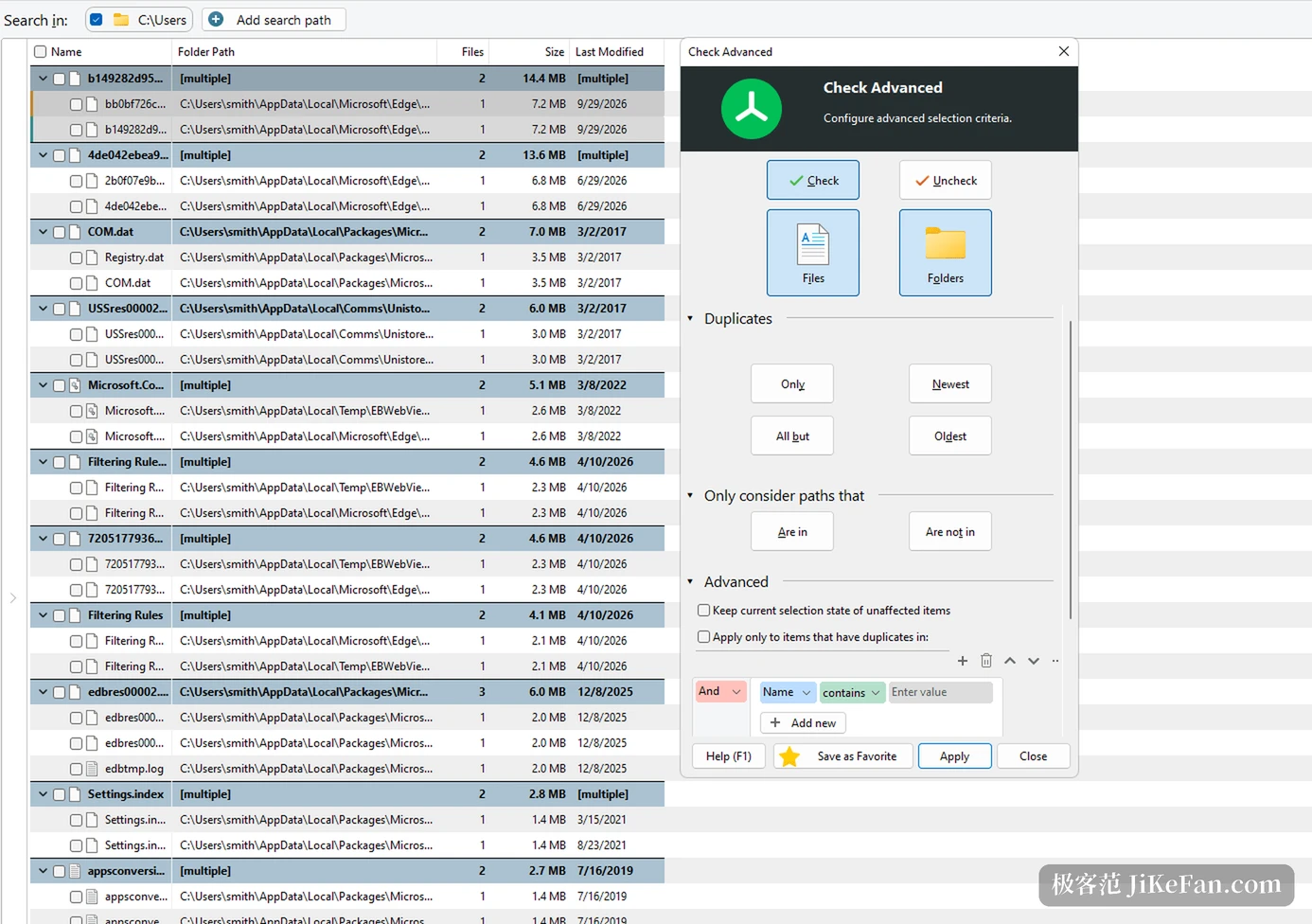
The tedious part of duplicate hunting is not the scan, it is deciding which copy stays. Version 9.9 turns that step into combinations of rules: tick only the newest copies, only the oldest, or only those outside one directory. In practice that reads as keep the original in the archive folder and select every scattered copy, so the archived file stays untouched while the rest go in one pass.
Rules can be saved for reuse and called from the ribbon later, and conditions stack, filtering by name, size or modification date. What is selected and what will be touched is laid out in the list before anything runs.
Reports, and the free edition still writes PDF
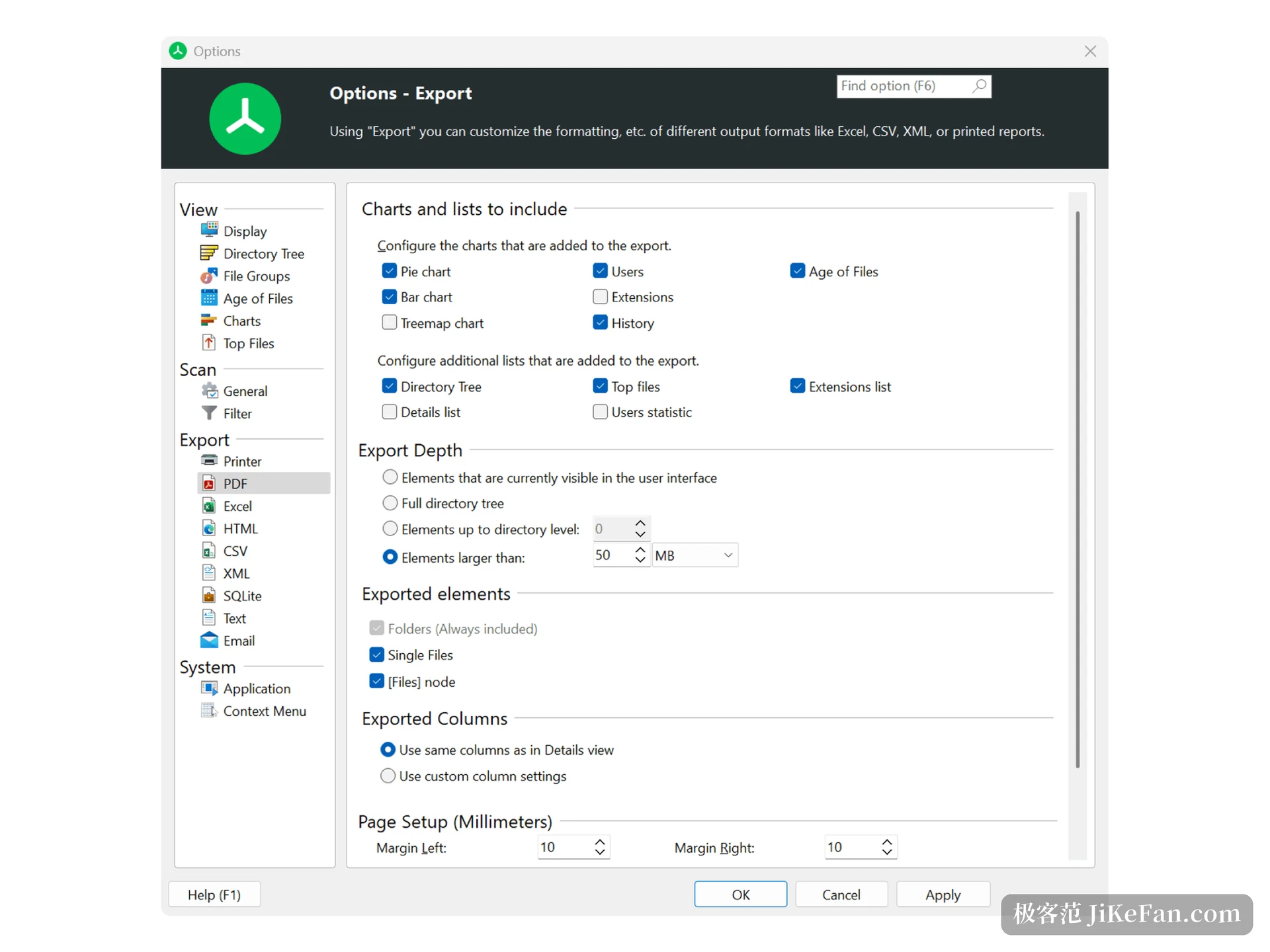
Handing the result to someone else is the real need for many people. The export panel lets you tick the charts and lists to include: pie, bar, Treemap, file age and extensions are all on offer. The export depth can be limited to elements larger than 50MB, and formats cover PDF, Excel, HTML, CSV, XML, SQLite and plain text. Column order can follow the details view or follow a set of your own.
What the free edition keeps is the PDF report, enough to archive a result or send it to a colleague. Continuing the arithmetic in Excel, or producing reports on a schedule, belongs to the paid side.
The built-in assistant, and its limits
Version 9.9 puts a chat assistant called JAMie inside the program, so questions about usage, licensing or an error no longer require leaving the window. The vendor states its limits plainly: JAMie cannot see your screen and cannot reach your scan data.
One point is easy to miss. The line at the top of the JAMie panel says the conversation is sent to OpenAI in the United States for processing, and asks you not to type personal information into it. That is a separate matter from the scan staying local. Scanning is scanning, chatting is chatting, and paths, user names or client names do not belong in the chat.
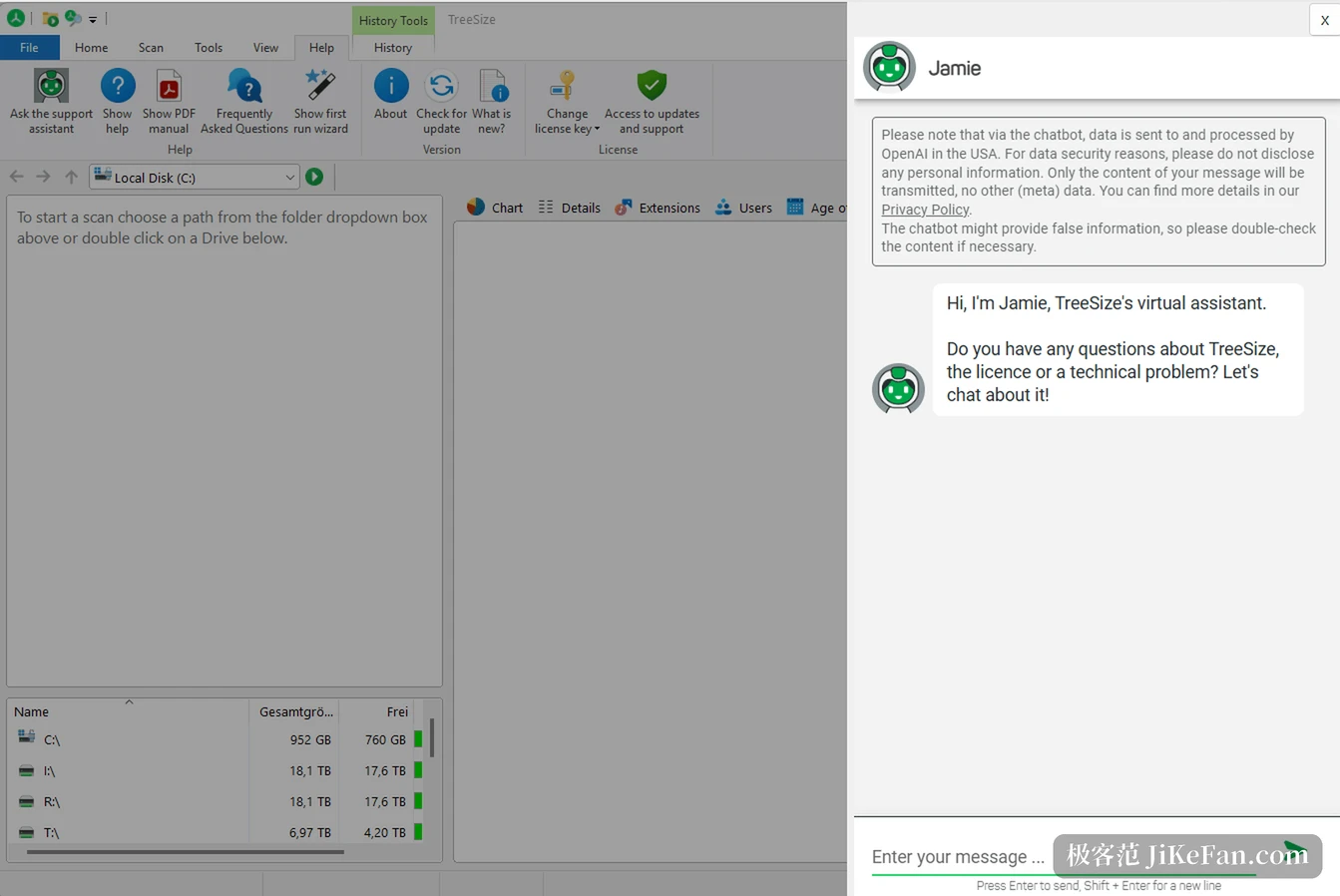
Every TreeSize edition runs locally and never uploads scan data. The built-in assistant JAMie cannot see the screen or read scan results, but its conversation text is sent to OpenAI for processing.
Which edition fits which job
For finding out what filled a C: drive and clearing old caches and installers, the free edition is enough; what it sells is the seeing itself. Anyone handling duplicates regularly, or comparing two scans to find growth, is better served by Personal. Several machines, scheduled server reports and scans inside scripts are where Professional starts.
Two habits matter. Start the scan of a system drive with administrator rights, otherwise ProgramData and the Windows directory are skipped and the totals come out small. When a folder such as WinSxS or System32 reports tens of gigabytes, leave it alone; the system manages that component store, and deleting from it breaks things.
On release cadence, the Professional edition now sits at 9.9.1, and the October build mainly fixed a crash when opening the assistant during PDF preview and a SQLite export that counted zero files. The free edition stays at 4.8.1; its last update restored the drive context menu entry and closed a DLL hijack window during installation. A tool of 25 years still treating such a gap as worth fixing says more than ten new features would.