
ServerBox: server monitoring and an SSH client in one pocket
Summary
A free and open-source server manager built on a cross-platform interface framework, combining live CPU, memory, disk and network charts with an SSH terminal, file transfer, container control, service status and disk health in a single application.
- Name
- ServerBox
- Version
- 20260614
- Pricing
- Free
- Open source
- Open source
- Operating system
- iOSAndroidmacOSWindowsLinux
- Website
- https://serverbox.lpkt.cn/
- Updated
- 2026-10-24 22:00
The alert always arrives when you are nowhere near a keyboard. The whole question is what you can do about it from a phone in the thirty seconds before the alarm call ends.
The situation this exists for
Anyone who has run a server, whether rented or self-built, knows the sequence. Something spikes at two in the morning. A disk crosses ninety percent, a container restarts in a loop, the load average climbs and does not come back down. You are not at a desk. You have a phone. You open a terminal application, try to read a log on a screen four inches wide where the font has to be microscopic to fit a line of output, mistype the command twice, then switch to a second application to look at a graph, then a third to check whether the service is running. By the time you have assembled an answer the problem has been going on for twenty minutes.
The premise of this program is that the four things you need in that moment belong on one screen. It is a server manager rather than an SSH client, and the distinction is the whole design: an SSH client alone only solves one quarter of the problem.
A card per server, and everything attached to it
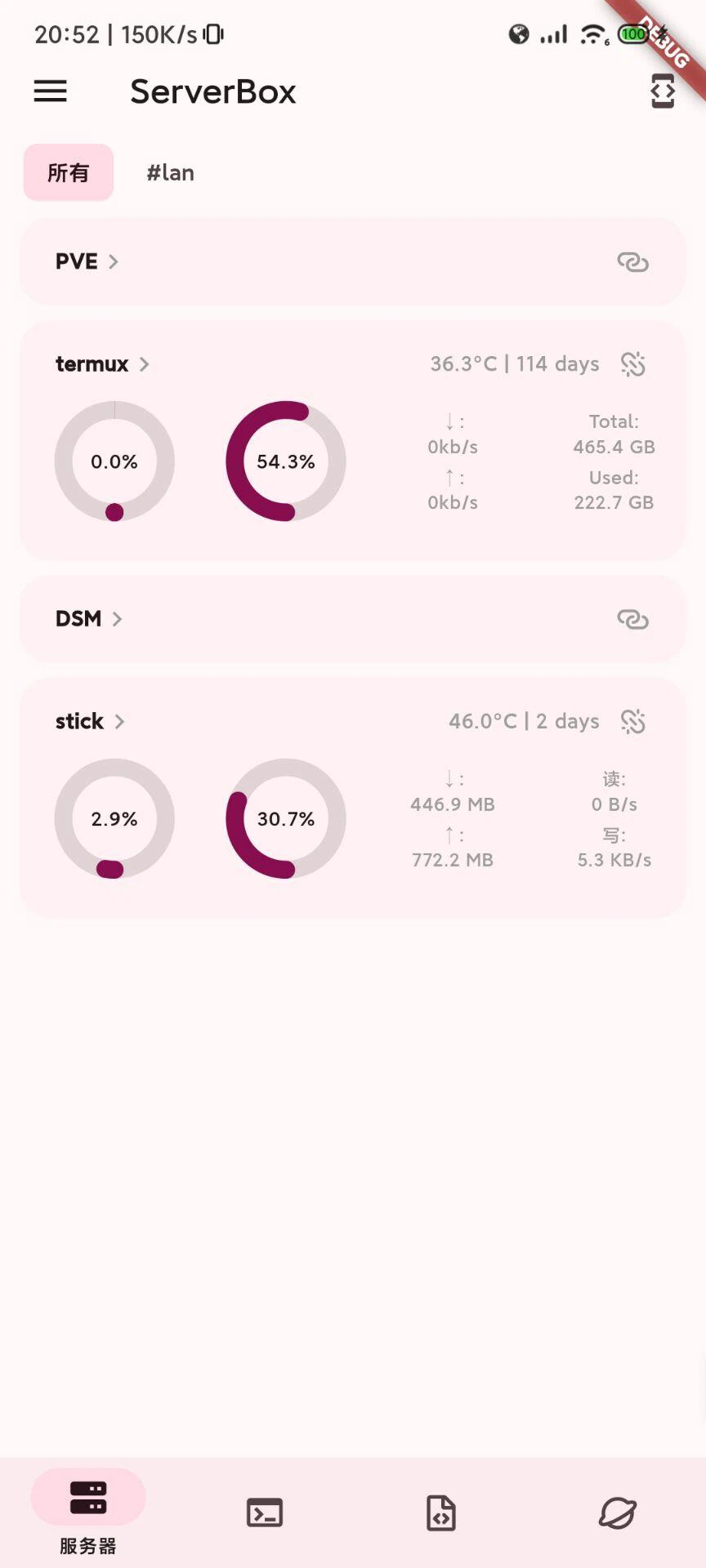
Each machine is represented by a card showing live charts for processor load, memory, disk usage and network throughput, refreshed while you watch. From the same place you can open a terminal session or a file browser on that machine, so the transition from noticing that something is wrong to looking at the reason takes one tap rather than a change of application. The terminal is a genuine emulator rather than a text box, with the input handling and rendering that makes a command line usable on a touchscreen instead of merely present.
Files, between machines
File transfer supports uploading, downloading, renaming, deleting and creating directories, over the protocol that runs on top of the same connection the terminal uses. For moving a configuration file onto a machine or pulling a log off one, that removes the need for a separate transfer application, which on a phone is not a minor consideration: every extra application is another login, another set of stored credentials and another thing to keep updated.
Containers and services, without the command line
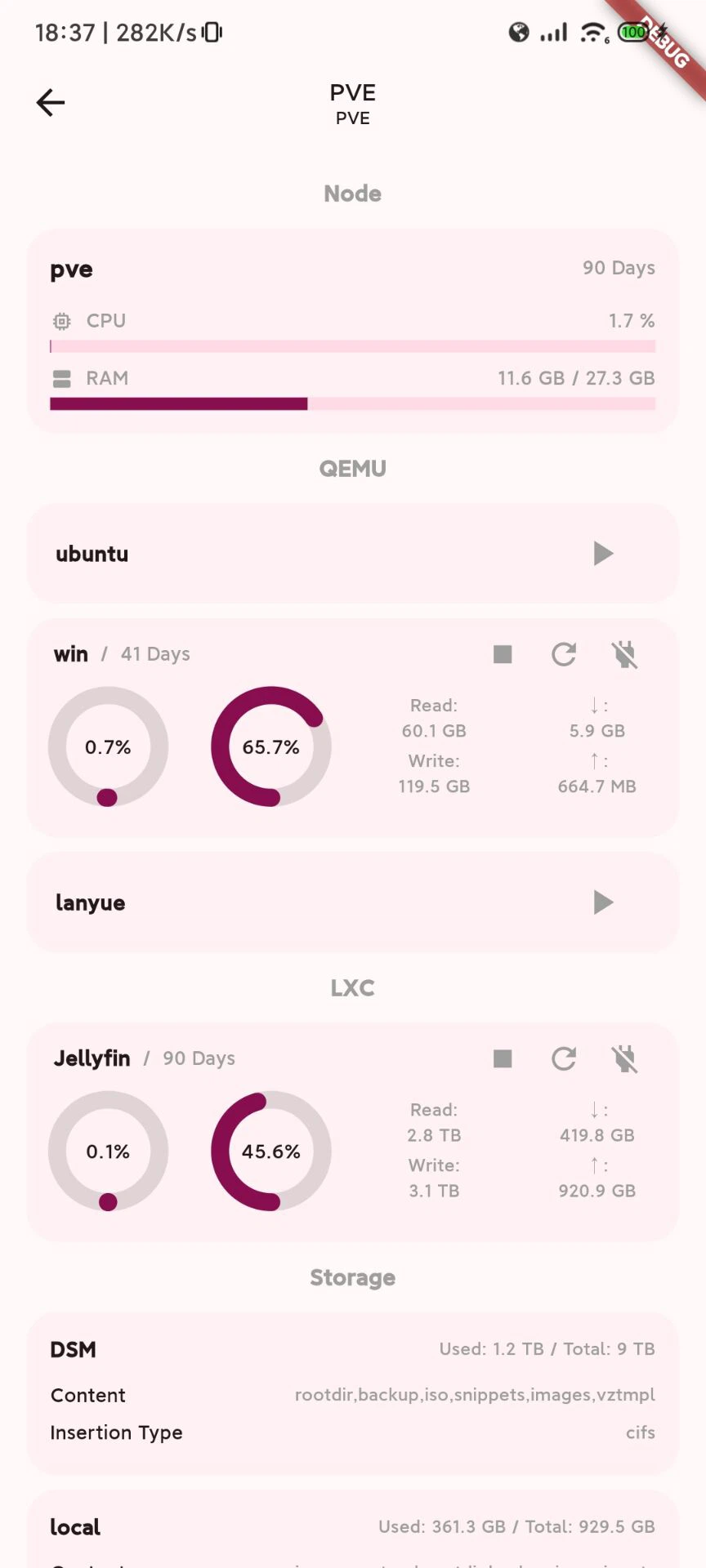
For machines running containers, the value becomes obvious quickly. Running containers are listed with their state, and starting, stopping or restarting one happens in the interface rather than through typed commands. Service management covers the init system used by most Linux distributions, showing which units are active and which have failed, and a process list serves the same purpose as the interactive monitors people run in a terminal. That combination is what makes the phone adequate for diagnosis: the answer to most alarms is visible in a list rather than requiring a session.
Disk health reporting is the addition that matters most to anyone running physical hardware. A drive that fails without warning takes the data with it, and a drive that reports reallocated sectors for a month before failing gives its owner a month to move things elsewhere. Having those attributes visible on a phone turns a warning that only exists if somebody logs in and checks into one that arrives in the same place as everything else.
One interface on five platforms
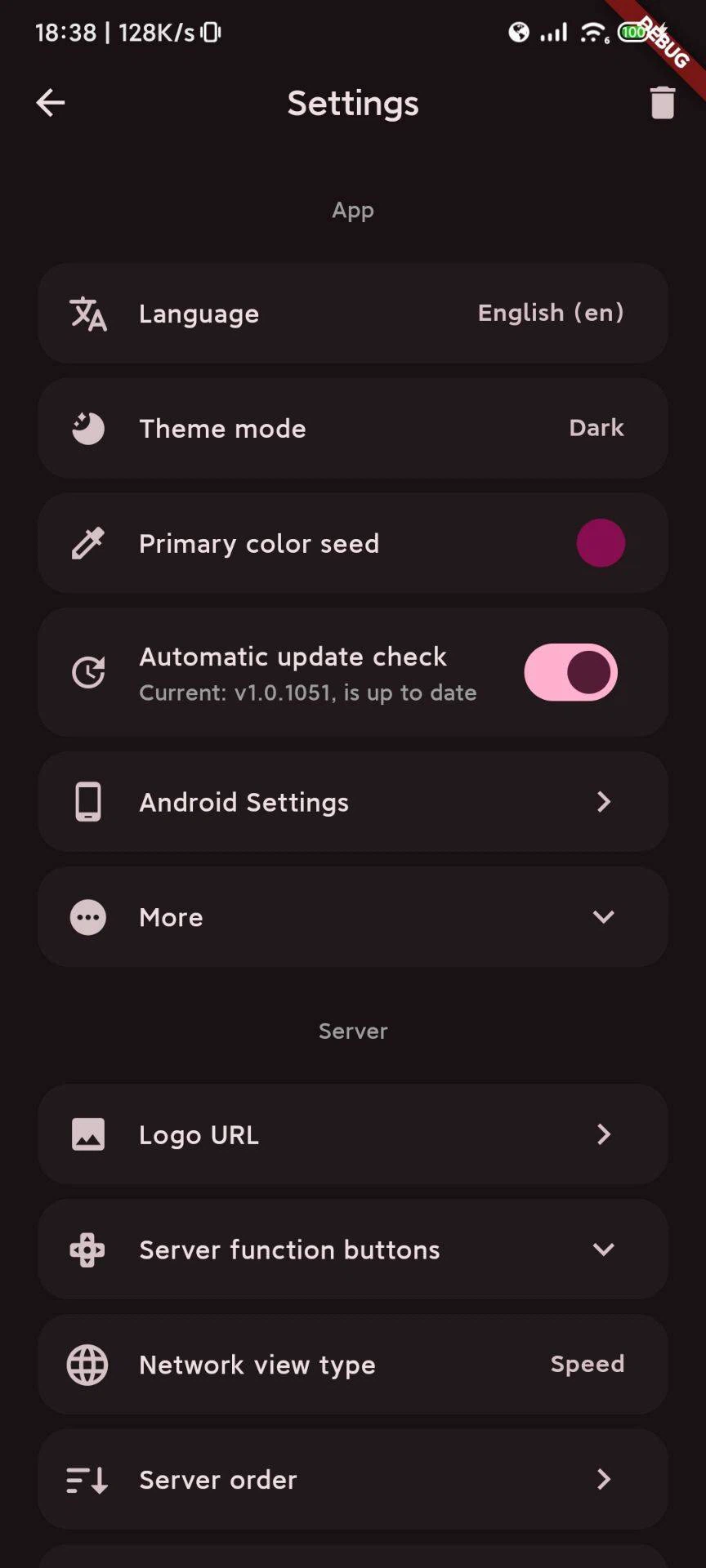
The application is built on a cross-platform interface framework, which is why the five supported systems look and behave identically rather than being separate products with a shared name. Nothing has to be relearned when moving from a phone to a laptop. There is even a version for a watch, which sounds excessive until the moment you want to know whether the processor is still pinned without taking a phone out of a pocket.
A biometric lock protects the application itself, so that a phone handed to a colleague or left on a table does not expose a list of servers and their credentials. For an application whose entire content is access to production machines, that is not a luxury feature.
Turning passive monitoring into notifications
By default the application only knows what it fetched last, which means it can only answer questions you remember to ask. A small companion component that runs on the server changes that: it pushes alerts when load or disk crosses a threshold, and it feeds home screen widgets that display processor and memory figures without opening anything. The difference between pulling out a phone to check and being told is the difference between monitoring and noticing.
What it costs, and who it is for
The program is free, the source is open under a license that keeps derivatives open, and there is no paid tier. The interface is available in thirteen languages. It does not replace the professional toolchain on a desktop, and it is not trying to: a full observability stack answers questions this cannot. What it replaces is the panic of the first five minutes, when the only device available is the one in your pocket.
For individual developers and small teams, the combination of coverage, price and reach across platforms is unusual. The one thing worth being careful about with software distributed this widely is obtaining it from the project's own source rather than from a third-party mirror.