
Zed 1.27 Removes Agent Checkpoints to Unstick Big Repos
Version 1.27
Summary
Zed 1.27.0 drops the agent checkpoint that archived the whole repository on every message, sending undo back to Git, and cuts the panel's memory and CPU cost.
Recommend- Name
- Zed
- Version
- 1.27
- Pricing
- Free
- Open source
- Open source
- Operating system
- WindowsmacOSLinux
- Website
- https://zed.dev/
- Updated
- 2026-11-12 23:00
Editors spend their release notes adding things. Zed 1.27 takes a feature away, and the reasoning behind the removal explains more about the editor than any addition in the same release.
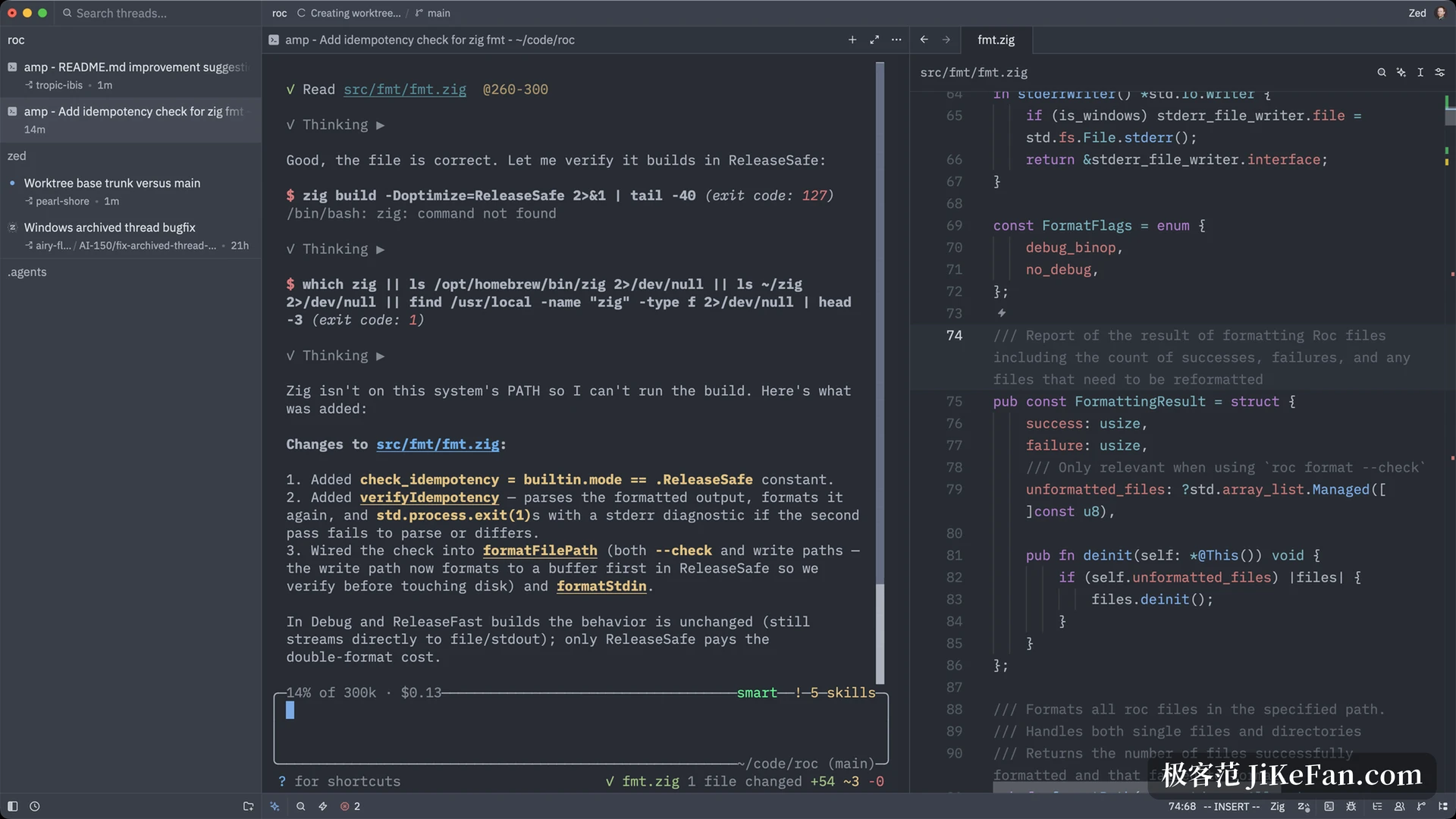
Zed is a code editor written from scratch in Rust that draws its own interface straight onto the GPU, ships installers for macOS, Linux and Windows and releases almost every week. In 1.27.0 on 4 November 2026 the loudest item is a subtraction: the agent checkpoint has gone. The team's reason is blunt. Archiving the workspace before every message slows the agent down inside a large repository, and in bad cases it stalls it.
Why the checkpoint had to go
A checkpoint was the safety net under AI code changes. Before a message went out, the workspace was saved; if the edits went wrong, one click put it back. That sounds reassuring, and the price was a full archive of the repository on every turn of the conversation. Once the repository is large, that step becomes the bottleneck, and the slow replies and stuttering editor follow from it.
Version 1.27.0 deletes the whole mechanism, button included. There are two ways back now: reject that particular edit, or use Git. The second matches what most people already do, since the changes sit in the working tree where they are visible and can be reverted.
Zed's foundations matter here. The interface is not a web view, and text layout and line breaking are implemented in-house. That is exactly why an extra few hundred milliseconds per message hurts so much. A feature bold enough to archive a large repository in full ends up defeated by latency, which is its own small irony.
The removal also draws a line. It says which jobs belong to the editor and which belong to version control. Archiving, comparing and rolling back are things Git already does well, and stacking another layer inside the editor only piles the delay onto itself.
Parse it when you actually look at it
The agent panel changed how it loads. Opening a long conversation used to parse every tool-call diff and every piece of Markdown in messages up front. Both are now deferred until the first time you scroll to that part, and paging back through history feels close to opening a short thread.
Background cost got attention too. While the agent works, the editor watches file changes and refreshes state, and the longer the thread history the higher the CPU and disk reads climb. Version 1.27.0 flattens that curve, so a long thread left running no longer drags on the foreground.
Commit messages start learning the repository's voice
Getting an AI to write a commit message is easy; getting one that fits this repository is not. Version 1.27.0 takes the last three commit messages as samples and asks the model to follow that shape. For a team with a fixed prefix and a fixed language, that beats any prompt template.
More than one agent vendor
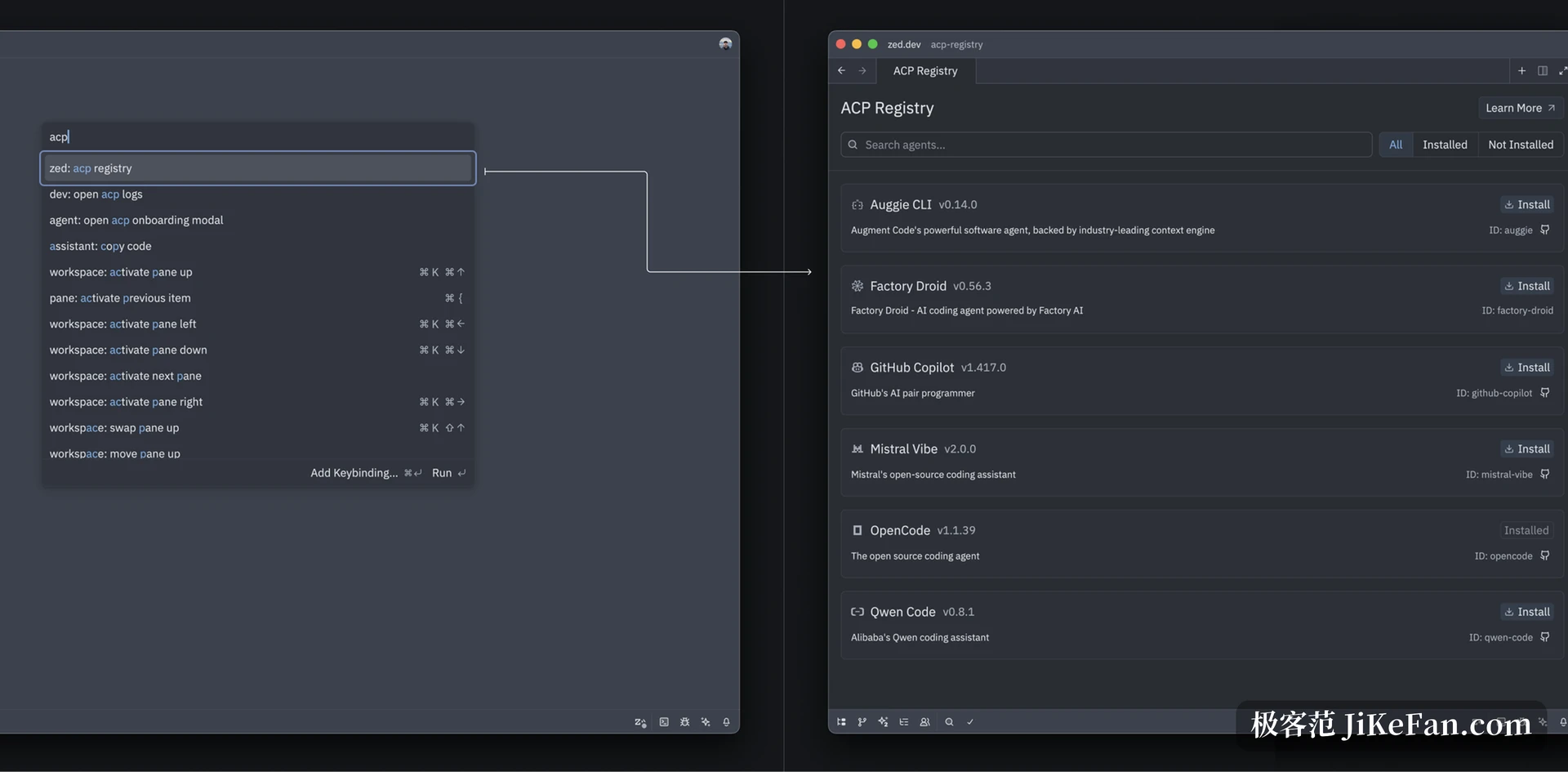
External agents have been arriving for a couple of years, and there is now a registry to browse. Scroll the list in the panel, press install, and the version and the source are both stated. For anyone running several different agents at once, that is easier than hand-editing a configuration file for each.
Interface stays local, code stays remote
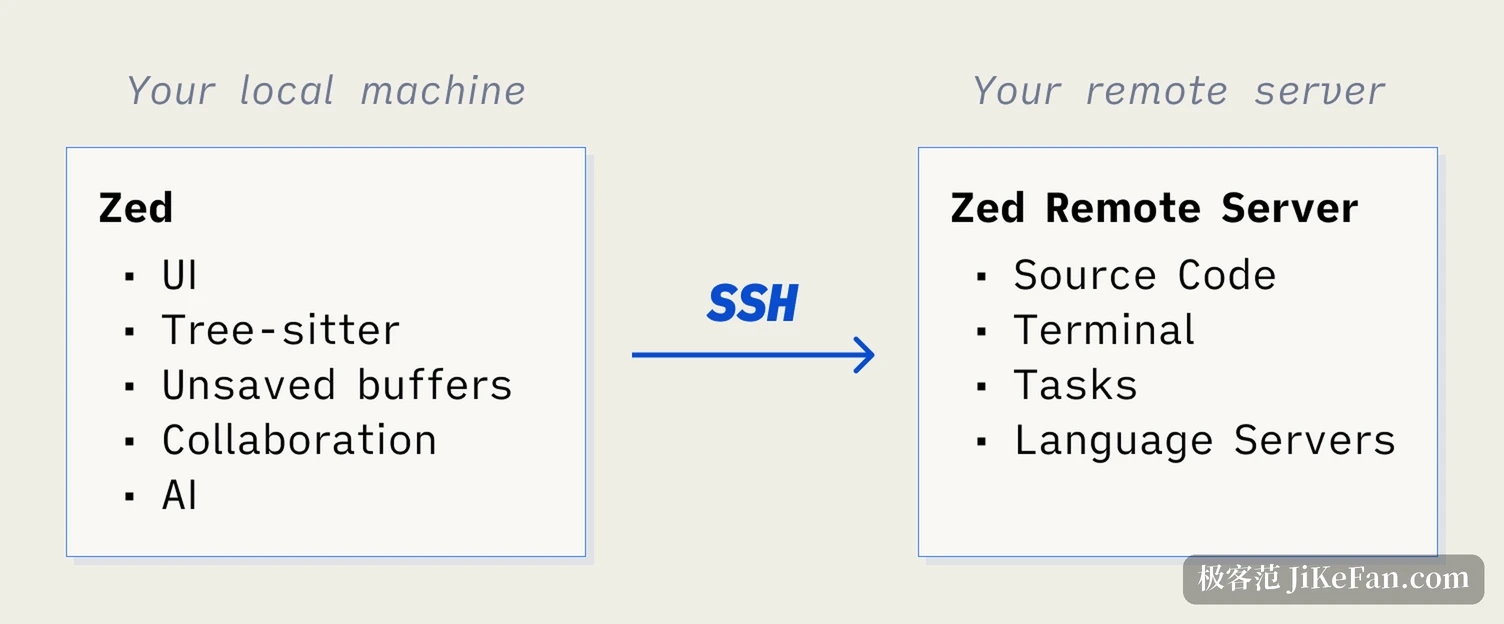
Remote development splits the bill like this. Locally, only the interface, syntax parsing, unsaved buffers, collaboration and AI run; the source, terminal, tasks and language servers stay on the remote server, with SSH joining the two. Opening a repository of several hundred megabytes on a thin laptop no longer sends the fans into flight.
The cost arrives when the connection drops. Buffers already open and unsaved are still there, and everything else waits for the link to return. The arrangement suits a stable network, and on a train or at an airport a local copy is still the honest answer.
Small fixes and upgrade notes
Generic methods in Go 1.27 are highlighted now. A new window can open the README by default through the on_new_window setting, switched to readme. The commit detail panel in Git Graph gained the hover hints it was missing and renders faster, and when a push is rejected because the local branch is behind, the panel explains that a pull and merge come first instead of just reporting a failure.
Two things to know before upgrading. System requirements moved up, so macOS 12 Monterey is the floor and Catalina or Big Sur should stay on the old release. And with the checkpoint gone, the editor no longer keeps a copy for you: anyone used to letting an agent rewrite code should commit more often, or open a branch before the work starts.
Zed 1.27 adds no large feature and removes one instead. The reason is worth keeping: to stop the agent stalling in a large repository, it gives up a capability that sounded safe and hands the job back to what Git already had. That trade is rare, and the direction is right, because the editor has to work well before AI has anywhere to play.