
iTerm2 3.7.7 Lets Scripts Drive the Browser Session
Version 3.7.7
Summary
iTerm2 3.7.7 opens browser sessions to scripts, exports the password manager to a passphrase encrypted file, and drops the per-chunk prompt from SSH downloads.
Recommend- Name
- iTerm2
- Version
- 3.7.7
- Pricing
- Free
- Open source
- Open source
- Operating system
- macOS
- Website
- https://iterm2.com/
- Updated
- 2026-11-12 23:00
iTerm2 is the terminal emulator that a good share of macOS users reach for once the built in tool stops being enough, and it has stayed free under GPLv2 since the years it was still called iTerm. Build 3.7.7, dated 3 November, asks for macOS 13 or newer and moves the version number by a single notch. What it touches sits almost entirely on the automation line, in the spots that had been stuck for a while.
Scripts reach the browser session
Browser sessions in iTerm2 were long something for human eyes. A page could open inside a terminal window, but a script had no way past the glass. Version 3.7.7 adds async_eval_javascript to the Python API, so a script can run a piece of JavaScript in that page context and read the result back. Pulling a field off a page or filling a form no longer means guessing at coordinates and clicking blind.
The permission gate stays where it was. The first time a script runs against a given site, iTerm2 asks once and only then lets it through. Those grants, together with the right to load a URL at all, are listed one by one on the Magic page in settings, where each can be withdrawn again. The toolbar of a browser session can also be hidden, which leaves the page filling the pane and one spare line for a long command.
Triggers gain a second half
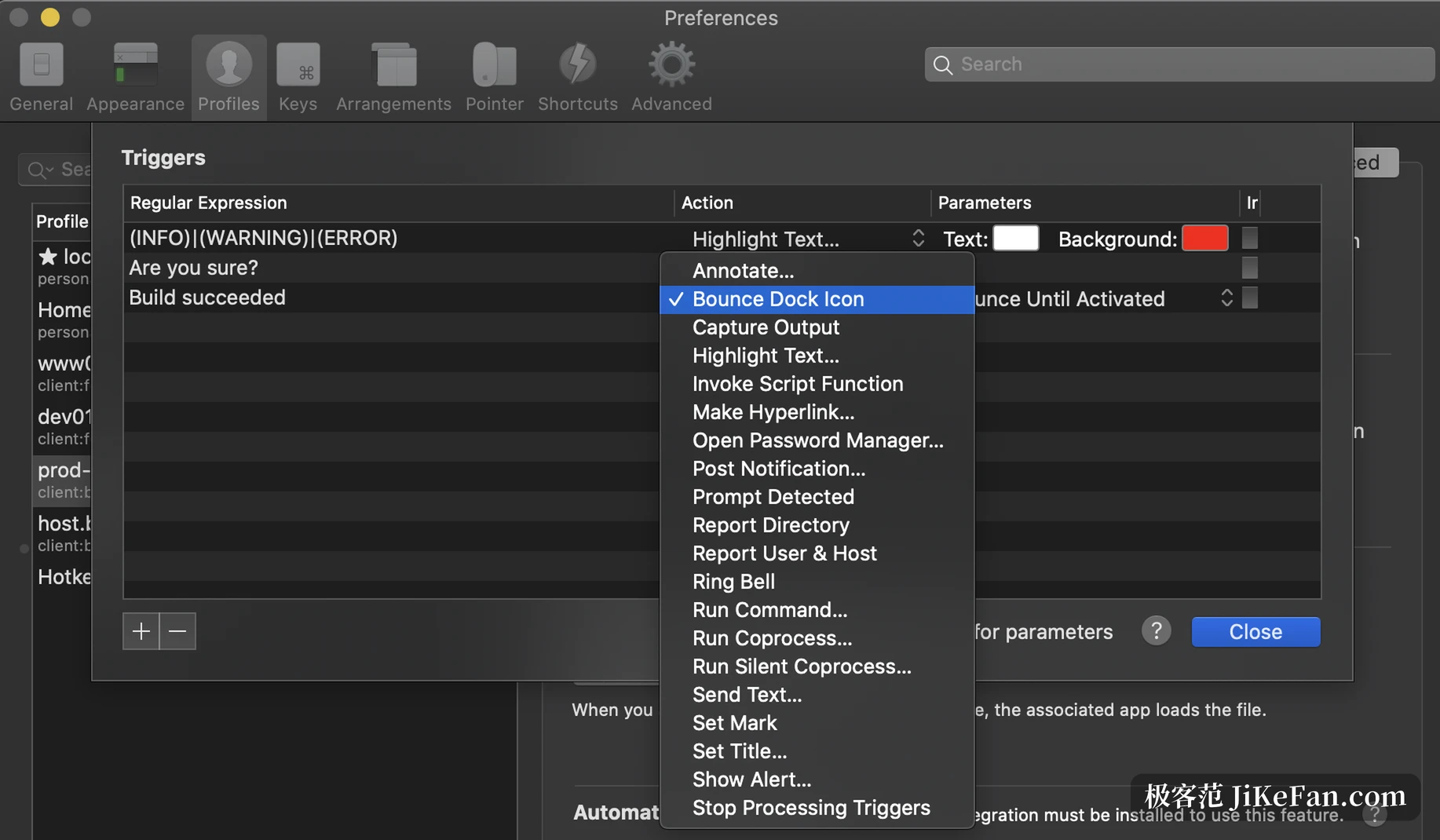
Paired with the triggers that were already there, the change becomes concrete. A regular expression that matches an error in the terminal can fire a script, raise a notification, or mark the line. Until now those actions landed on the terminal itself and stopped there. With the browser session in reach, the two halves finally connect: the terminal notices, and the script then acts on the page that produced the noise.
A respectable way to move passwords
The password manager has always kept its entries in the Keychain, which works well and ties them to one machine. Moving to a new Mac used to mean memory and hand copying. 3.7.7 adds export and import: a batch of entries is packed into a single file encrypted with a passphrase, and on the new machine a double click brings them in. The overall export in settings carries them along as well.
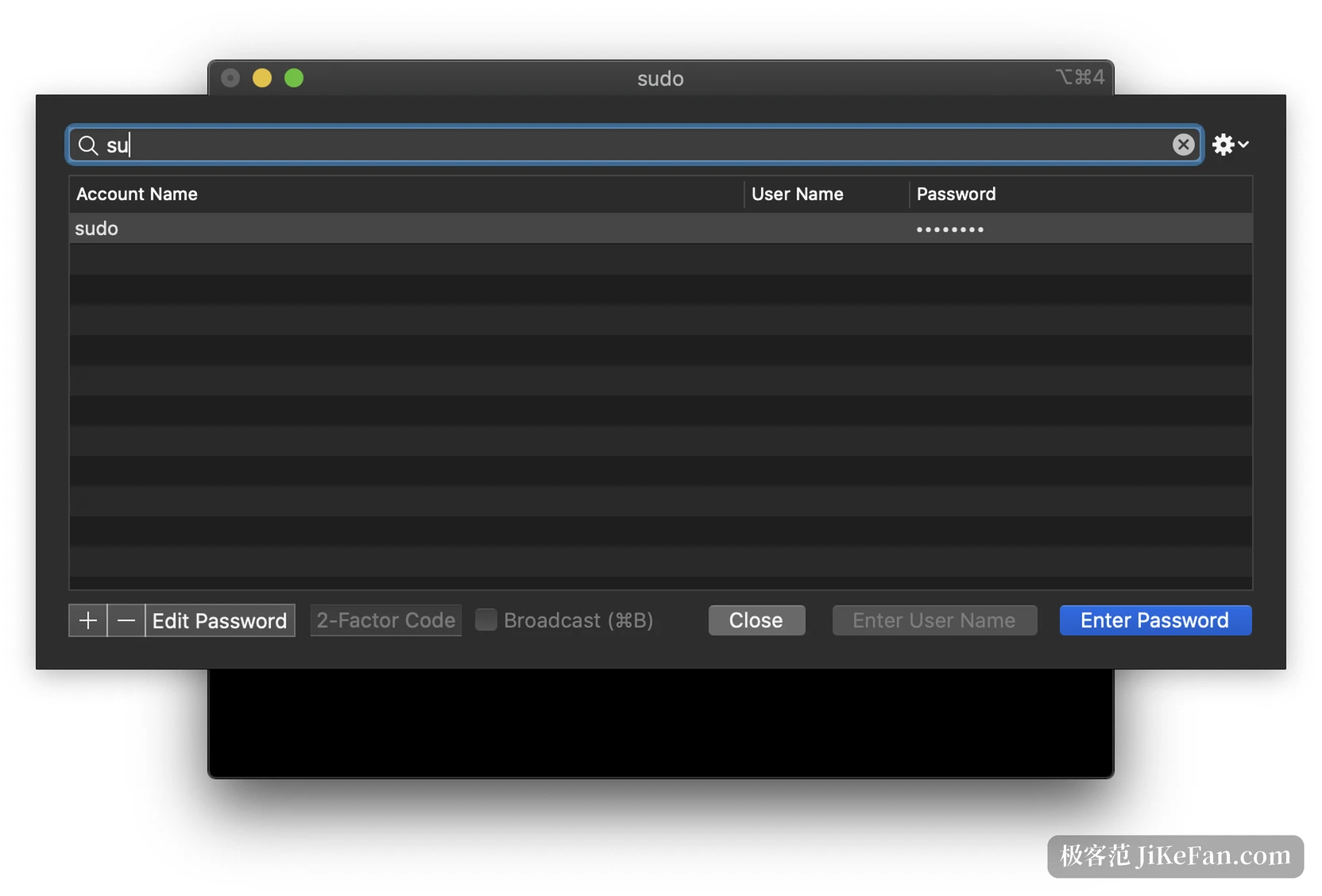
Passphrase and file travel separately, and that part is on you. The file can go anywhere; it should not carry the passphrase with it.
Downloads stop asking every kilobyte
Pulling a file or a whole directory from a remote host through SSH Integration used to pause for a confirmation at every increment. On a large tree that was enough to make people give up halfway. 3.7.7 removes the pauses, and the difference in speed is visible at a glance.
A quieter change in the same batch throttles remote output. The old failure was that a host spewing logs filled the connection buffer, and a Control-C took minutes to take effect. With output rate limited, the interrupt lands at once and typing no longer stutters.
Claude Code integration reaches remote hosts
The Claude Code integration introduced in 3.7 served the local machine only. 3.7.7 lets it be placed on a remote host through SSH Integration, and inside the windows of the tmux integration as well. Claude Code running on a server can then report its state back to the terminal, so a tab shows what it is busy with. Removing it clears the hosts it touched, leaving no half configured remnants behind.
The hook binary is renamed as well, now it2 handle-agent-hook, with Codex adding --agent codex. Anyone who already runs the Claude Code integration does not start over. The old entries stay valid, and only a fresh placement swaps them. On the remote side it2 itself turns from a shell function into a real command under ~/.iterm2/bin, which scripts, sh -c and the Bash tool of Claude Code can all reach, and commands that read standard input finally receive it.
One security fix and one quiet saving
Handling of links such as x-man-page was hardened. A crafted link could once make iTerm2 run a command nobody intended, or make man read an arbitrary local file. Section and page names now pass a character whitelist, and a link carrying illegal characters is refused with a message. The report came from an outside researcher, and the release notes name that person.
One more change concerns macOS 26. The system used to index the titles of terminal windows and tabs, and a terminal title changes almost every second, so the Spotlight background process burned a fair amount of CPU on it. 3.7.7 stops the indexing outright. System search loses one category, and the fans get quieter.
Whether to upgrade
People running nushell are counted as supported this time, with automatic loading and SSH integration both provided. Anyone who keeps Claude Code on a remote host gains most directly. Anyone who just wants a terminal and adds no extras carries no extra weight either way. The one condition is macOS 13 or newer, a line that has held since the start of the 3.7 series.
iTerm2 3.7.7 adds nothing flashy. Four changes point at one thing: loosening automation from the screen you can see. Scripts read pages directly, passwords move in encrypted form, downloads stop waiting at every step, and an agent on a server can report back. Terminals have been around for twenty years, and the room left for improvement tends to hide in details nobody wants to show off.