
Orkas Review: An Open-Source Multi-Agent Desktop That Keeps Work Moving Between Days
Summary
Orkas is an open-source, local-first multi-agent desktop app. A commander splits a goal into tasks for sixteen built-in specialists, conversations and files stay on the machine, and projects, tasks and schedules keep work going across days.
Recommend- Name
- Orkas
- Version
- 2026.10.27
- Open source
- Open source
- Operating system
- macOSWindowsLinux
- Website
- https://orkas.ai
- Updated
- 2026-11-02 16:12
When the assistant picks up where it stopped
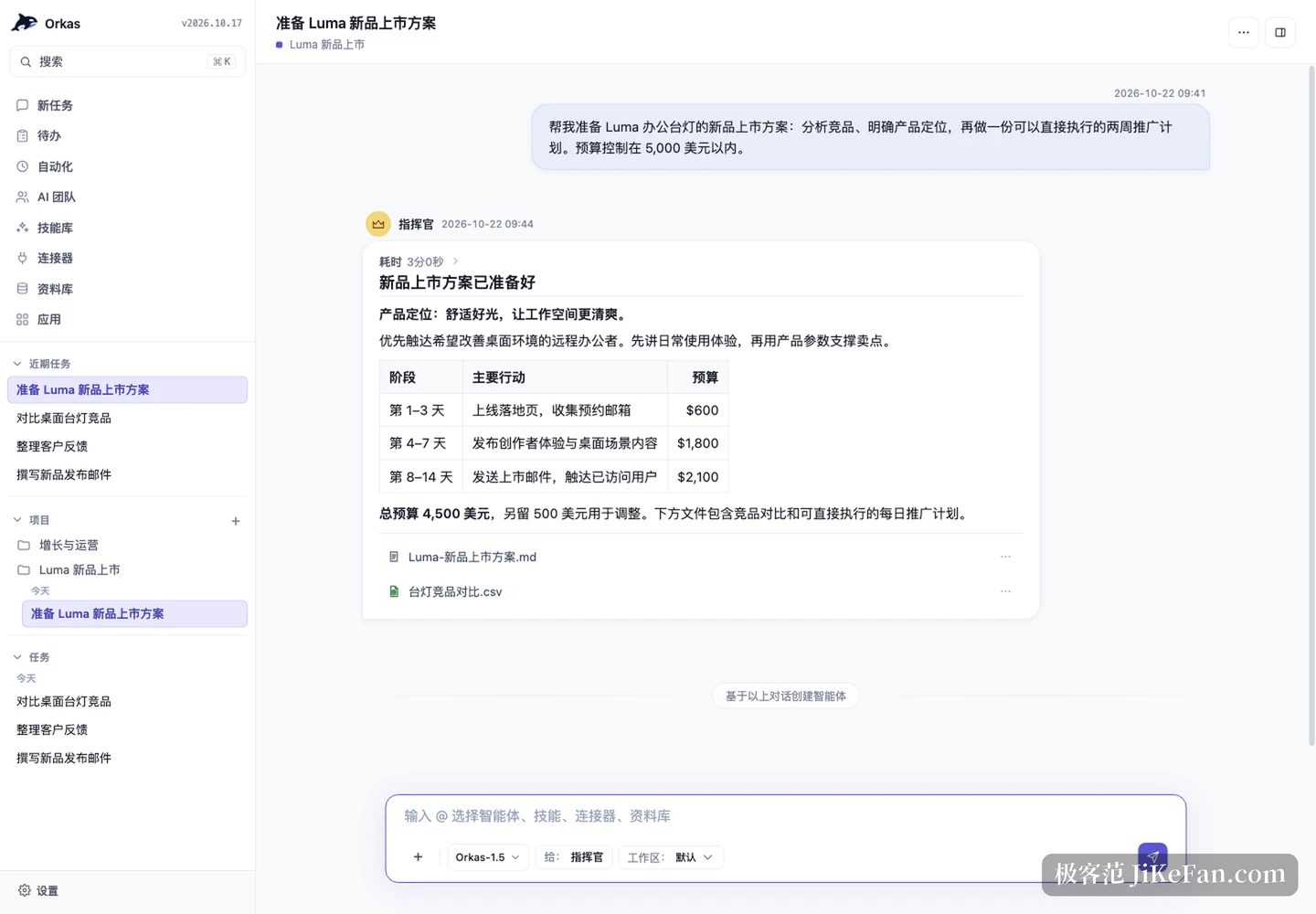
Anyone used to chat-style AI knows one particular frustration. Every new conversation starts from nothing, so the background has to be explained again: what the project is, which rules apply, where the files live. A single answer is not the weak part; continuity is. Orkas takes a different route. Instead of a dialogue box that grows longer, it gives you a project that holds the goal, the rules, the memory and the files, and a new conversation continues from where the last one stopped.
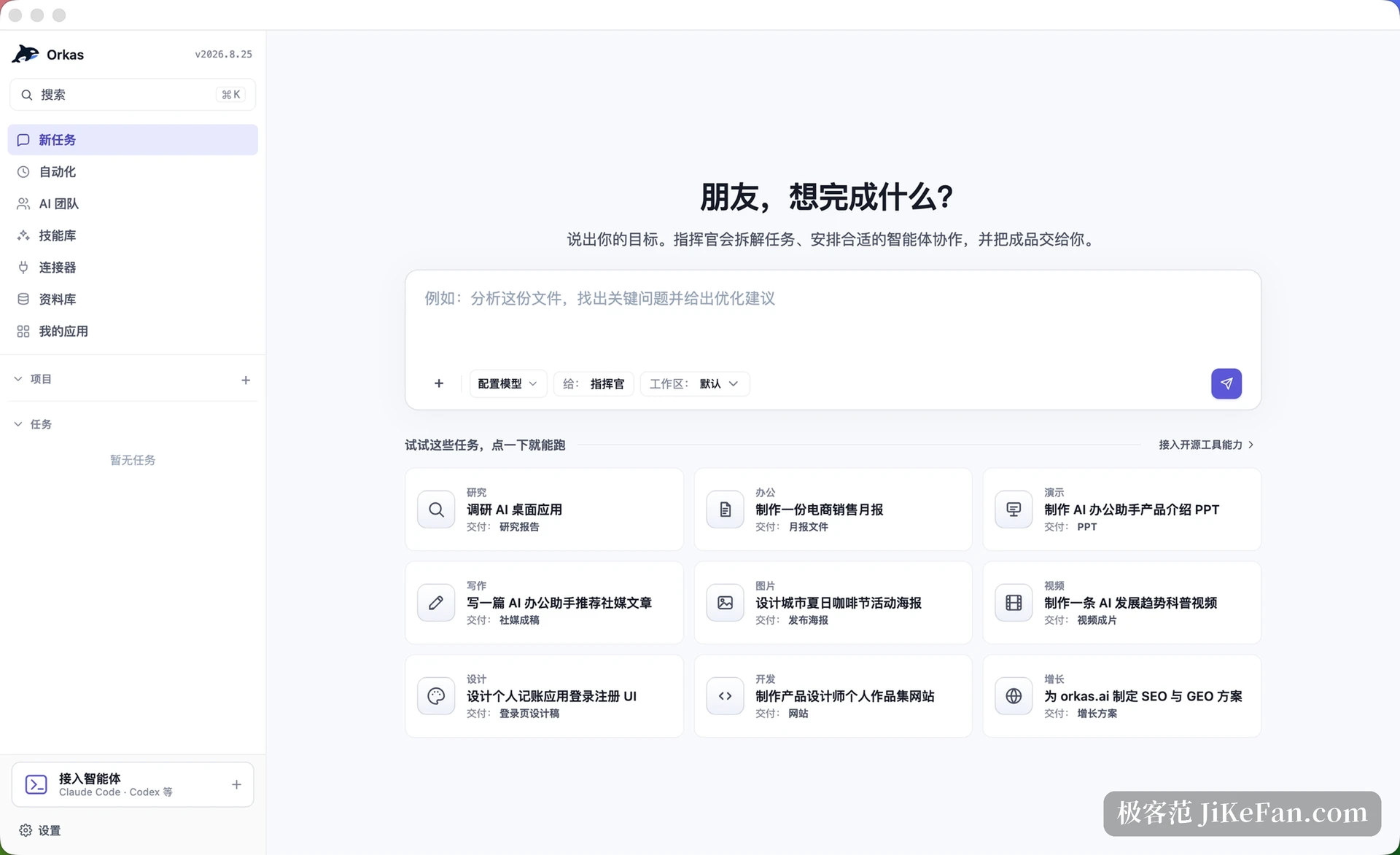
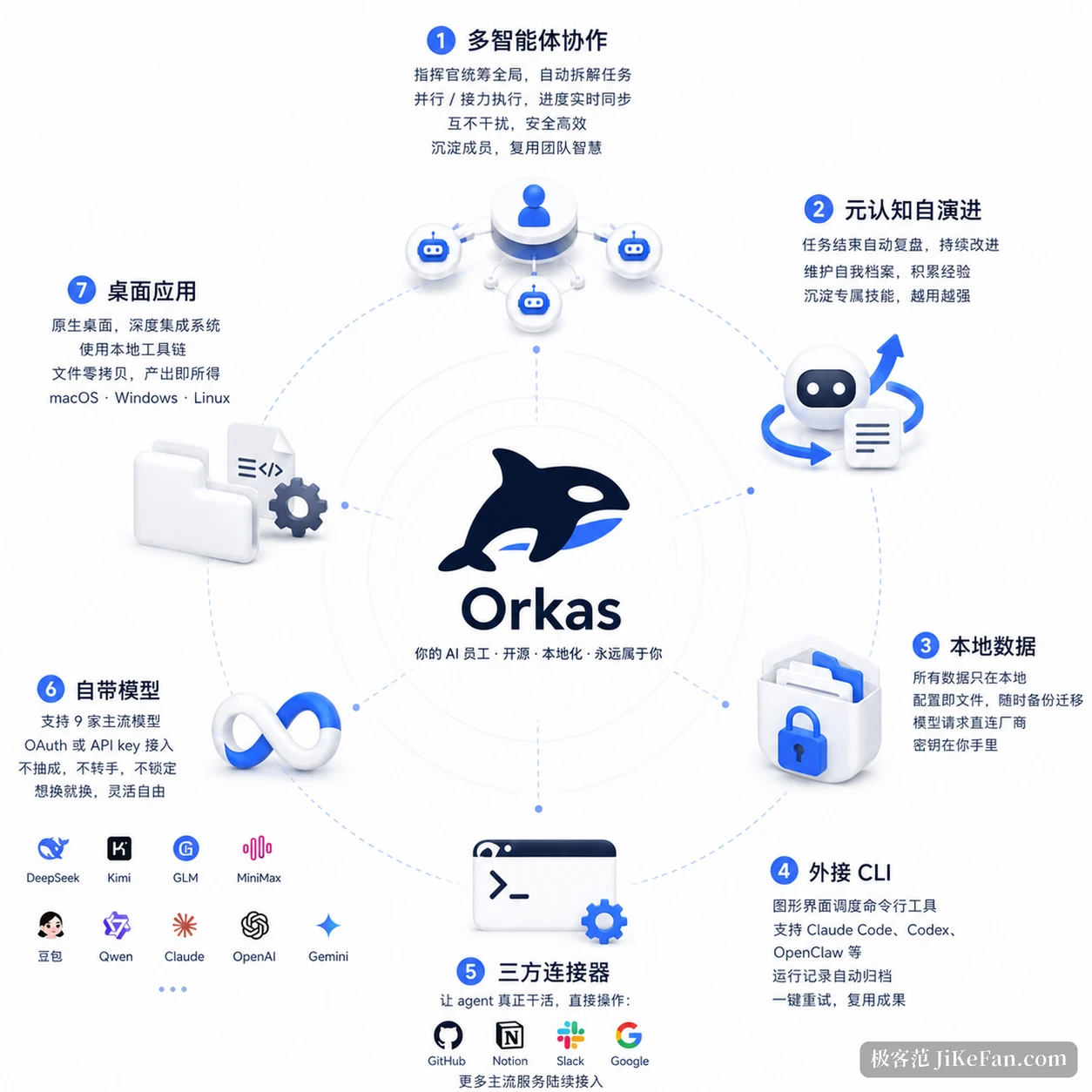
The overall shape is a team installed on the machine. You say what you want, and the main agent, called the commander, works out the intent, breaks it into steps, picks who should do them and hands the work out to sixteen built-in specialists. The larger the job, the more it lays the steps out as a task list and pushes them one by one. The project describes itself as a local-first multi-agent desktop application, the desktop client is open source under the MIT licence, and the planning and dispatch logic sits in public code rather than in an invisible server.
Three ways the commander hands out work
What decides whether a multi-agent system is usable is rarely how clever the model is. It is how the work gets divided. Orkas carries three tools for three intensities of collaboration. dispatch_to gives one concrete job to a named specialist and takes the result back afterwards, and it can be dispatched asynchronously. hand_off_to transfers the remaining work as a whole, ends the commander turn, and lets the receiving agent answer by itself. run_worker starts an anonymous isolated subtask that shares no conversation history and returns one private result. Each has its own concurrency limit, so tasks do not pile up and tread on each other.
One layer finer sits in the context. At runtime a budget is computed from the input capacity of the chosen model, long jobs compress earlier messages into checkpoints and keep only the recent working state, and file reads, edits and command runs are recorded in structured form, so those facts survive the compression instead of evaporating with it.
Sixteen specialists cover office work, not just code
The roster says a good deal about who this is for. Research and analysis have a deep researcher, an audit agent that turns one link into a technical review, and an analyst that screens factors and backtests them. Content and media have a writer, a slide maker, and three studios for images, video and voice. Engineering and office work have a developer that reads a repository and fixes defects, a designer that produces editable pages, and an office worker that processes documents, spreadsheets, presentations and PDFs in batches. Below those sit five specialists for online shops, watching product selection, copy, review analysis, sales analysis and catalogue pricing.
The combination the project uses as an example is telling. After one round of market research, the same material can become a report, a slide deck and a launch video, the three jobs handed to three specialists in parallel, and the output collected back into the same conversation. Beyond the roster there are more than thirty browsable agents, and a role can also be described in words so the commander builds one on the spot. What comes out is a file you can deliver, not text that still needs another pass.
Letting work move on its own
Continuous progress is the real dividing line between this and a chat window. Tasks inside a project are shared between you and the agents, and anyone can claim one. Turn automatic progress on and the team picks up the next task it can start, up to twenty items a day according to the documentation. Finishing is not the end either: a task moves into a state awaiting confirmation, and only becomes complete after a person has looked at it. That design keeps a necessary human gate in place.
Above that sit scheduled automations. Any task can repeat by the hour, day, week or month, which suits weekly reports, material refreshes and shop checks. The limits need to be clear in advance. Schedules run only while the application runs, and a slot missed while it was closed is not caught up on its own; they work only on the machine where they were set, and on Windows closing the window ends the application; since version 1.9 a missed run is caught up within twelve hours of the machine waking or the app starting. It relies on your computer being on, not on a service watching from somewhere else.
Local first, and what that costs
The default posture is that data does not leave the machine. Conversations, generated files, the knowledge base and custom agent settings stay on the local disk, keys are stored locally, and when you connect your own model account the request goes from your machine to the provider without passing through a relay. The vector index of the knowledge base lives in a local database, and even the embedding model runs on the machine. For convenience there is a hosted option that works out of the box: the app is free with 500 credits included, more can be added, and your own account can take over at any point. Paid tiers start at about 11.99 dollars a month, and what they add is cloud storage, synchronization across devices and shared projects.
Installers exist for macOS and Windows, covering both Intel and Apple silicon, while the Linux side is source only for now and has a glibc version requirement per distribution. The latest release is 2026.10.27, and its focus is letting image and video models use your own account, along with steadier behaviour for the local command-line agent and for interrupted operations. One detail is easy to miss: reflection runs only while the app is idle, with a cooldown and an execution cap, and a single reflection may update the self-assessment of one specialist or conclude that nothing here was worth recording. Not sending everything through the model is a restraint that is rare in this category.
The bet is not on a smarter assistant but on a project team that keeps walking. Goal, rules, memory and files are pinned inside the project, and tasks and schedules push the work forward while you are not looking at the screen. It suits people whose work spans days and roles and ends in files rather than a sentence. For a quick question answered once and closed, the project structure and the confirmation gate become a burden instead. Data staying local and logic being open are the ground it stands on, and they also mean it only lives while your machine is running.